Introduction to BiiTrust
Welcome to BiiTrust, the core banking and operations platform designed for modern microfinance. Whether you work in a field branch, at a teller counter, in credit risk, or at executive headquarters, this guide will help you navigate your day-to-day responsibilities with speed and confidence.
The Big Picture: How BiiTrust Works
At its heart, BiiTrust coordinates the complete lending lifecycle while keeping books balanced and compliant with regulatory standards:
┌──────────────┐     ┌──────────────┐     ┌──────────────┐     ┌──────────────┐
│  1. Client   │ ──► │   2. Loan    │ ──► │  3. Approval │ ──► │ 4. Disburse  │
│ Registration │     │ Origination  │     │    Chain     │     │ & Schedule   │
└──────────────┘     └──────────────┘     └──────────────┘     └──────────────┘
                                                                       │
┌──────────────┐     ┌──────────────┐     ┌──────────────┐             │
│ 7. Portfolio │ ◄── │  6. General  │ ◄── │ 5. Repayment │ ◄───────────┘
│  & Closure   │     │    Ledger    │     │ & Collection │
└──────────────┘     └──────────────┘     └──────────────┘
- Client Registration: Onboard borrowers in the field or branch, capturing bio-data, government identification, photos, next-of-kin, and initial KYC documents.
- Loan Origination: Choose a loan product, enter principal and tenor, review instant schedule previews, and attach proof of repayment capacity alongside pledged collateral.
- Approval Chain: The application moves through a structured, multi-tier committee (Loan Officer submit → Branch Manager review → Executive Director sanction) gated by amount limits and four-eyes separation.
- Disbursement: Funds are released to the client via M-Pesa B2C or bank transfer, instantly establishing an official installment schedule and double-entry accounting records.
- Repayment & Collection: Cashiers take over-the-counter payments, field officers post group collection sheets, and clients pay directly via M-Pesa Paybill or automated phone prompts (STK).
- General Ledger: Every coin in and out is automatically posted to double-entry ledger accounts, maintaining flawless audit trails and real-time trial balances.
- Portfolio & Governance: Monitor days past due (DPD), portfolio at risk (PAR), provisions, and performance across every branch.
Navigating the Interface
BiiTrust adapts cleanly to whether you are working at a desktop computer in an office or using a smartphone in the field.
Desktop Navigation (> 700px)
On laptops and desktop screens, the left sidebar remains fixed:
- Header: BiiTrust logo and your assigned branch.
- Main Links: Instant access to your role’s primary screens:
Home,Clients,Loans,Payments. - Collapsible Sections: Expandable menus for
Lending,Accounting,Documents,Messaging, andSettings. - Badge Indicators: Count pills show pending work (such as
12waiting in the approval queue or5expiring documents).
Mobile Floating Dock (≤ 700px)
On mobile phones, BiiTrust switches to a streamlined floating dock pinned to the bottom of the screen:
- Five Primary Slots: Four circular buttons for your top everyday screens plus one distinctive center pill.
- Center Search Pill: The wide stadium-shaped button in the middle is always Search. Tap it anytime to look up any client, loan, receipt, or screen.
- The More Screen: The fifth slot opens a clean directory of all accessible modules, letting you jump to secondary features, switch themes, or sign out.
- Automatic Dock Hiding: Whenever you enter a multi-step flow (such as registering a client or paying out a loan), the dock automatically steps aside to give full vertical space to form controls, replacing itself with sticky
BackandContinueaction buttons.
Visual Conventions
BiiTrust uses intuitive color codes and formatting so you can understand status at a glance:
| Tone / Color | Meaning | Examples |
|---|---|---|
| Green (Success / OK) | Active, on-time, compliant, fully balanced | Active client, On target collection, KYC verified badge |
| Amber (Warning) | Needs attention, pending review, draft | Prospect client, Due today, Waiting in queue, soft check warning |
| Red (Error / Alert) | Overdue, delinquent, blocked, destructive | Overdue loan, Blacklisted client, hard rule failure, Reject button |
| Blue / Accent | Primary focus, current active step, links | Active navigation tab, View button, current step segment bar |
| Monospace Numbers | Financial figures, reference codes, IDs | KES 15,000, CLX881149919, LOX902341 |
Key Tips for Beginners
- You Cannot Lose Your Drafts: When entering client registrations or loan applications, form details are kept in your browser’s local memory. If your battery dies, connection drops, or you accidentally refresh the browser, your work is restored exactly where you left off.
- Instant File Uploads: When you select an ID photo, payslip, or title deed, the file is uploaded to the secure vault immediately. You do not need to wait until the final submission button.
- Clear Audit Records: Every approval, payment reversal, fee waiver, and loan disbursement records your name, role, timestamp, and explanation note in the permanent institution audit trail.
- Instant Search Anywhere:
Press
/orCtrl + K(orCmd + Kon Mac) anywhere in the application to instantly open the search console.
Financial Definitions & Core Concepts
This chapter defines the financial concepts, accounting principles, and microfinance mechanisms embedded in the BiiTrust core banking platform. Every term is grounded in actual industry standards and the system’s operational implementation.
1. Credit Risk & Portfolio Quality
Portfolio at Risk (PAR)
Portfolio at Risk (PAR) measures the proportion of the institution’s gross loan portfolio affected by delinquency. In banking and microfinance, once an installment is overdue by more than $x$ days, the entire outstanding principal balance of that loan is considered at risk, not merely the unpaid installment amount.
$$\text{PAR}_x = \frac{\sum \text{Outstanding Principal of Loans with Overdue Days} > x}{\text{Total Gross Loan Portfolio}} \times 100%$$
- PAR 30 (Default Standard): The global microfinance benchmark. Regulators (such as the Central Bank of Kenya - CBK) require non-deposit-taking and microfinance institutions to maintain PAR 30 strictly below 5.0%.
- PAR 60: Serious credit deterioration indicating failed field recovery attempts.
- PAR 90 (Non-Performing): Impaired credit facilities. Under prudential guidelines and IFRS 9, loans with $\text{DPD} \ge 90$ transition to Stage 3 (default/NPL) and require heavy loan loss provisioning.
Days Past Due (DPD)
The continuous calendar count of days elapsed since the oldest unpaid installment’s maturity date:
- $\text{DPD} = 0$: Current / Normal loan.
- $\text{DPD} = 1\dots 29$: Watchlist / Early Warning. Grace period typically spans 1 to 3 days.
- $\text{DPD} = 30\dots 59$: Substandard delinquency.
- $\text{DPD} = 60\dots 89$: Doubtful facility.
- $\text{DPD} \ge 90$: Non-Performing Asset (NPA) / Default. Eligible for legal recovery, collateral liquidation, and Credit Reference Bureau (CRB) listing.
Expected Credit Loss (ECL) & IFRS 9 Staging
Under International Financial Reporting Standard 9 (IFRS 9), loan loss provisions are computed proactively based on forward-looking credit deterioration rather than incurred losses alone:
- Stage 1 (Performing):
- $\text{DPD} < 30$ with no significant increase in credit risk since origination.
- Provisioning: 12-Month Expected Credit Loss ($1.0% - 2.5%$ portfolio provision).
- Stage 2 (Underperforming / Watch):
- $30 \le \text{DPD} < 90$ or significant increase in credit risk (SICR).
- Provisioning: Lifetime Expected Credit Loss ($10% - 25%$ specific provision).
- Stage 3 (Credit-Impaired / Non-Performing):
- $\text{DPD} \ge 90$ or objective evidence of borrower insolvency.
- Provisioning: Full Lifetime ECL ($50% - 100%$ specific net impairment provision).
2. Payment Waterfall & Allocation Order
When a repayment arrives from an M-Pesa Paybill, bank deposit, or cash receipt, BiiTrust applies a strict financial waterfall allocation to settle overdue and current obligations. Funds are absorbed in institutional priority order:
$$\text{Incoming Payment} \longrightarrow \text{Penalties} \longrightarrow \text{Fees} \longrightarrow \text{Interest} \longrightarrow \text{Principal}$$
   ┌──────────────────────────────────────────────────────────┐
   │ 1. Late Penalties (Oldest accrued daily penalty charges) │
   └─────────────────────────────┬────────────────────────────┘
                                 ▼
   ┌──────────────────────────────────────────────────────────┐
   │ 2. Institutional Fees (Disbursement, rollover, ledger)   │
   └─────────────────────────────┬────────────────────────────┘
                                 ▼
   ┌──────────────────────────────────────────────────────────┐
   │ 3. Contractual Interest (Earliest due installment first) │
   └─────────────────────────────┬────────────────────────────┘
                                 ▼
   ┌──────────────────────────────────────────────────────────┐
   │ 4. Loan Principal (Reducing contractual debt balance)    │
   └──────────────────────────────────────────────────────────┘
- Waterfall Invariance: A borrower cannot pay toward principal while outstanding penalty fees or accrued interest remain open.
- Oldest First (FIFO): For multi-installment arrears, interest and principal are liquidated starting from the earliest overdue installment number before progressing to current installments.
- Overpayments: Payments exceeding total debt due are credited to unallocated suspense or held as advance savings on the client’s account.
3. Amortization & Interest Methodologies
Flat Interest Rate
Interest is computed as a fixed percentage on the initial disbursed principal across the entire tenor of the loan, regardless of ongoing principal repayments:
$$\text{Total Interest} = P \times r \times t$$ $$\text{Periodic Installment} = \frac{P + (P \times r \times t)}{n}$$
- Where:
- $P$ = Disbursed Principal.
- $r$ = Annual Contractual Interest Rate.
- $t$ = Loan Duration in Years.
- $n$ = Total Number of Repayment Installments.
- Microfinance Usage: Simplifies calculations for informal traders and group lending; however, the Effective Interest Rate (EIR) is roughly $1.7\times - 1.9\times$ higher than the stated nominal flat rate.
Declining / Reducing Balance Method
Interest is computed strictly on the unpaid outstanding principal balance at each repayment cycle:
$$\text{Interest}k = \text{Remaining Balance}{k-1} \times \frac{r}{m}$$
- Level Payment (Annuity / PMT Formula): $$\text{Periodic Installment (PMT)} = P \times \frac{\frac{r}{m} \left(1 + \frac{r}{m}\right)^n}{\left(1 + \frac{r}{m}\right)^n - 1}$$
- Where $m$ = Number of payment cycles per year (e.g., 12 for monthly, 52 for weekly).
- Characteristics: Interest is front-loaded; as principal amortizes, the interest portion of each installment declines, while the principal amortization portion increases. Paying early saves the borrower money.
Effective Interest Rate (EIR) & Annual Percentage Rate (APR)
- Nominal Rate: The headline interest rate stated in the contract without compounding or fee inclusions.
- Effective Interest Rate (EIR): The internal rate of return (IRR) of cash flows equating the disbursed funds with the present value of all repayments, fees, and charges.
- APR: The annualized total cost of borrowing disclosed to clients, factoring in appraisal fees, insurance levies, and disbursement deductions.
4. Tenor, Grace Periods & Moratoriums
- Tenor: The total duration from disbursement date to contractual maturity date (e.g., 6 months, 52 weeks, 36 months).
- Grace Period (Capital / Principal Grace): An agreed initial window (e.g., 14 days or 1 month) where the borrower does not pay principal installments, only interest. Common in agricultural lending where harvest cycles take time.
- Grace Period (Payment Leniency): Operational buffer (usually 1–3 business days after installment due date) before the system automatically applies daily penalty accruals.
- Moratorium: Complete freeze of all payment obligations (principal and interest) granted during formal debt restructuring or macroeconomic force majeure events.
5. Collateral, Valuation & Haircuts
Open Market Value (OMV)
The estimated fair economic value for which an asset could be exchanged between a willing buyer and a willing seller in an arm’s-length transaction following proper marketing.
Forced Sale Value (FSV)
The discounted cash price expected when an asset must be liquidated under distressed conditions within a constrained time frame (e.g., public auction within 30–60 days). Typically evaluated at $65% - 75%$ of OMV.
Valuation Haircut
A risk deduction applied to an asset’s market appraisal to absorb market volatility, depreciation, legal encumbrances, and auction costs:
$$\text{Pledged Value} = \text{OMV} \times (1 - \text{Haircut})$$
Standard BiiTrust Haircut Schedule:
- Motor Vehicles (Logbooks): $30% - 40%$ haircut on OMV.
- Titled Real Estate (Land / Buildings): $25% - 30%$ haircut on OMV.
- Household Goods & Equipment (Chattels): $50% - 60%$ haircut on OMV.
- Cash / Fixed Deposit Collateral: $0%$ haircut (100% lien).
Loan-to-Value (LTV)
The ratio comparing the loan amount to the discounted appraised collateral value:
$$\text{LTV} = \frac{\text{Disbursed Loan Principal}}{\text{Forced Sale Value (FSV)}} \times 100%$$
- Policy Ceiling: Institutional limit is strictly $\le 75%$ of FSV to guarantee full recovery in default.
6. Credit Bureau (CRB) Reporting
- Credit Reference Bureau (CRB): Regulated repositories (e.g., Metropol, CreditInfo, TransUnion) tracking credit history across licensed financial institutions.
- Positive Reporting: Monthly reporting of all performing loans, establishing borrower creditworthiness.
- Adverse Listing: Mandatory submission of loan accounts that remain in default ($\text{DPD} \ge 90$) following statutory pre-listing notice (28-day notice).
- Clearance Certificate: Official document issued to a borrower once all adverse default balances have been cleared and reported as closed.
7. Know Your Customer (KYC) & Anti-Money Laundering (AML)
- KYC (Know Your Customer): Mandatory statutory due diligence process verifying the true legal identity, physical address, and source of funds for all borrowers.
- Customer Due Diligence (CDD): Standard verification of government identity card, phone registration, and tax registration (KRA PIN).
- Enhanced Due Diligence (EDD): Deeper background audits, asset verification, and proof of income required for Politically Exposed Persons (PEPs), high-net-worth borrowers, or high-value business facilities.
- Sanction Screening: Automated checking against international terrorist, financial crime, and politically exposed registries.
8. General Ledger & Double-Entry Accounting
Chart of Accounts (COA)
The structured index of financial ledger accounts organized under standard banking classes:
- 10000 - Assets: Cash on Hand, Bank Accounts, M-Pesa Treasury, Gross Loan Portfolio, Accrued Interest Receivable.
- 20000 - Liabilities: Borrower Collateral Deposits, Accounts Payable, Credit Facility Borrowings.
- 30000 - Equity: Shareholder Capital, Retained Earnings, Statutory Reserves.
- 40000 - Revenue: Interest Income on Loans, Loan Processing Fees, Penalty Charges.
- 50000 - Expenses: Staff Payroll, Office Rent, Bank Fees, Loan Loss Provision Expense.
Double-Entry Invariance
Every financial movement in BiiTrust triggers a balanced journal entry where Total Debits equal Total Credits:
| Operational Event | Debit (Dr) | Credit (Cr) | Financial Impact |
|---|---|---|---|
| Loan Disbursement | 12100 Loan Portfolio | 10200 Bank / M-Pesa Disburse | Asset exchange (Cash drops, Portfolio increases) |
| Disbursement Fee | 12100 Loan Portfolio | 41100 Loan Fee Revenue | Income recognized at origination |
| Cash Repayment (Interest) | 10100 Branch Cash Till | 40100 Loan Interest Income | Revenue earned |
| Cash Repayment (Principal) | 10100 Branch Cash Till | 12100 Loan Portfolio | Portfolio asset reduced |
| Late Penalty Accrual | 12200 Penalty Receivable | 42100 Penalty Income | Accrual recognized |
| Loan Loss Provision | 51000 Provision Expense | 12900 Allowance for Impairment | Expense recognized; portfolio net asset reduced |
| Loan Write-Off | 12900 Allowance Reserve | 12100 Loan Portfolio Asset | Asset written off against previously accrued reserve |
9. Mobile Money & Payment Rails
- C2B (Customer to Business): Inbound payment where a borrower uses their Safaricom M-Pesa menu (Paybill or Till) to transfer funds into BiiTrust’s treasury.
- B2C (Business to Customer): Outbound payment where BiiTrust dispatches approved loan proceeds directly to the borrower’s mobile phone number.
- STK Push (SIM Tool Kit Push): Interactive USSD pop-up sent directly to the borrower’s phone requesting PIN entry to authorize an instant repayment.
- Paybill vs Till:
- Paybill (Business Number): Requires an Account Number field (used by BiiTrust to specify borrower client number or loan hex).
- Till Number (Buy Goods): Direct merchant transfer without an account number.
- Reconciliation: Nightly verification matching M-Pesa statement transactions with internal payment ledger records to detect unallocated payments or duplicate receipts.
Banking & Credit Operations Definitions
This chapter explains the operational credit terminology, microfinance loan cycle concepts, and institutional recovery tools used across BiiTrust.
1. Credit Origination & Underwriting
Appraisal & Affordability Assessment
The rigorous examination of a prospective borrower’s repayment capacity before sanctioning credit:
- Debt Service Ratio (DSR): The proportion of net verifiable monthly business/salary income dedicated to servicing total debt obligations: $$\text{DSR} = \frac{\text{Total Monthly Debt Repayments}}{\text{Net Monthly Income}} \times 100%$$ Policy Rule: Total DSR across all existing loans plus the new requested facility must not exceed $50%$.
- Character, Capacity, Capital, Collateral, Conditions (5 Cs of Credit):
- Character: Verified history of honoring past loan promises and honesty during field interviews.
- Capacity: Cash flow sustainability of the borrower’s enterprise.
- Capital: The borrower’s equity stake or skin in the game.
- Collateral: Pledged security guaranteeing recovery.
- Conditions: External market, seasonal, and economic drivers affecting the borrower’s trade.
Credit Limits & Delegated Authority Matrix
The hierarchical lending limits established by the Board of Directors governing approval powers:
- Loan Officer: Appraisal and recommendation only (Limit: KES 0).
- Branch Manager: Approves standard facilities up to KES 150,000.
- Credit Committee (Branch Manager + Credit Analyst): Approves facilities between KES 150,001 and KES 500,000.
- Executive Director: Approves high-value facilities between KES 500,001 and KES 2,500,000.
- Board Credit Committee: Approves institutional and director facilities exceeding KES 2,500,000.
2. Loan Servicing & Repayment Cycles
Amortization Schedule
The full chronological ledger detailing every installment due throughout the life of the credit facility. Each schedule row specifies:
- Cycle Number ($k$): Sequential ordinal installment ($1\dots n$).
- Due Date: Date on which payment must be received. If falling on a weekend or public holiday, rules roll to the preceding or succeeding business day.
- Principal Due: Capital repayment portion reducing gross book asset.
- Interest Due: Cost of funds and margin recognized as institutional revenue upon receipt.
- Fee Portion: Periodic ledger fee or insurance levy (if not collected upfront).
- Total Installment: Aggregate minimum amount expected for full cycle clearance.
- Outstanding Principal Balance: Remaining capital obligation following installment clearance.
Bullet / Balloon Repayment
A credit structure where periodic installments service only interest (or minimal principal), with the entire lump-sum principal balance falling due on the final maturity date. Often used in agricultural trade, import clearing, or invoice discounting.
3. Delinquency Management & Loan Restructuring
Arrears Aging Buckets
Delinquent loans are classified daily into standardized aging brackets based on DPD:
- Bucket 0 (Current): 0 DPD. All payments on schedule.
- Bucket 1 (Grace / Watch): 1–30 DPD. Managed through automated SMS reminders, phone calls, and branch officer visits.
- Bucket 2 (Substandard): 31–60 DPD. Formal default demand letters dispatched. Guarantors notified.
- Bucket 3 (Doubtful): 61–89 DPD. Final notice of intention to realize security issued. Collateral repossession initiated.
- Bucket 4 (Loss / Non-Performing): 90+ DPD. Full impairment provision booked. Handed over to auctioneers/debt collectors; reported to CRB.
Loan Rescheduling
Modifying the contractual repayment terms of an active delinquent or stressed facility without advancing new capital:
- Tenor Extension: Extending duration (e.g., from 6 months to 12 months) to lower the periodic installment amount to an affordable level.
- Moratorium / Payment Holiday: Pausing repayment for 30–90 days during medical, seasonal, or commercial recovery.
- Capitalization of Arrears: Folding unpaid overdue interest and penalties into a new consolidated principal balance with a revised amortization schedule.
- Strict Rule: Rescheduling requires formal borrower request, evidence of genuine business distress with future cashflow viability, and Branch Manager or Executive Director authorization.
Fee & Penalty Waivers
The discretionary forgiving or cancellation of accrued late penalty fees or overdue charges:
- Used as a negotiation mechanism to incentivize delinquent borrowers to settle 100% of outstanding principal and contractual interest in a single lump-sum compromise.
- Requires documented approval and leaves an indelible audit trail on the loan account.
4. Default Resolution & Debt Recovery
Loan Loss Provisioning (Prudential Reserve)
A non-cash expense deducted from institutional earnings to establish a balance sheet contra-asset reserve (Allowance for Loan Impairment) ensuring balance sheet solvency against expected credit defaults:
- General Provision: $1% - 2%$ on all performing portfolio assets.
- Specific Provision: Graduated reserves held against delinquent facilities:
- 1–30 DPD: $5%$
- 31–60 DPD: $25%$
- 61–89 DPD: $50%$
- 90+ DPD: $100%$ (net of realizable collateral security value).
Loan Write-Off (Charge-Off)
An accounting action removing an uncollectible loan asset from the institution’s balance sheet:
- The gross loan asset is eliminated against the accumulated
Allowance for Loan Impairmentreserve. - Crucial Distinction: Writing off a loan is strictly an internal balance sheet cleaning procedure; it does not forgive or release the borrower’s legal liability.
- The borrower remains legally indebted to BiiTrust. Field recovery, guarantor pursuit, and legal action continue indefinitely until recovery is realized or statutory limitations expire.
Bad Debt Recovery
Any cash or collateral proceeds recovered on a loan account after that facility has been formally written off:
- Because the loan balance on the balance sheet is zero, recovered funds cannot be credited against principal.
- Recovered amounts are credited directly to the Income Statement under
43000 Bad Debt Recoveries Revenue, producing a direct positive boost to operating net profit.
5. Security & Collateral Realization
Chattel Mortgage
A legal instrument establishing a registered security interest over movable personal or commercial property (motor vehicles, machinery, shop inventory, household furniture):
- Must be registered under the Movable Property Security Rights Act (MPSRA) to establish first-ranking legal priority over competing creditors.
Lien & Pledge
- Pledge: Physical delivery of possession of the asset (e.g., vehicle logbook, original title deed, share certificate) into BiiTrust’s custody while ownership remains with the borrower.
- Lien: The legal right of BiiTrust to retain possession of a borrower’s property or cash deposit until their outstanding debt obligations are fully discharged.
Collateral Realization / Auction
The legal process of selling pledged security to recover defaulted debt:
- Notice to Remedy Default: 21-day statutory notice requiring borrower to cure arrears.
- Notice of Intention to Sell: 40-day notice advising that the asset will be auctioned.
- Notification of Sale: 14-day public auction proclamation through licensed court bailiffs and auctioneers.
- Auction Proceeds Allocation:
- Auctioneer and storage costs paid first.
- BiiTrust debt settled via waterfall (Penalties $\to$ Fees $\to$ Interest $\to$ Principal).
- Any surplus funds returned to the borrower.
System Terms & Security Architecture
This chapter defines the system architecture, entity identifiers, security tiers, and role permissions governing the BiiTrust core banking platform.
1. Hexadecimal Entity Identifiers
Every record created across BiiTrust is assigned an immutable, collision-resistant 15-character uppercase hexadecimal identifier. The first three letters denote the operational domain, followed by 12 pseudo-random uppercase hex characters:
| Hex Prefix | Domain Name | Database Table | Purpose & Description |
|---|---|---|---|
CLX… | Clients | org.clients | Individual or business borrower records and profiles. |
LOX… | Loans | loan.loans | Active, closed, or written-off credit facilities. |
APX… | Applications | loan.applications | Credit origination requests undergoing underwriting. |
PMX… | Payments | loan.payments | Inbound cash, bank, or M-Pesa repayment transactions. |
BRX… | Branches | org.branches | Physical branch offices and regional hubs. |
STF… | Staff | org.staff | Employee identity records, system users, and officers. |
ACX… | Accounts | gl.accounts | General Ledger chart of accounts and sub-accounts. |
COL… | Collateral | loan.collaterals | Physical pledged assets, logbooks, and chattel liens. |
DOC… | Documents | org.documents | Uploaded KYC files, National ID scans, and contracts. |
MAN… | Mandates | loan.mandates | Standing orders, direct debit mandates, and group guarantees. |
PRD… | Products | loan.products | Loan product configurations, rates, tenors, and calculation rules. |
AUD… | Audits | sys.audits | Immutable security audit logs recording every action, IP, and payload. |
CMS… | Comms | sys.comms | Outbound SMS notifications, email statements, and delivery states. |
Hex Resolution Rules
- Case Insensitive in Search: Searching
clx936orCLX936immediately resolves to the target client. - Universal Links: Typing or clicking any hex code across the UI navigates directly to that entity’s profile page (e.g., clicking
LOX44A1B903opens the loan ledger).
2. Client Onboarding Tiers
To comply with statutory Anti-Money Laundering (AML) and Proceeds of Crime regulations while ensuring financial inclusion, BiiTrust structures customer profiles into three progressive tiers:
| Tier | Required Credentials | Maximum Credit Ceiling | Verification Level |
|---|---|---|---|
basic | Mobile phone number, self-declared name, National ID number. | KES 25,000 | Automated SMS OTP verification. Prospect status. |
standard | Verified original National ID card scan, passport portrait, physical residence details, next of kin. | KES 250,000 | Reviewed and approved by Compliance Officer. |
enhanced | KRA Tax PIN Certificate, 6 months bank/M-Pesa statements, utility bill, business registration / permit. | Unlimited (Up to product maximum) | Full Enhanced Due Diligence (EDD), field visit verification, and Credit Committee clearance. |
3. Entity Lifecycle States
Client States
prospect: Registered prospect; KYC incomplete; cannot borrow.active: Fully verified KYC; eligible for loan origination.dormant: No transactions or active credit facilities in 180+ days.blacklisted: Barred from future lending due to fraud, forgery, or malicious default.exited: Formally closed membership; all liabilities discharged.
Application Stages
draft: Created by Loan Officer; pending document attachment or guarantor assignment.submitted: Forwarded to Branch Manager or Credit Committee queue for review.appraised: Credit evaluation, affordability scoring, and field visit report completed.approved: Formally authorized for funding; awaiting borrower acceptance and disbursement.rejected: Application denied; reason documented and archived in audit trail.disbursed: Funds released to borrower’s account/phone; converted into activeLOXloan.
Loan States
pending: Approved but funds not yet transferred.active: Disbursed and currently amortizing according to schedule.closed: Outstanding balance reaches exactly KES 0.00; collateral released.rescheduled: Original facility superseded by restructured terms.written_off: Uncollectible debt removed from balance sheet; recovery ongoing.
4. Cryptographic Scoped Search Keys
BiiTrust uses an enterprise search security model powered by Typesense Scoped Search Keys. Rather than relying on client-side filtering or slow SQL database scans, the system validates user permissions cryptographically:
- Session-Driven Identity: When an employee signs into the web application, their JWT session establishes their Role, Staff Identity (
identity), and Assigned Branch (branch). - Cryptographic Signing (HMAC-SHA256): The backend generates an ephemeral, short-lived search key embedded with non-negotiable security filters:
- For an Officer:
branch:=[BRX1001] && officer:=805303613 - For a Branch Manager:
branch:=[BRX1001] - For an Executive Director / Admin:
branch:=*(no isolation)
- For an Officer:
- Hardware-Enforced Isolation: The search engine validates the HMAC signature before executing any query. Even if a user attempts to manually forge a search query, Typesense physically restricts the search results to records matching their signed token.
- Sensitive Field Masking: Scoped keys automatically strip protected fields (
password,pin,risk_score,national_id_raw) from search results before network transmission.
5. Role Hierarchy & Operational Privileges
| System Role | Scope of Access | Core Responsibilities | Gated Actions |
|---|---|---|---|
owner / admin | Organization-wide | System health, staff onboarding, branch creation, product setup, database sync. | Can manage all configurations, credentials, and settings. |
director | Organization-wide | High-value loan approvals ($\ge \text{KES } 500,000$), write-offs, financial statements. | Cannot disburse cash directly across a branch counter. |
manager | Single Branch | Operational oversight, staff management, loan approvals ($< \text{KES } 500,000$), rescheduling. | Confined strictly to branch loans, clients, and cash drawers. |
officer | Own Portfolio Book | Client prospecting, loan application origination, group collection sheets. | Confined strictly to assigned clients; cannot approve loans. |
teller | Branch Cash Counter | Cash receipts, manual M-Pesa entry, STK pushes, cash drawer balancing. | Cannot originate loans or alter repayment schedules. |
accountant | General Ledger | Chart of accounts, journal entries, bank reconciliations, fiscal closures. | Cannot approve credit or originate borrower files. |
compliance | Risk & Legal | KYC document verification, sanction checks, CRB reporting, AML audit. | Independent oversight; cannot handle cash or approve loans. |
auditor | Read-only Org-wide | Inspection of audit trails (AUD), general ledger balances, and portfolio health. | Read-only across all modules; cannot perform updates. |
Metric Formulas & Calculations
This chapter provides the mathematical formulas, algorithms, and computational rules used across BiiTrust’s analytics, reports, and real-time dashboard gauges.
1. Credit Risk & Delinquency Metrics
Portfolio at Risk (PAR)
Measures the proportion of the gross loan book affected by installments overdue beyond a specified threshold:
$$\text{PAR}x = \frac{\sum{i \in L_x} \text{Outstanding Principal}_i}{\text{Total Outstanding Gross Loan Portfolio}} \times 100%$$
Where:
- $L_x$ = Set of all active loans where $\text{DPD} > x$.
- $x \in {1, 30, 60, 90}$.
Dashboard Benchmark Status:
- $\text{PAR } 30 \le 3.0%$: Optimal / Green
- $3.0% < \text{PAR } 30 \le 5.0%$: Acceptable / Amber
- $\text{PAR } 30 > 5.0%$: Critical / Red (Triggers executive intervention)
Days Past Due (DPD) Calculation
For any active loan with unpaid due installments:
$$\text{DPD} = \max\left(0, \lfloor \frac{\text{Current Date} - \text{Earliest Overdue Installment Due Date}}{86,400,000 \text{ ms}} \rfloor\right)$$
- Weekend & Holiday Rule: If an installment due date lands on an institutional non-working day, the DPD counter only begins incrementing after the grace period expires following the next valid banking day.
Non-Performing Loan (NPL) Ratio
$$\text{NPL Ratio} = \frac{\sum \text{Principal of Loans with DPD} \ge 90}{\text{Total Gross Loan Portfolio}} \times 100%$$
2. Collection & Repayment Metrics
Collection Efficiency (Daily / Period)
Evaluates field collection performance against scheduled demand:
$$\text{Collection Efficiency} = \frac{\text{Total Cash & M-Pesa Collected in Period}}{\text{Total Scheduled Installment Demand Falling Due in Period}} \times 100%$$
- On-Target: $\ge 98.0%$
- Warning: $90.0% - 97.9%$
- Deficient: $< 90.0%$
Cumulative Repayment Rate
$$\text{Repayment Rate} = \frac{\text{Total Principal Repaid to Date}}{\text{Total Principal Disbursed + Accrued Contractual Interest}} \times 100%$$
3. Amortization & Installment Math
Flat Interest Calculation
$$\text{Total Interest} = P \times \left(\frac{\text{Annual Rate %}}{100}\right) \times \left(\frac{\text{Tenor Months}}{12}\right)$$
$$\text{Monthly Installment} = \frac{P + \text{Total Interest}}{\text{Tenor Months}}$$
$$\text{Principal per Installment} = \frac{P}{\text{Tenor Months}}, \quad \text{Interest per Installment} = \frac{\text{Total Interest}}{\text{Tenor Months}}$$
Reducing Balance (Equal Installment PMT)
$$\text{Periodic Installment (PMT)} = P \times \frac{r \cdot (1 + r)^n}{(1 + r)^n - 1}$$
Where:
- $P$ = Disbursed Principal.
- $r$ = Periodic interest rate ($r = \frac{\text{Annual Rate}}{m}$, where $m=12$ for monthly, $m=52$ for weekly).
- $n$ = Total number of repayment installments.
Schedule Breakdown for Period $k$: $$\text{Interest Portion}k = \text{Remaining Principal}{k-1} \times r$$ $$\text{Principal Portion}_k = \text{PMT} - \text{Interest Portion}_k$$ $$\text{Remaining Principal}k = \text{Remaining Principal}{k-1} - \text{Principal Portion}_k$$
4. Late Payment Penalty Algorithm
When a borrower exceeds the contractual grace period (default: 3 days), BiiTrust applies daily compounding or simple penalty accruals:
$$\text{Daily Penalty} = \text{Overdue Installment Amount} \times \left(\frac{\text{Penalty Rate % per Annum}}{365}\right)$$
Alternatively (Fixed Daily Fee): A fixed fee (e.g., KES 50 per day overdue) accrues daily at midnight via the background worker until the overdue installment is cleared.
5. Collateral Security & LTV
Loan-to-Value (LTV) Ratio
$$\text{LTV} = \frac{\text{Requested or Outstanding Loan Principal}}{\text{Forced Sale Value (FSV) of Pledged Collateral}} \times 100%$$
$$\text{FSV} = \text{Open Market Value (OMV)} \times (1 - \text{Haircut Rate})$$
Example:
- Asset: Toyota Probox (Motor Vehicle).
- Appraised OMV: KES 800,000.
- Mandatory Vehicle Haircut: $35%$.
- Calculated FSV: $\text{KES } 800,000 \times (1 - 0.35) = \text{KES } 520,000$.
- Institutional LTV Ceiling ($75%$ of FSV): $\text{KES } 520,000 \times 0.75 = \text{KES } 390,000$ (Maximum safe borrowing limit).
6. Financial Solvency & Profitability
Net Interest Margin (NIM)
$$\text{NIM} = \frac{\text{Total Loan Interest Income} - \text{Total Cost of Borrowed Funds}}{\text{Average Total Earning Assets}} \times 100%$$
Loan Loss Reserve Coverage Ratio
$$\text{Coverage Ratio} = \frac{\text{Total Allowance for Loan Impairment Reserve}}{\text{Total Non-Performing Loans (DPD } \ge 90\text{)}} \times 100%$$
- Prudential Guideline: Should remain at $\ge 100%$ to ensure the institution can absorb full default write-offs without endangering capital adequacy.
Loan Officer Guide
As a Loan Officer, you are the frontline ambassador of BiiTrust. You work directly with borrowers in your community and branch, helping them access credit, verifying their identity and repayment capacity, and ensuring on-time collections.
1. The Loan Officer Dashboard
When you log in, the Officer Dashboard (<officer-home>) provides an immediate overview of your book of business for today:
Today’s Collection Gauge
At the top of your dashboard sits the collection gauge:
- Big Number: The percentage or total KES collected so far today.
- Comparison: Shows your collections against what was due (e.g., “KES 84,000 collected of KES 120,000 expected today”).
- Status Pill:
On target(Green): You have reached or exceeded 100% of today’s expected collections.X% to go(Amber): You are progressing toward your target.Behind(Red): Significant collections remain uncollected.Quiet day(Blue): No installments fell due today.
Quick Actions Bar
Directly under the greeting, you have three primary shortcut buttons:
- Sheet (
/sheets/new): Start a daily field collection sheet for your borrower groups. - Client (
/clients/register): Open the multi-step registration flow to onboard a new borrower. - Apply (
/applications/new): Originate a new loan application for an existing client on your book.
Key Metrics Bar
Four summary cards highlight your overall portfolio health:
- Clients: Total active borrowers assigned to your book.
- Active Loans: Number of open credit facilities and total principal outstanding.
- Portfolio: Aggregate KES balance remaining across all your borrowers.
- PAR 30 (Portfolio at Risk): Percentage of your book that is 30 or more days late. A healthy book stays below 5%.
Working Panels
- Book at Risk: Visual progress bars showing delinquency tiers (PAR 1, PAR 30, PAR 60, PAR 90).
- Delinquency Bands: A segmented ring chart showing loan distributions across normal, watch, and default categories.
- Pipeline: Counts of applications currently sitting in
In draft(waiting for you to complete) versusWith the manager(submitted for approval). - Morning Position Print: Click Print at the top right to download your
Morning_Position_Officer.pdfsummarizing your daily collection list.
Bottom Work Tabs
Toggle between four active feeds directly on your home page:
- Due today: View all installment schedule rows falling due on today’s date.
- Arrears: All overdue loans with days past due (DPD) counters.
- Applications: Live status of all your pending and approved loan requests.
- Recent: Real-time log of customer repayments, disbursements, and account notes.
2. Typical Day in the Life
Morning Routine: 8:00 AM – 9:00 AM
- Review Due Installments: Click the Due today tab on your dashboard. Note down which borrowers or group centers owe payments today.
- Review Arrears: Check the Arrears tab for loans that slipped past their grace period yesterday. Prioritize personal calls or visits for borrowers reaching 15–30 DPD.
- Generate Collection Sheets: If meeting a borrower center or visiting clients on your route, click Sheet (
/sheets/new). The 3-stage flow automatically loads your portfolio’s due installments, verifies active balances, and stages your route borrowers. Alternatively, open any draft sheet and tap Sync Dues to automatically pull and persist scheduled installments.
Field Work & Client Visits: 9:00 AM – 3:00 PM
- Onboarding Walk-Ins & Prospects:
- Open Client (
/clients/register). - Enter their national ID, phone number, and residence details.
- Snap a clear front portrait and photo of their government ID card.
- Add next-of-kin contact details and save. The client is now safely registered.
- Open Client (
- Preparing Loan Applications:
- Click Apply (
/applications/new). - Select the borrower from your book.
- Select the loan product (e.g., Biashara Growth, Emergency Loan).
- Enter requested amount and term. The system displays the repayment schedule preview immediately.
- Take photos of supporting evidence (M-Pesa statements, business permits, supplier receipts).
- Record collateral details (household goods, motorbikes, title deeds).
- Click Submit. Your endorsement is recorded as Level 1 approval, forwarding the dossier to your Branch Manager.
- Click Apply (
- Field Collections:
- Collect scheduled installments and arrears during client visits and group meetings.
- Record actual cash collected directly on the collection sheet console (
/sheet/:hex). - Obtain physical borrower signatures on the printed Field Collection Voucher.
Afternoon Wrap-Up: 3:00 PM – 5:00 PM
- Cash Reconciliation & Handover: Deliver collected cash and your signed collection sheet to the branch teller. While in your custody, the sheet status displays
Awaiting counter post. The teller counts the currency denominations across the counter, reconciles the physical vault, and posts the batch atomically to the General Ledger. - Check Approval Progress: Visit the Applications feed. If the Branch Manager returned any application with a question or note, open it, attach the requested clarification, and resubmit.
3. Segregation of Duties & Field Governance
In BiiTrust, the Loan Officer operates with clear statutory boundaries:
- Portfolio Scoping: You only see and manage clients, loans, applications, and collection sheets assigned to your officer account within your branch.
- Collection Sheet Rule: You have full authority to create rounds, stage due installments, and edit actual collection amounts (
can('stage')). However, you cannot post collection sheets directly to the General Ledger. The sheet displaysAwaiting counter postuntil cash is counted and accepted across the branch counter by an independent Teller or Manager. - Application Approval Thresholds:
- Small facilities (< Ksh 50,000): Automatically approved upon submission under your officer underwriting delegation.
- Larger facilities (≥ Ksh 50,000): Automatically route to the Branch Manager (Stage 2) and Executive Director (Stage 3).
Branch Teller & Cashier Guide
As a Branch Teller, you control the physical and digital cash desk of BiiTrust. You process loan repayments across the counter, initiate M-Pesa phone payment prompts, issue formal receipts, and verify field collection sheets turned in by loan officers.
1. The Teller Dashboard
Your dashboard (<teller-home>) provides a real-time ledger of everything crossing your counter today:
Counter Collection Gauge
- Big Number: Total KES taken over your counter today.
- Comparison: Compared to the total installments falling due at the branch today.
- Status Pill:
All in(Green): Every due payment has been received.KES X still out(Amber): Remaining funds still expected before close of business.Nothing due(Blue): No installments were scheduled for today.
Quick Action Buttons
- Pay (
/payments/new): Take a payment across the counter (Cash, Bank Slip, or M-Pesa). - Sheets (
/sheets): Open the collection sheet ledger to review and post field sheets. - M-Pesa (
/mpesa): View the live log of all incoming digital transactions and phone prompts.
Desk Metrics Bar
- Received today: Total cash and digital receipts collected across your desk.
- Due today: The branch installment target for today.
- Sheets to post: Count of loan officer field sheets awaiting your verification. A badge warns you when unposted cash sheets remain open.
- Unallocated: Payments received but not yet matched to an installment schedule. This number must be zero at end-of-day.
Information Panels
- By Channel Today: A clean donut chart breaking down collections across
Cash,M-Pesa, andBank Transfer. - Phone Prompts Today: Live counts of M-Pesa STK prompts:
Hanging: Prompt sent to client phone; waiting for customer PIN.Completed: PIN entered, Safaricom confirmed, and payment automatically posted.Failed: Borrower cancelled prompt or lacked sufficient funds.
- Sheets Waiting: Count and value of field collections waiting to be committed.
- Behind at the Counter: An alert listing clients currently in arrears. When an overdue borrower walks up to your counter, you are prompted to collect their arrears alongside today’s installment.
- Morning Position Print: Download
Morning_Position_Teller.pdfto support your daily cash drawer log.
Bottom Work Feeds
- Receipts: Chronological log of every receipt issued today.
- Due today: Complete roster of borrowers expected to pay today.
- Sheets: Status of all draft, posted, and archived collection sheets.
- M-Pesa: Real-time Safaricom callback monitor.
2. Core Counter Workflows
Taking an Over-the-Counter Payment
- Click Pay (
/payments/new). - Search for the borrower by name, loan number (
LOX...), or client number (CLX...). - Select the loan. The screen loads the loan’s repayment waterfall:
- Shows existing balance, days past due, and upcoming installments.
- Enter the Amount received.
- Select the Channel:
- Cash: Customer pays physical currency.
- Bank: Customer brings a stamped bank deposit slip or wire transfer reference.
- M-Pesa Reference: Customer already paid via Paybill; enter their 10-character M-Pesa receipt code (e.g.,
SJL89X2KLM). - M-Pesa Prompt (STK): Enter the customer’s phone number and click send. Their handset will instantly vibrate asking for their M-Pesa PIN. Once entered, the receipt automatically marks as paid.
- Check the Allocation Breakdown:
- The system automatically distributes funds according to institution policy:
Late Penalties → Outstanding Fees → Accrued Interest → Principal.
- The system automatically distributes funds according to institution policy:
- Click Confirm Payment.
- Print the official customer receipt and hand it to the borrower.
Posting a Field Collection Sheet
When a Loan Officer returns from group center meetings:
- Receive the physical cash envelope and the officer’s collection sheet.
- Open Sheets (
/sheets) and locate the officer’s draft sheet for today. - Verify that the cash counted matches the Total Collected figure on the sheet.
- If a borrower did not pay, adjust their line amount on screen.
- Click Post Sheet (
/sheet/:hex/post). - Confirm the post. In a single atomic step, the system:
- Creates individual payment receipts for each borrower.
- Advances each borrower’s loan installment schedule.
- Posts balanced debit and credit entries to the branch cash ledger.
- Hand the verified receipt voucher to the loan officer.
End of Day Balancing
- Check that Sheets to post is
0. - Check that Unallocated receipts is
0. - Reconcile your physical cash drawer against the Cash total on your dashboard.
- Transfer cash to the branch strongroom or prepare bank deposit slips.
3. Physical Currency Count & Counter Integrity
During the collection sheet posting flow (/sheet/:hex/post):
- Tellers input exact physical note counts into the denomination breakdown tool (
1,000,500,200,100,50, andcoins). - The platform dynamically checks physical currency against staged collections.
- If an overage or shortage exists, an explanatory note is strictly required before the system permits posting.
- Tellers are scoped to their physical branch and cannot process cash from other branches.
Branch Manager Guide
As a Branch Manager, you oversee branch profitability, credit underwriting, team productivity, and cash operations. You act as the primary gatekeeper for credit approvals, disburse sanctioned loans, and intervene on delinquent accounts.
1. The Manager Dashboard
Your dashboard (<manager-home>) delivers an institution-grade snapshot of branch performance:
Branch Collection Gauge
- Big Number: Percentage or total KES collected across the branch today.
- Queue Badge:
X to decide(Amber): Highlights loan dossiers waiting for your review.Queue clear(Green): No applications are currently waiting for your attention.On target(Green): Branch collections have hit daily targets.
Quick Actions Bar
- Approvals (
/applications/queue): Open your branch approval inbox to decide on submitted loan applications. - Reassign (
/loans/reassign): Shift client portfolios or delinquent accounts between loan officers. - Reports (
/reports): Access branch balance sheets, arrears aging, and staff productivity reports.
Branch Summary Metrics
- Portfolio: Aggregate principal currently held by branch borrowers.
- Outstanding: Total active debt (principal, interest, fees).
- PAR 30: Percentage of the branch book past due by 30 or more days.
- To decide: Applications currently sitting in your approval stage.
Monitoring Panels
- Officers Roster: Comparative progress bars for every loan officer in your branch, showing:
- Daily collections vs target.
- Total active portfolio under their management.
- Individual PAR 30 percentage (highlighting who needs coaching or collection support).
- Branch Cash Position: Net cash balance across the branch (receipts taken in less disbursements paid out).
- Book at Risk: Breakdown across PAR 1, 30, and 90 tiers.
- Aging of Arrears: Distribution of overdue balances across aging buckets (
Current,1–30 days,31–60 days,61–90 days,90+ days). - Morning Position Print: Download
Morning_Position_Manager.pdffor daily branch briefing meetings.
2. Key Managerial Workflows
Reviewing the Approval Queue (Level 2 Approvals)
When a loan officer submits a loan application, it appears in your queue (/applications/queue):
- Click on the application to open the Application Dossier.
- Verify the Portfolio Checklist:
- The automated engine checks KYC status, client tier limits, existing debt exposure, and active arrears.
- Green ticks indicate passed rules. Red badges indicate blocking rule failures.
- Inspect Supporting Evidence:
- Review uploaded documents (payslips, M-Pesa bank statements, business photographs).
- Check pledged collateral valuations and guarantor details.
- Read Officer Memo:
- Review the originating officer’s notes regarding household cashflow and character assessment.
- Make the Decision (
/application/:hex/decide):- Approve: If principal is below your branch authority ceiling (e.g., KES 500,000), approval sanctions the loan for disbursement. If above your limit, it advances to Executive Directors for Level 3 signoff.
- Return: Sends the file back to the loan officer’s desk. You must enter a mandatory note explaining what to fix (e.g., “Please attach the latest 6-month bank statement; guarantor phone number is incorrect”).
- Reject: Declines the application outright. You must select an official underwriting ground (e.g., Insufficient debt service capacity or Collateral deficit).
[!NOTE] Four-Eyes Separation: If you originated or submitted an application yourself, the system prohibits you from signing off as the approver. A second authorized pair of eyes must approve.
Disbursing Sanctioned Loans
Once an application is approved, open Disburse (/application/:hex/disburse):
- Step 1 — The Check: Inspect the completed approval signatures and KYC verification status.
- Step 2 — The Schedule & Funding Source:
- Confirm the disbursement date (defaults to today).
- Select the Funding Source (e.g., Revolving Credit Fund, Commercial Bank Facility).
- Review the final amortization schedule generated on business days.
- Step 3 — Release:
- Choose disbursement channel: M-Pesa B2C (instant direct mobile transfer) or Bank EFT.
- Check the acknowledgement box and click Release.
- The system executes the transfer, creates the active loan account, and writes balanced journal entries to the general ledger.
Reassigning Client Portfolios
When an officer departs or when rebalancing workloads:
- Open Reassign (
/loans/reassign). - Filter loans by originating officer, branch, or arrears status.
- Select the loans you wish to move.
- Choose the receiving officer.
- Confirm the transfer. The client records, active schedules, and future collections immediately shift to the new officer’s desk.
Loan Restructuring & Fee Waivers
- Rescheduling (
/loan/:hex/reschedule): For distressed borrowers demonstrating goodwill, restructure their loan by extending the repayment term or granting a temporary principal grace period. The system automatically recalculates future installments. - Waiving Charges (
/loan/:hex/waive): Forgive accrued penalty fees or late charges resulting from technical outages or verified hardship. You must record a clear justification note for internal audit.
Morning Collection Sheet Dispatch & Vault Oversight
As Branch Operations Manager, you oversee daily cash transit and field collection dual control:
- Preparing Daily Rounds (
/sheets/new):- In the morning, you can open daily collection sheets for any credit officer in your branch.
- The 3-stage creation flow queries all scheduled installments, arrears, and expected demands across the officer’s portfolio.
- Review the targets, customize amounts if required, and open the sheet with lines pre-staged.
- Click Print to produce the official certified Field Collection Voucher for physical sign-offs.
- Authorizing Counter Posts (
/sheet/:hex/post):- When field officers return with cash, their sheets show
Awaiting counter postbecause officers cannot post to the GL. - Alongside the branch cashier/teller, you hold
sheets:postauthority to count physical cash, reconcile vault denominations, and execute the atomic batch posting to the General Ledger.
- When field officers return with cash, their sheets show
Executive Director Guide
As an Executive Director or Board Member, you maintain strategic oversight of BiiTrust across all branches. You evaluate institutional solvency, sanction high-value credit facilities, authorize debt write-offs, and monitor regulatory compliance.
1. The Director Dashboard
Your dashboard (<director-home>) aggregates operations across the entire institution:
Institutional Capital Recovery Gauge
- Big Number: Percentage of disbursed capital recovered during the active period.
- Queue Indicator:
X for signature(Amber): High-value credit applications requiring executive signoff.Nothing to sign(Green): Executive approval queue is clear.
Quick Actions Bar
- Approvals (
/applications/queue): Open the executive signoff queue for large credit facilities (≥ KES 500,000). - Reports (
/reports): Access audited financial statements, portfolio aging reports, and institution progress summaries. - Branches (
/branches): Review branch network health, officer staffing, and local capital allocations.
High-Level Institutional Metrics
- Portfolio: Total capital invested in active loans across all branches.
- Outstanding: Total outstanding credit including interest and accrued charges.
- PAR 30: Institution-wide portfolio at risk over 30 days.
- NPA Ratio: Non-Performing Asset ratio (loans overdue beyond 90 or 180 days).
Strategic Panels
- Funds Flow: Visual comparison of total capital disbursed versus repayments collected in the period, reflecting net operating cashflow.
- Branches by Book: A comparative ranking of all branches showing:
- Local portfolio size.
- Active borrower counts.
- Branch-specific PAR 30 (highlighting underperforming regions).
- Book at Risk: Institutional breakdown of delinquency across PAR 1, PAR 30, PAR 60, and PAR 90.
- Aging of Arrears: Distribution of debt across standard aging brackets.
- Waiting on Your Signature: Dedicated alert panel for major underwriting requests.
- Executive Position Print: Download
Morning_Position_Director.pdffor board meetings and regulatory filings.
2. Executive Workflows
Sanctioning High-Value Loans (Level 3 Approvals)
Credit facilities exceeding branch authority thresholds (typically KES 500,000 and above) require executive signoff:
- Open Approvals (
/applications/queue). - Review the complete dossier:
- Originating Officer’s underwriting memorandum.
- Branch Manager’s Level 2 recommendation and covenants.
- Automated portfolio checks (validating that the borrower’s KYC tier is
Enhanced). - Attached asset collateral (e.g., registered vehicle logbooks, commercial real estate deeds).
- Click Decide:
- Approve: Authorizes the facility. The loan moves immediately into the ready-to-disburse state.
- Return: Directs the branch team to renegotiate loan terms, request additional guarantors, or obtain updated asset appraisals.
- Reject: Declines the loan application with recorded executive grounds.
Authorizing Loan Write-Offs (/loan/:hex/writeoff)
When a loan has defaulted, all recovery avenues have been exhausted, and collateral liquidation is complete or unviable:
- Navigate to the delinquent loan’s profile.
- Click Write Off.
- Step 1 — Review Balances: Inspect remaining principal, accrued interest, and overdue penalties.
- Step 2 — Authorize Write-Off:
- Select the write-off classification (e.g., Borrower deceased with no estate, Exhausted legal recovery, Bankruptcy).
- Enter the executive board minute reference or justification note.
- Step 3 — Confirm Execution:
- Check the acknowledgement box and click Write Off.
- The platform stops all interest accruals, closes the loan account, and automatically transfers the uncollected principal against the loan loss provision reserve account in the general ledger.
Monitoring Branch Performance
- Open Branches (
/branches). - Inspect individual branch metrics:
- Disbursement velocity vs recovery rates.
- Active client growth vs client dropouts.
- Staff efficiency (number of active borrowers per loan officer).
- Identify operational bottlenecks or branches requiring capital reallocation.
Accountant & Controller Guide
As an Accountant or Financial Controller, you safeguard the financial integrity of BiiTrust. You ensure every financial transaction is accurately reflected in double-entry accounts, reconcile bank and M-Pesa channels, manage loan loss provisioning, and close accounting periods.
1. The Accountant Dashboard
Your dashboard (<accountant-home>) provides direct access to the general ledger and financial positions:
Funds Flow Recovery Gauge
- Big Number: Percentage of disbursed capital recovered during the active accounting period.
- Status Pill:
Recovered(Green): More cash has been collected than disbursed in the period.KES X out(Blue): Capital remains active in circulation.
Quick Actions Bar
- Journal (
/gl/journals/new): Open the manual journal entry flow to book non-loan adjustments, expense accruals, or bank fee entries. - Trial (
/gl/trial-balance): Generate an instant, balanced trial balance report. - Periods (
/gl/periods): Manage financial months and execute period close routines.
General Ledger Summary
- Portfolio: Current gross principal balance on the credit book.
- Disbursed: Capital deployed into the loan portfolio during the current period.
- Collected: Total cash received (both principal recovery and earned interest/fees).
- PAR 30 (Provision Exposure): Portfolio at risk past 30 days, flagging potential loan loss reserve requirements.
Financial Control Panels
- Funds Flow Summary: Displays Net Operating Flow (Collections minus Disbursements) alongside total portfolio exposure.
- Book at Risk & Provisions: Delinquency tiers linked directly to regulatory provisioning bands (Normal, Watch, Substandard, Doubtful, Loss).
- Aging of Arrears: Aging analysis supporting bad-debt reserve calculations.
- Financial Controller Print: Download
Morning_Position_Accountant.pdffor daily treasury management.
Bottom Work Feeds
- Journals: Live feed of all posted system and manual double-entry journals.
- Periods: Status of past, open, and closed accounting periods.
- Payments: Audit log of all incoming cash, bank, and M-Pesa transactions.
- Provisions: Automated loan loss provision calculations per delinquency band.
2. Core Accounting Workflows
Automated Double-Entry Rules
You do not need to manually book everyday banking transactions. BiiTrust automatically creates balanced, immutable double-entry journal entries upon specific system events:
| Event | Debit Account | Credit Account |
|---|---|---|
| Loan Disbursement (M-Pesa) | 1210 Loans Receivable - Principal | 1110 M-Pesa Settlement Account |
| Loan Disbursement (Bank) | 1210 Loans Receivable - Principal | 1120 Commercial Bank Operating Account |
| Repayment (Principal) | 1110 Cash / M-Pesa / Bank | 1210 Loans Receivable - Principal |
| Repayment (Interest) | 1110 Cash / M-Pesa / Bank | 4110 Interest Income on Loans |
| Repayment (Fees / Penalties) | 1110 Cash / M-Pesa / Bank | 4120 Fee & Commission Income |
| Processing Fee Deducted | 1210 Loans Receivable | 4120 Fee & Commission Income |
| Nightly Provision Run | 5210 Loan Loss Provision Expense | 1290 Allowance for Impairment |
| Loan Write-Off | 1290 Allowance for Impairment | 1210 Loans Receivable - Principal |
Posting a Manual Journal Entry (/gl/journals/new)
To record operating expenses, depreciation, supplier invoices, or payroll:
- Click Journal (
/gl/journals/new). - Enter the Transaction Date and Description/Narration (e.g., Branch rent for October).
- Select the originating Branch or mark as institution-wide.
- Add debits and credits:
- Select the target GL Account from the Chart of Accounts.
- Enter the debit or credit amount.
- Attach reference notes or invoice numbers.
- Enforce Balance: The system verifies that
Total Debits === Total Credits. If there is any imbalance, the submit button remains disabled. - Click Post Journal.
Running Financial Statements
From the sidebar or dashboard:
- Trial Balance (
/gl/trial-balance): View all asset, liability, equity, income, and expense accounts as of any selected date or accounting period. - Balance Sheet (
/gl/balance-sheet): Instant snapshot of institutional solvency, net portfolio value (gross loans minus loan loss allowances), liquid cash, and equity reserves. - Profit & Loss / Income Statement (
/gl/income): Track earned interest yield, fee income, operating expenses, and net margins across branches.
Closing an Accounting Period (/gl/period/:hex/close)
At the end of each calendar month:
- Open Periods (
/gl/periods). - Verify that all branch cash collection sheets have been posted.
- Review bank and M-Pesa reconciliations to ensure no orphan callbacks exist.
- Confirm that the nightly provision processor has finalized delinquency allocations.
- Select the open period and click Close Period.
- Enter closing remarks. Once closed:
- The period becomes immutable (no historical back-dated journals can be posted).
- Revenue and expense balances automatically flow into retained earnings for the new period.
Compliance Officer Guide
As a Compliance & Risk Officer, you protect BiiTrust against fraud, money laundering, identity theft, and regulatory non-compliance. You verify client identity files, assign customer KYC tiers, maintain the institutional blacklist, and ensure critical legal documents remain valid.
1. The Compliance Dashboard
Your dashboard (<compliance-home>) is dedicated to customer verification status and portfolio risk:
Customer Verification Gauge
- Big Number: Percentage of currently active borrowers whose identity files are formally verified.
- Compliance Pill:
Compliant(Green): 95% or higher verification rate across the borrower register.Gaps(Red): Verification rate has fallen below institutional compliance benchmarks.X in the queue(Amber): Unreviewed client files awaiting your decision.
Quick Actions Bar
- KYC (
/kyc): Open the central KYC verification queue. - Blacklist (
/blacklist/new): Add a fraudulent or barred individual to the institutional blacklist. - Expiring (
/documents/expiring): View customer identification cards and permits expiring within the next 30 days.
Risk Summary Metrics
- KYC Queue: Number of borrower files submitted by loan officers waiting for your review.
- Verified: Percentage and exact count of verified active clients.
- Lapsing in 30 days: Customer verification files and documents due for renewal within a month.
- Blacklisted: Total individuals barred from borrowing across all branches.
Risk Analysis Panels
- The Register: A donut chart illustrating the total client base split across
Active,Prospect,Exited, andBlacklistedstatuses. - Verifications Status: Real-time breakdown of files:
Verified,Waiting,Rejected(sent back to field officers), andLapsed(previously approved, but document expired). - Risk Grades: Customer risk segmentation bars (
Low,Medium,High,Critical). - Documents Vault: Aggregate count of customer files, highlighting expiring and expired documents.
- Compliance Position Print: Download
Morning_Position_Compliance.pdffor internal audit and central bank reporting.
Bottom Work Feeds
- KYC queue: Prioritized list of client files submitted for verification.
- Expiring: Chronological schedule of expiring IDs, passports, permits, and logbook inspections.
- Blacklist: Searchable registry of banned identities.
- Scores: Customer credit scoring and risk rating history.
2. Core Compliance Workflows
Processing the KYC Verification Queue (/kyc)
When field officers register new clients, their files enter your queue:
- Click on a pending borrower to open their KYC Dossier.
- Inspect Identity Evidence:
- Verify that the submitted name, date of birth, and ID number match the uploaded government identity card.
- Inspect the portrait photograph for clarity, ensuring a clear likeness to the ID photo.
- Verify the residential location and next-of-kin contacts.
- Evaluate the Requested Tier:
- Basic Tier (Up to KES 50,000): Requires verified national ID and customer portrait.
- Standard Tier (Up to KES 500,000): Requires verified ID, portrait, proof of residence, and 6 months of cashflow history (M-Pesa or bank statement).
- Enhanced Tier (No Limit): Required for high-value and corporate facilities; requires certified business registration, tax certificates, physical site visit confirmation, and registered collateral documentation.
- Make the Verification Decision (
/kyc/:client/verify):- Verify: Approves the file and sets the tier. The borrower is now unlocked for loan disbursement.
- Reject / Request Changes: Returns the file to the loan officer with specific instructions (e.g., “National ID back image is blurred; please take a clearer photo”).
Managing the Institutional Blacklist (/blacklist)
To prevent known fraudsters or willful defaulters from borrowing across any branch:
- Open Blacklist (
/blacklist/new). - Enter the individual’s:
- Full legal name.
- National identity number / Passport number.
- Primary phone number.
- Reason for listing (e.g., Forged collateral documents, Stolen identity, Willful default with legal absconsion).
- Click Add to Blacklist.
- Instant Hard Enforcement: The moment an identity is blacklisted:
- Any open loan application for that person is immediately blocked from submission.
- Future client registration checks will instantly sound a red alert if an officer attempts to register that national ID.
Monitoring Expiring Documents
- Open Expiring (
/documents/expiring). - Review documents lapsing in the next 30 days (e.g., motor vehicle comprehensive insurance certificates, municipal business operating permits).
- Filter by loan officer to task the originating officer with collecting renewed paperwork before policies lapse.
System Administrator Guide
As a System Administrator, you ensure the operational readiness, security, and stability of the BiiTrust platform. You manage institutional infrastructure, onboard staff, grant branch access permissions, configure credit products and interest rates, and oversee background processing pipelines.
1. The Administrator Dashboard
Your dashboard (<admin-home>) provides deep visibility into platform operations:
Service Health & Pipeline Gauge
- Big Number: Number of core platform services currently reporting online and healthy (e.g.,
4/4). - Nightly Pipeline Pill:
Finished X ago(Green): The automated nightly batch run completed cleanly.Failed / Ended X(Red): The nightly run encountered a blocking error and requires investigation.Nightly not run(Red): The cron scheduler did not fire.
Quick Action Buttons
- Run (
/jobs/pipeline/run): Manually trigger the nightly batch pipeline or run individual stages. - Due (
/schedules): Inspect scheduled installments across the entire institution. - Staff (
/staff): Manage staff profiles, branch assignments, and role credentials.
Platform Health Metrics
- Services Up: Live health check of the four foundational services:
Database: PostgreSQL connection pool and migration status.Redis: Valkey/Redis cache and BullMQ background queue store.Mail: Outbound SMTP/SES transactional email gateway.SMS: Telecom SMS provider connection for borrower alerts.
- Failed Jobs: Background worker jobs that encountered unhandled exceptions and await retry.
- Messages Sent: Delivery count of customer communications (SMS and email).
- Accounts: Total active staff and client accounts registered on the platform.
Diagnostic Panels
- Service Health Matrix: Real-time status pills (
Online,Unavailable,Needs setup) for each connected service. - Last Nightly Run Stepper: A step-by-step breakdown of the previous midnight pipeline execution:
- Interest accruals.
- Days Past Due (DPD) recomputation.
- Overdue penalty assessments.
- Delinquency band updates.
- Loan loss provision journals.
- Non-performing asset (NPA) classifications.
- Standing instruction auto-debit triggers.
- Expiring document alerts.
- Daily statistical snapshot generation.
- Queue Monitor: Queue depth and failure rates across
mail,sms,mpesa, andnightlyqueues. - Recent Data Imports: Status of bulk batch files (e.g., legacy portfolio migrations or bulk loan uploads).
- Administrator Position Print: Download
Morning_Position_Admin.pdffor technical compliance reports.
Bottom Work Feeds
- Failed jobs: Filtered list of faulted background jobs with error stack traces and one-click retry buttons.
- All jobs: Real-time log of worker job executions.
- Imports: Batch data file ingestion pipeline status.
- Audit trail: Global security and operational event log.
2. Core Administrative Workflows
Onboarding Staff & Granting Access
- Create Staff Profile (
/staff/new):- Enter full legal name, national ID, official phone number, and work email.
- Assign initial home branch.
- Grant Role Access (
/access/new):- Select the staff account.
- Choose their operational role:
officer,teller,manager,director,accountant,compliance, oradmin. - Specify the Branch Scope:
- For branch staff (
officer,teller,manager): Select their specific branch. They will only be able to view and manage data belonging to that branch. - For executive staff (
director,accountant,compliance,admin): Leave branch unassigned (All Branches), granting institution-wide visibility.
- For branch staff (
- Revoking Access (
/access/:hex/revoke):- When an employee departs or transfers, immediately revoke their active role access. The change takes effect within 60 seconds without requiring a server reboot.
Configuring Credit Products (/products/new)
To launch a new lending product for your branches:
- Open Products (
/products). - Enter the Product Name (e.g., SME Business Advance).
- Choose the Interest Method:
Flat: Simple flat rate distributed equally across all installments.Declining Balance: Standard reducing balance amortization where interest is calculated on remaining principal.
- Set the Rate Kind:
Fixedannual percentage orFloatingspread tied to a central bank benchmark rate. - Set the Repayment Interval:
daily,weekly,biweekly,monthly,quarterly, oronce. - Define Grace Periods: Days before principal or interest repayments begin.
- Configure Penalty Rules: Daily late penalty rate and grace days before the penalty begins accruing.
- Set Processing Fees: Flat fee plus percentage of principal deducted at disbursement.
- Define Eligibility Rules: Minimum and maximum loan ceilings, minimum required KYC tier, and mandatory collateral requirements.
Managing Approval Authority Limits (/settings/authority)
Configure institutional credit delegation bands:
- Officer Band: Typically KES 0 to KES 50,000 (auto-approves upon officer submission).
- Branch Manager Band: Typically KES 50,000 to KES 500,000 (requires Level 2 manager signoff).
- Director Band: Above KES 500,000 (requires Level 3 executive signoff).
- You can configure custom overrides for specific branches based on their historical loss ratios and manager experience.
Auditing the System (/audits)
To investigate any administrative, operational, or financial change:
- Open Audit Trail (
/audits). - Search by:
- Actor: Specific staff member who performed the action.
- Entity:
org.clients,loan.loans,loan.approvals,finance.payments,gl.journals. - Action:
create,update,approve,disburse,reverse,waive. - Date Range: Filter by day or month.
- Inspect the
BeforeandAfterdata snapshots to see the exact fields altered. - Export the filtered log to CSV for external auditors.
Clients & Customer 360
The Clients module (/clients) manages the borrower directory of BiiTrust. It unites personal identity records, credit history, risk ratings, guarantor networks, and account notes into a single unified Customer 360 profile.
1. Key Definitions & Financial Terms
- Borrower / Client (
CLX...): The primary legal counterparty entering into a credit contract with BiiTrust. Identified by a unique 15-character hex string (e.g.,CLX936F7448BDB3) and an 8-digit client account number. - KYC (Know Your Customer): The statutory diligence process mandated by banking and anti-money laundering regulations to establish identity, physical residence, and economic activity.
- KYC Tiers:
basic: Self-declared identity and mobile phone number verified via SMS OTP. Max lending ceiling: KES 25,000.standard: Physical inspection and upload of original National ID card scan and facial photograph. Max lending ceiling: KES 250,000.enhanced: Full documentary verification including KRA Tax PIN, verified residence utility bill, 6 months M-Pesa/bank statements, and business trade license. Unlocks facilities above KES 250,000.
- Social Collateral & Cross-Guarantees: A microfinance security structure where fellow community or group members legally co-sign and pledge joint liability for an individual’s debt obligations.
- Credit Exposure: Total active principal, accrued interest, fees, and penalties owed by the client across all active facilities.
- Risk Rating: An algorithmic classification (
Low,Medium,High,Critical) derived from historical DPD, repayment consistency, and debt-to-income ratio.
2. Navigating the Client Directory
Accessing the Module
- Desktop Sidebar: Click Clients in the left navigation panel (
/clients). - Mobile Bottom Navigation: Tap the Clients icon in the dock.
- Keyboard Shortcut: Press
Cmd + K(Mac) orCtrl + K(Windows) $\to$ Typeclient:or@followed by the borrower’s name or national ID.
Directory Views & Filter Chips
The top filter bar provides immediate segmentation across the portfolio:
- Search Box: Type name, phone (
07...or254...), national ID, or hex code. Powered by real-time prefix search ($< 2\text{ms}$). - Status Filter Chips:
All: Complete borrower register.Active: Clients currently servicing one or more live loans.Prospect: Newly registered clients who have not yet originated a loan.Dormant: Historical borrowers with zero active loans.Delinquent: Borrowers currently carrying an overdue installment ($\text{DPD} > 0$).
- Tier Filter Chips: Toggle between
Basic,Standard, andEnhanced. - Branch / Officer Dropdown: For managers and directors, filter by specific operational branch or loan officer book.
3. Client Card Anatomy
Every borrower in list feeds appears in a standardized, high-density card container:
┌────────────────────────────────────────────────────────────────────────┐
│ ● CLX881149919  Grace Wanjiru                     Joined 12 Sep 2026   │
│                                            [ACTIVE] [BASIC TIER]       │
├ - - - - - - - - - - - - - - - - - - - - - - - - - - - - - - - - - - - -┤
│ [Avatar]  Grace Wanjiru                                                │
│   (✓)     0712 345 678  •  ID: 29841029                                │
│           Nairobi Central  •  Officer: Peter Kamau                     │
│                                                                        │
│   ┌──────────────────┬──────────────────┬──────────────────┐           │
│   │ OUTSTANDING      │ ACTIVE LOANS     │ KYC TIER         │           │
│   │ KES 35,000       │ 1 loan           │ Basic            │           │
│   └──────────────────┴──────────────────┴──────────────────┘           │
├ - - - - - - - - - - - - - - - - - - - - - - - - - - - - - - - - - - - -┤
│                                            [ Note ]  [ Link ]  [ View ]│
│ *(On overdue loans, [ Repay ] replaces [ Link ] on teller screens)*   │
└────────────────────────────────────────────────────────────────────────┘
Key Elements of the Client Card
- Status Indicator Dot & Reference Number:
Green Dot: Active borrower in good standing.Amber Dot: Prospect (registered, but has not taken a loan yet).Red Dot: Defaulter, exited client, or blacklisted individual.Client Number: Monospace code (e.g.,#CLX881149919) used on all paper forms.
- Identity Line:
- Borrower’s full legal name.
- Phone number and National ID badge.
- Home branch and assigned loan officer.
- Verified checkmark badge over avatar if KYC has been verified by compliance.
- Metrics Grid:
- Outstanding: Total active debt (principal, interest, fees). Highlighted in amber/red if debt is overdue.
- Active Loans: Count of open credit lines.
- KYC Tier:
basic(up to KES 25k),standard(up to KES 250k), orenhanced(unlimited).
- The Strict 3-Action Bar:
- View (Accent): Navigates to the borrower’s full Customer 360 profile (
/client/:hex). - Link (Warn): Opens the guarantor and social connection tool (
<link-popup>). - Note (Gray): Opens a quick case note window to log phone conversations or field visit remarks.
- (On teller screens when debt is overdue, Repay takes the place of Link).
- View (Accent): Navigates to the borrower’s full Customer 360 profile (
4. Borrower Status Lifecycle
Borrower accounts progress through distinct operational stages:
| Status | Meaning | Operational Rules |
|---|---|---|
prospect | Newly registered; identity recorded. | Can apply for their first loan; cannot receive disbursed funds until KYC is verified by compliance. |
active | Has one or more active credit facilities. | Can borrow within tier ceiling; repays installments on schedule. |
dormant | Previous loans cleared; zero active debt. | Retains history; can apply for a repeat loan without re-registering. |
exited | Formally closed account; left institution. | Retained for audit; cannot originate new applications. |
blacklisted | Barred due to fraud, forgery, or willful default. | Strictly prohibited from applying or acting as a guarantor across all branches. |
5. Customer 360 Profile (/client/:hex)
Clicking View opens the full borrower profile organized into dedicated working tabs:
1. Overview Tab
- Header Card: Photo, legal name, client account number, verified badge, home branch, and loan officer.
- Financial Scorecard:
- Lifetime Borrowed: Cumulative principal disbursed across all loans.
- Lifetime Repaid: Total cash and M-Pesa collected.
- Current Active Debt: Total balance outstanding.
- Repayment Score: Percentage of installments settled on or before due date.
- Quick Action Row:
- New Loan (
/applications/new?client=CLX...): Launches the loan origination rail. - Take Repayment (
/loan/:hex/repay): Opens cashier collection interface. - Upload KYC (
/kyc/:hex/submit): Add ID scans, tax certificates, or contracts.
- New Loan (
2. Loans Tab
Chronological listing of every credit facility ever granted to the borrower:
- Displays loan hex (
LOX...), product name, principal, interest rate, issue date, maturity date, balance, and status badge (active,closed,rescheduled,written_off). - Clicking any loan opens its full installment ledger and repayment schedule.
3. KYC Documents Tab
- Displays all archived files in the client’s electronic file cabinet (
org.documents). - Categorized by kind:
national_id_front,national_id_back,portrait,utility_bill,business_permit,signed_contract. - Each document displays upload timestamp, verifying compliance officer, and document preview thumbnail.
4. Collateral & Security Tab
- Lists all physical, chattel, or cash assets pledged by or behind this client (
loan.collaterals). - Displays description, asset kind, Open Market Value (OMV), Forced Sale Value (FSV), and custody status (
held,pledged,released,liquidated).
5. Social Network & Guarantors Tab
- Guaranteed By: People who have pledged social collateral or assets backing this borrower’s facilities.
- Guaranteeing For: Other borrowers whose loans this client has co-signed.
- Risk Guard: If a borrower attempts to exit or clear their account while co-guaranteeing a delinquent loan, the system blocks clearance until the guaranteed debt is cured.
6. Activity & Case Notes Tab
- An append-only, immutable chronological timeline logging:
- Phone call notes from collection officers.
- Physical address verification visits.
- KYC verification decisions and tier upgrades.
- Loan officer book reassignments.
- SMS reminders dispatched and delivery receipts.
6. Common Client Workflows
How to Add a Customer Case Note
- On the client card or profile header, click Note.
- Type your remark (e.g., “Visited borrower’s grocery shop in Westlands. Business running well; promised to clear installment #3 via M-Pesa today by 4 PM.”).
- Select Note Tag:
Collection,Field Visit,Inquiry,KYC, orPromise to Pay. - Click Save Note. The entry stamps into
sys.auditswith your staff ID and timestamp.
How to Link a Guarantor
- Click Link on the client card or profile.
- In the popup modal, search for the guarantor by name or national ID.
- Select Relationship:
Spouse,Business Partner,Parent,Sibling,Group Member, orEmployer. - Enter Pledged Guarantee Amount (KES).
- Click Establish Link.
Loans & Portfolio Management
The Loans module (/loans) is the core engine of BiiTrust. It tracks active credit facilities, generates dynamic amortization schedules, accrues contractual interest and late penalties, manages aging arrears, and enforces portfolio risk policies.
1. Key Definitions & Financial Terms
- Credit Facility / Loan (
LOX...): An active, approved, or closed lending agreement between BiiTrust and a borrower, uniquely identified by a 15-character hex code (e.g.,LOX44A1B903). - Principal ($P$): The gross capital amount disbursed to the borrower (or net after upfront fee deductions).
- Amortization: The structured schedule of periodic installment payments that gradually liquidates principal debt and recognizes earned interest over the loan tenor.
- Days Past Due (DPD): The consecutive calendar count of days elapsed since the oldest unpaid installment’s maturity date. Governs aging buckets and provisioning stages.
- Portfolio at Risk (PAR): The percentage of the gross loan book where installments are overdue beyond a specified threshold ($\text{PAR } 30$, $\text{PAR } 60$, $\text{PAR } 90$).
- Waterfall Allocation: The strict institutional payment priority order: $$\text{Payment} \longrightarrow \text{Penalties} \longrightarrow \text{Fees} \longrightarrow \text{Interest} \longrightarrow \text{Principal}$$
- Effective Interest Rate (EIR): The internal rate of return reflecting the real borrowing cost including upfront fees and compounding frequency.
- Accrual Accounting: Contractual interest and daily late penalties are recognized as receivables as they fall due, before cash is received.
2. Navigating the Loans Directory (/loans)
Accessing the Module
- Desktop Sidebar: Click Loans in the left navigation menu (
/loans). - Mobile Bottom Navigation: Tap Loans in the dock.
- Global Search: Press
Cmd + K$\to$ Typeloan:followed by loan hex, borrower name, or account number.
Filter Chips & Portfolio Views
The top bar provides instant segmentation across the book:
- Status Filters:
All: Complete historical registry of facilities.Active: Currently amortizing facilities with an open balance.Overdue: Facilities carrying an overdue installment ($\text{DPD} > 0$).Closed: Loans where outstanding balance is exactly KES 0.00.Rescheduled: Restructured loans operating under revised terms.Written Off: Facilities charged off to the impairment reserve.
- Aging Band Chips: Filter specifically by delinquency tier (
Current,1-30 DPD,31-60 DPD,61-90 DPD,90+ DPD). - Product Filter: Filter by loan product (e.g., Biashara Fast, Asset Finance, Salary Advance).
- Branch / Officer Filter: Restrict list to specific regional offices or officer books.
3. The Loan Lifecycle
Every loan moves through distinct operational states from origination to final closure:
[ Draft Application ]
         │ (Officer submits)
         ▼
[ In Review (Manager / Director) ]
         │ (Credit Committee approves)
         ▼
[ Approved (Awaiting Disbursement) ]
         │ (Disbursed via M-Pesa B2C / Bank)
         ▼
[ Active / Disbursed ] ◄─────────────────────────┐
         │                                       │ (Borrower pays arrears)
         ├───────────► [ Overdue (1–29 DPD) ] ───┘
         │
         ├───────────► [ In Default (30–89 DPD) ]
         │
         ├───────────► [ Non-Performing / NPA (90+ DPD) ]
         │                     │
         │ (Restructured)      │ (All recovery exhausted)
         ▼                     ▼
[ Restructured ]        [ Written Off ]
         │
         ▼ (Final payment clears all legs)
[ Fully Paid / Closed ]
4. Interest Calculation Models
BiiTrust supports two standardized calculation models configured per product:
1. Flat Rate Method
Interest is computed once on the initial principal and distributed evenly across all installments:
$$\text{Total Interest} = P \times \left(\frac{\text{Annual Rate %}}{100}\right) \times \left(\frac{\text{Tenor Months}}{12}\right)$$ $$\text{Periodic Installment} = \frac{P + \text{Total Interest}}{n}$$
- Installment Composition: Fixed principal portion and fixed interest portion on every schedule row.
- Usage: Standard for micro-enterprise, biashara loans, and weekly market group lending.
2. Declining / Reducing Balance Method
Interest is computed strictly on the remaining unpaid principal at each repayment cycle:
$$\text{Interest Portion}k = \text{Remaining Balance}{k-1} \times \left(\frac{\text{Annual Rate}}{m}\right)$$
- Installment Composition: Interest is front-loaded; as principal amortizes, the interest portion of each installment decreases while the principal repayment portion increases.
- Early Settlement Benefit: Borrowers who liquidate debt early save money on future unaccrued interest.
5. The Repayment Schedule Inspector (/loans/:hex/schedule)
Clicking on any loan opens its full installment ledger:
| # | Due Date | Principal | Interest | Fees | Penalty | Total Due | Status |
|---|---|---|---|---|---|---|---|
| 1 | 15 Oct 2026 | KES 10,000 | KES 1,500 | KES 0 | KES 0 | KES 11,500 | paid |
| 2 | 15 Nov 2026 | KES 10,000 | KES 1,500 | KES 0 | KES 0 | KES 11,500 | partial |
| 3 | 15 Dec 2026 | KES 10,000 | KES 1,500 | KES 0 | KES 150 | KES 11,650 | overdue |
| 4 | 15 Jan 2027 | KES 10,000 | KES 1,500 | KES 0 | KES 0 | KES 11,500 | due |
Schedule Status Badges
<span class="pill ok">paid</span>: All installment legs (penalty, fees, interest, principal) fully satisfied.<span class="pill accent">due</span>: Current installment within contractual window; not yet overdue.<span class="pill warn">partial</span>: Some funds received, but balance remains open.<span class="pill bad">overdue</span>: Due date has passed and grace window has expired. DPD counter active.<span class="pill bad">defaulted</span>: Unpaid for 90+ days. Facility classified as non-performing.
6. The Loan Detail Page (/loan/:hex)
The loan profile provides comprehensive operational controls:
Working Tabs
- Schedule: The complete interactive repayment schedule table, showing remaining balance, paid amounts, and next installment countdown.
- Payments: Complete ledger of all inbound transactions credited to this loan, showing receipt numbers, channels (Cash/M-Pesa), and allocation splits.
- Security / Collateral: Pledged logbooks, title deeds, and chattels backing this facility, with current LTV coverage ratio.
- Statement: Official loan statement showing debits, credits, and running balance. Click Download PDF to export
Loan_Statement_LOX....pdf. - Notes & Audit: Chronological log of officer collection calls, guarantor contacts, and restructures.
Action Menu Controls
- Repay (
/loan/:hex/repay): Takes an immediate repayment across the counter or triggers an M-Pesa STK push. - Reschedule (
/loan/:hex/reschedule): Extends tenor, adjusts interest rate, or pauses installments. - Pledge Security (
/loan/:hex/pledge): Attach additional collateral to improve loan coverage. - Write Off (
/loan/:hex/writeoff): For directors/accountants; charge off uncollectible debt. - Reassign (
/loans/reassign?loan=LOX...): Transfer portfolio ownership to another loan officer.
Credit Approval Chain Module
The Approvals module (/applications/queue) coordinates the institutional credit committee workflow. It implements a multi-stage approval chain governed by delegated authority matrices, enforces the four-eyes principle, and runs automated underwriting pre-checks before any loan can be sanctioned.
1. Key Definitions & Concepts
| Concept | Explanation |
|---|---|
| 3-Stage Chain | The multi-tiered credit sanctioning process: Level 1 (Loan Officer endorsement), Level 2 (Branch Manager review), and Level 3 (Executive Director sanction). |
| Delegated Authority Matrix | Institutional policy rules specifying the maximum loan amount a specific staff grade can approve independently without higher escalation. |
| Four-Eyes Principle | A foundational risk control ensuring that at least two separate individuals review and authorize any credit exposure. Self-approval is strictly barred. |
| Underwriting Memo | A formal credit analysis narrative prepared by the loan officer assessing borrower character, business cashflow, repayment capacity, and purpose. |
| Hard Check (Red Alert) | A mandatory compliance or policy constraint that physically blocks approval (e.g., failed KYC, blacklist listing, overdue arrears on existing loan). |
| Soft Check (Amber Advisory) | An informational warning alerting the credit committee to potential risk factors (e.g., DSR exceeding 45%, low collateral haircut coverage) that requires committee deliberation. |
| Return for Remediation | Sending an application back to the originating loan officer’s draft queue with specific instructions on missing documents or terms to renegotiate. |
| Outright Rejection | Permanent formal denial of credit, terminating the application and dispatching an adverse action notice to the applicant. |
2. Navigating the Approval Queue (/applications/queue)
Managers and Directors access pending credit files through the unified committee queue:
┌─────────────────────────────────────────────────────────────────────────────────────────────────┐
│ Credit Approval Queue                                                      [ Batch Review ]     │
├─────────────────────────────────────────────────────────────────────────────────────────────────┤
│ [ All (14) ] [ In My Queue (5) ] [ Manager Stage (8) ] [ Director Stage (4) ] [ Returned (2) ]  │
├────────────┬──────────────────┬──────────────┬─────────────┬─────────────┬───────────┬──────────┤
│ App #      │ Borrower         │ Product      │ Amount      │ Tenor       │ DSR %     │ Officer  │
├────────────┼──────────────────┼──────────────┼─────────────┼─────────────┼───────────┼──────────┤
│ APX-001284 │ Grace Mwangi     │ SME Growth   │ KES 750,000 │ 12 Months   │ 38.2%     │ K. Brian │
│ APX-001283 │ David Kibet      │ Boda Boda    │ KES 180,000 │ 18 Months   │ 42.0%     │ A. Chebet│
│ APX-001281 │ Mary Atieno      │ Quick Cash   │ KES 35,000  │ 3 Months    │ 24.5%     │ K. Brian │
│ APX-001279 │ Samuel Njoroge   │ Agribusiness │ KES 450,000 │ 6 Months    │ 49.1% ⚠️  │ P. Mwita │
└────────────┴──────────────────┴──────────────┴─────────────┴─────────────┴───────────┴──────────┘
Table Indicators
- App #: Clickable application identifier prefixed with
APX-. - Borrower: Client name with KYC verification badge (Green shield for Verified).
- DSR % (Debt Service Ratio):
- Green ($\le 40%$): Strong repayment capacity.
- Amber ($40.1% - 50%$): Moderate capacity, caution advised.
- Red ($> 50%$): High risk, exceeds prudent leverage limits.
- Action Buttons: Direct quick link to Review Dossier.
3. Delegated Lending Authority Matrix
The platform automatically determines the required committee stages based on requested principal and institutional configuration (org.authorities):
| Requested Principal | Officer (L1) | Manager (L2) | Director (L3) | Workflow Path |
|---|---|---|---|---|
| Up to KES 50,000 | Endorse & Submit | Final Approval | Not required | Fast-track branch approval |
| KES 50,001 – KES 499,999 | Endorse & Submit | Recommend | Final Sanction (or Manager if delegated) | Standard 2-stage review |
| KES 500,000 and above | Endorse & Submit | Recommend | Mandatory Sanction | Full 3-stage credit committee |
| Staff & Insider Loans | Endorse & Submit | Recommend | Mandatory Sanction | Board / Director sign-off |
4. The Dossier Review Interface (/application/:hex)
Clicking an application opens the comprehensive digital credit file, organized into clear evaluation tabs:
1. Overview & Requested Terms
- Borrower personal profile, portrait photograph, National ID number, and verified contact details.
- Loan product parameters: principal, interest calculation method (flat vs declining), repayment interval, tenor, and upfront deductions.
- Net loan proceeds preview (Disbursement amount after processing fee deductions).
2. Automated Checklist Panel (<application-checks>)
Before committee members can approve, the system evaluates all institutional gates:
- ✅ KYC Verification: Client KYC status is
verified. - ✅ Tier Limit: Requested KES 350,000 is within Standard Tier ceiling (KES 500,000).
- ✅ Blacklist Clearance: Neither borrower nor listed guarantors appear on the institutional blacklist.
- ✅ Clean Portfolio: Borrower has no delinquent facilities or open write-offs.
- ⚠️ Collateral Coverage Warning: Pledged motorbike forced sale value covers 115% of facility (institutional preference is $\ge 130%$).
3. Financial Appraisal & Repayment Capacity
- Declared Monthly Income: Extracted from business cashflow and verified bank/M-Pesa statements.
- Monthly Living & Operating Expenses: Inventory replenishment, rent, household expenses.
- Proposed Installment: Monthly debt commitment under this facility.
- Net Disposable Margin: Residual cashflow buffer remaining after debt servicing.
4. Pledged Collateral & Guarantors
- Detailed asset register line items: vehicle logbook registration, chassis numbers, verified title parcel numbers.
- Certified valuer reports and site inspection photos.
- Guarantor profiles: identification, verified contact numbers, and total guaranteed exposure across other active loans.
5. Attached Supporting Documentation
- High-resolution viewer for scanned documents: National ID, M-Pesa 6-month statement, local trade license, business site photos.
5. Making a Decision
The decision bar is positioned fixed at the bottom of the review dossier:
┌─────────────────────────────────────────────────────────────────────────────────────────────────┐
│ [ ✕ Reject Application ]      [ ↩ Return for Remediation ]          [ ✓ Approve Application ]   │
└─────────────────────────────────────────────────────────────────────────────────────────────────┘
1. Approving the Application (Green Button)
- Click Approve Application.
- A confirmation modal appears showing your digital signing credentials and the target action:
- If you are a Branch Manager on a loan under KES 500k: “This will sanction the loan for disbursement.”
- If the loan requires Director review: “This will record Level 2 recommendation and forward to Executive Director queue.”
- Enter your optional signoff memo (e.g., “Client business verified at Gikomba market. Collateral logbook safely lodged in branch safe. Approved.”).
- Click Confirm Approval. The state transitions immediately and an audit entry is posted.
2. Returning for Remediation (Amber Button)
If documents are incomplete, illegible, or terms need adjustment:
- Click Return for Remediation.
- Enter the Mandatory Return Reason (e.g., “M-Pesa statement only covers 3 months instead of mandatory 6 months. Please request updated PDF statement from client and resubmit.”).
- Click Return to Draft.
- The application reverts to the originating loan officer’s draft queue with your note highlighted in an amber banner.
3. Rejecting the Application (Red Button)
If the credit committee decides the borrower represents unacceptable risk:
- Click Reject Application.
- Select the Primary Rejection Category:
Inadequate Cashflow / CapacityInsufficient Collateral / GuarantorsAdverse Credit History / Over-indebtednessSuspected Fraud / Unverifiable Information
- Enter the detailed credit committee minutes.
- Click Confirm Rejection.
- The application is permanently closed. The system dispatches an automated polite adverse SMS to the applicant.
Payments & Collections Module
The Payments module (/payments) is the cashflow heart of BiiTrust. It handles all counter cash receipts, bank deposit slips, mobile money collections via Safaricom M-Pesa, automated repayment waterfall allocation, and payment reversal auditing.
1. Key Definitions & Concepts
| Concept | Explanation |
|---|---|
| STK Push (Lipa na M-Pesa Online) | A real-time collection trigger initiated from the system that sends a PIN prompt directly to the borrower’s mobile handset via the Safaricom Daraja API. |
| C2B (Customer to Business) | Automated collections where a borrower opens their mobile M-Pesa menu and pays BiiTrust’s Paybill or Till number using their loan number or client number as the account reference. |
| B2C (Business to Customer) | Direct automated disbursement of loan principal from the institution’s mobile money utility account to the borrower’s phone wallet. |
| Allocation Waterfall | The strict legal order in which incoming funds are applied against loan installments: Penalties $\to$ Fees $\to$ Interest $\to$ Principal. |
| Orphan / Unallocated Receipt | An incoming M-Pesa payment received with an invalid or mistyped account reference, parked in a suspense ledger until manually reconciled. |
| Prepayment (Advance) | Any payment exceeding the total currently due, applied to accelerate future principal reduction. |
| Split-Tender Payment | A single installment settled using two distinct channels (e.g., KES 5,000 cash at the counter plus KES 3,000 via M-Pesa). |
| Payment Reversal | A restricted managerial action that unwinds an incorrectly posted payment, restores the loan schedule balances, and posts an offsetting mirror journal entry. |
2. Navigating the Payments Workspace (/payments)
The main Payments view provides an interactive, filterable ledger of all institutional collections:
┌─────────────────────────────────────────────────────────────────────────────────────────────────┐
│ Payments & Collections                                     [ + Take Repayment ] [ Reconcile ]   │
├─────────────────────────────────────────────────────────────────────────────────────────────────┤
│ [ All ] [ Today ] [ Cash ] [ M-Pesa ] [ Bank ] [ Reversals ] [ Suspense / Unallocated (3) ]     │
├─────────────┬──────────────┬──────────────┬──────────────┬─────────────┬───────────┬────────────┤
│ Reference   │ Date & Time  │ Client       │ Loan #       │ Amount      │ Channel   │ Status     │
├─────────────┼──────────────┼──────────────┼──────────────┼─────────────┼───────────┼────────────┤
│ PMX-098231  │ Today, 14:15 │ Mary Wanjiku │ LOX-004821   │ KES 12,500  │ M-Pesa    │ Allocated  │
│ PMX-098230  │ Today, 13:40 │ Peter Otieno │ LOX-003912   │ KES 4,200   │ Cash      │ Allocated  │
│ PMX-098229  │ Today, 11:10 │ John Kamau   │ LOX-005104   │ KES 25,000  │ Bank Slip │ Allocated  │
│ PMX-098228  │ Today, 09:22 │ Unassigned   │ [PENDING]    │ KES 3,500   │ M-Pesa    │ Suspense   │
└─────────────┴──────────────┴──────────────┴──────────────┴─────────────┴───────────┴────────────┘
Table Columns & Indicators
- Reference: System transaction ID (prefixed with
PMX-) or M-Pesa 10-character code (SJL89X2KLM). - Date & Time: Exact timestamp of receipt entry or Daraja webhook confirmation.
- Client & Loan #: Clickable links navigating directly to the borrower’s Customer 360 profile or the Loan Detail screen.
- Amount: Formatted currency figure with color indicators (Green for active allocations, Gray for reversals).
- Channel: Visual badge:
- 🟩
M-Pesa: Settled via mobile money API. - 🟦
Cash: Collected physically at branch counter. - 🟪
Bank: Deposited into institutional bank account.
- 🟩
- Status:
Allocated: Applied to loan schedule installments.Suspense: Parked in unallocated queue awaiting borrower matching.Reversed: Voided by authorized manager; offsetting journal posted.
3. Taking a Repayment at the Counter (/loans/repay or Shortcut R)
When a client walks up to the teller window to make a payment:
Step 1: Find the Loan Facility
- Click Take Repayment or hit shortcut key
R. - In the borrower search field, type the client’s name, National ID, phone number, or loan number (
LOX-...). - The system displays the client summary card:
- Client full name and portrait photograph for positive visual identification.
- Active loan product, total outstanding balance, and overdue amount.
- Days Past Due (DPD) and penalty accrual.
Step 2: Enter Payment Details
- Amount Received: Enter the exact amount handed over (e.g.,
KES 15,000). - Channel Selection:
Cash: Cash drawer receipt.M-Pesa (Manual / Offline): Customer already paid via Paybill but automated callback lagged; enter the 10-character M-Pesa receipt code.Bank Slip: Enter bank name and teller deposit slip number.
- Transaction Date: Defaults to current system date and time.
- Notes / Narrative: Optional field for cash drawer notes or deposit slip verification remarks.
Step 3: Allocation Preview
The system dynamically computes and renders the live allocation preview before you commit:
- Penalties Cleared: e.g., KES 500
- Fees Cleared: e.g., KES 250
- Interest Paid: e.g., KES 2,250
- Principal Reduction: e.g., KES 12,000
- New Outstanding Balance: Displayed in bold green.
Step 4: Confirm & Print Receipt
- Click Post Repayment.
- A thermal receipt modal opens automatically.
- Click Print Receipt (triggers connected POS receipt printer) or Send SMS Receipt.
4. Initiating an M-Pesa STK Push
To collect money digitally without asking the borrower to navigate complex Paybill menus:
- Open the borrower’s active loan page (
/loan/:hex). - Click Request Payment (STK Push) in the primary action bar.
- Confirm Phone Number: Defaults to the borrower’s registered M-Pesa phone number (
+254 7...). You can edit it if they are paying from an alternate phone. - Amount: Defaults to the current amount due (installment + overdue fees). You can override this to any custom amount.
- Click Send PIN Prompt:
- The platform dispatches a request to Safaricom’s Daraja API.
- A pulsing spinner appears: “Waiting for customer to enter PIN on handset…”
- The borrower receives the instant SIM toolkit overlay on their mobile device.
- Once they enter their M-Pesa PIN, Safaricom sends an encrypted confirmation callback.
- The modal switches to a green checkmark: “Payment Confirmed: SJL89X2KLM - KES 8,500 applied successfully.”
- The loan schedule updates instantly in real time without refreshing the page.
5. Resolving Orphan & Suspense Payments (/mpesa)
When a customer pays via Paybill but enters an incorrect reference number (e.g., typos in their National ID or entering their vehicle registration number instead of their loan number), the funds cannot be automatically matched.
Reconciliation Workflow
- Navigate to Payments $\to$ Suspense / Unallocated filter tab.
- Select the unmatched payment line (e.g.,
KES 6,000 from 0712-345678, Ref: SKM9912AZX, Input Account: 'LOAN'). - Click Reconcile Transaction.
- In the lookup modal, search for the rightful borrower by phone number or name.
- Select the target active loan (
LOX-009122). - Review the resulting waterfall allocation preview.
- Click Confirm Match & Allocate:
- The transaction leaves the Suspense account (
2190 M-Pesa Clearing Suspense). - The funds are credited to the borrower’s loan account (
1210 Loans Receivable,4110 Interest Income). - An automated SMS notification is dispatched to the customer’s phone acknowledging receipt.
- The transaction leaves the Suspense account (
6. Payment Reversals & Audit Trail (/payments/:hex/reverse)
Mistakes happen (e.g., a teller accidentally credits Loan A instead of Loan B). To prevent fraud, reversals require elevated managerial authority and leave an indelible audit trail.
Step-by-Step Reversal Flow
- Open the payment receipt record (
/payments/:hex). - Click Reverse Payment (restricted to
manager,director, oraccountant). - Step 1 — Verify Exposure: Review the original payment details, date, allocation breakdown, and affected installments.
- Step 2 — Mandatory Justification: Enter a detailed, formal explanation (minimum 15 characters, e.g., “Customer paid cash for account LOX-0042, teller keyed LOX-0024 by mistake. Verified against physical counter receipt #4412”).
- Step 3 — Confirm Reversal:
- The payment status switches to
reversed. - The affected installment schedule rows revert to their previous unpaid status.
- Overdue penalty counters recalculate as if the payment had never occurred.
- The general ledger generates an automated mirror reversing entry:
Debit: 1210 Loans Receivable (Principal)Debit: 4110 Interest IncomeDebit: 4120 Fee IncomeCredit: 1101 Branch Cash Drawer(or M-Pesa Clearing)
- The reversal event is permanently stamped with the authorizing manager’s user ID, IP address, and timestamp.
- The payment status switches to
Collection Sheets Module
The Collection Sheets module (/sheets) manages field collections, group lending meetings, and center cash collection rounds. It pre-populates daily expected installments, enables rapid line-by-line field entry, and bundles dozens of individual repayments into a single verified, atomic ledger posting at the branch counter.
1. Key Definitions & Concepts
| Concept | Explanation |
|---|---|
| Collection Sheet | A structured operational document listing all active loan installments scheduled for collection within a specific center, group, or officer portfolio on a given date. |
| Center / Group Meeting | A scheduled field gathering of microfinance borrowers where loan officers conduct weekly or monthly peer-group collections. |
| Joint Liability Group (JLG) | A lending methodology where group members co-guarantee each other’s loans. If one member defaults, the group pool or peers contribute to cover the installment. |
| Expected Installment | The pre-calculated scheduled sum of principal, interest, and routine charges due from a borrower on the meeting date. |
| Actual Collected | The physical cash or digital money collected and logged against a specific borrower’s row on the sheet. |
| Variance / Shortfall | The numerical difference between Expected and Collected: $\text{Variance} = \text{Collected} - \text{Expected}$. |
| Bulk Atomic Posting | A database transaction mechanism that commits all individual client repayments, schedule advances, and general ledger postings simultaneously. If a single line fails, the entire batch rolls back, guaranteeing zero corruption. |
2. Navigating the Collection Sheets Workspace (/sheets)
The collection sheets home screen lists all active and historical collection rounds:
┌─────────────────────────────────────────────────────────────────────────────────────────────────┐
│ Collection Sheets                                                      [ + New Collection Sheet ]│
├─────────────────────────────────────────────────────────────────────────────────────────────────┤
│ [ Active Drafts (3) ] [ Pending Teller Verification (2) ] [ Posted (148) ] [ All Sheets ]       │
├────────────┬──────────────┬──────────────┬──────────────────┬───────────┬───────────┬───────────┤
│ Sheet #    │ Meeting Date │ Center/Group │ Loan Officer     │ Expected  │ Collected │ Status    │
├────────────┼──────────────┼──────────────┼──────────────────┼───────────┼───────────┼───────────┤
│ CS-2026-89 │ 16 Sep 2026  │ Uhuru Market │ Kevin Brian      │ KES 45,000│ KES 42,500│ In Field  │
│ CS-2026-88 │ 16 Sep 2026  │ Gikomba West │ Alice Chebet     │ KES 78,000│ KES 78,000│ At Counter│
│ CS-2026-87 │ 15 Sep 2026  │ Kibera East  │ Patrick Mwita    │ KES 32,000│ KES 32,000│ Posted    │
└────────────┴──────────────┴──────────────┴──────────────────┴───────────┴───────────┴───────────┘
Status Badges:
- 🟡
In Field: Generated by the officer; currently open for line entries during field meetings. - 🔵
At Counter: Cash handed over to the branch teller; pending physical currency counting and posting. - 🟢
Posted: Atomically committed to the database; client schedules advanced and general ledger updated.
3. Generating a New Collection Sheet (/sheets/new)
Every morning before departing for field rounds, or during morning branch management preparation, the collection sheet is created via a structured 3-stage flow:
┌─────────────────────────┐         ┌─────────────────────────┐         ┌─────────────────────────┐
│         Stage 1         │  ────►  │         Stage 2         │  ────►  │         Stage 3         │
│        The Round        │         │    Due Installments     │         │     Confirm & Open      │
│(Station, Officer, Date) │         │(Select Borrowers & Amts)│         │(Pre-Staged Atomic Open) │
└─────────────────────────┘         └─────────────────────────┘         └─────────────────────────┘
Stage 1: The Round (Station, Officer, Day)
- Navigate to Collection Sheets $\to$ Click New Sheet (
/sheets/new). - Station Selection:
- For branch-scoped staff (
officer,teller,manager), your assigned station is pre-selected and locked. - For platform administrators (
admin), pick any branch station across the network.
- For branch-scoped staff (
- Officer Assignment:
- For loan officers, automatically locked to your assigned field portfolio.
- For branch managers, select which loan officer’s portfolio will be dispatched.
- Round Date: Defaults to current date (
YYYY-MM-DD). - Dues Pre-Flight Guard: The system verifies that active loans with collectible balances exist for the station and officer. If no dues exist, opening is prevented with a clear error prompt (
no_dues).
Stage 2: Due Installments (Selection & Target Customization)
The platform queries /api/v1/sheets/fresh and renders all scheduled dues for the round:
- Borrower Identity: Client Full Name, KYC verification badge (
✓), National ID, Phone, and Account Code. - Facility Details: Loan Account Ref (
#LOX...), Product Name, Installment Progression (e.g.Inst #2 of 12), and Next Due Date. - Financial Status: Total Outstanding Balance, Scheduled Expected Installment, and Overdue Arrears (DPD late tag).
- Target Customization: Pre-filled automatically to the borrower’s expected installment amount.
- Selection Controls: Check or uncheck individual borrowers, or use Select all / Deselect all to toggle the entire roster.
Stage 3: Confirm & Open
- Summarizes the aggregate Collection Target (KES) and total Borrowers Selected.
- Clicking Open the sheet commits
POST /sheetswith all selected lines and installment targets already pre-staged in PostgreSQL.
4. Working with the Sheet in the Field (/sheet/:hex)
During the collection round, the responsive console allows officers or managers to manage the register:
┌─────────────────────────────────────────────────────────────────────────────────────────────────┐
│ Sheet #CSX2EB536CABD51 · Head Office · Round of 18 Sep 2026                 [ Sync Dues ] [ Print ]│
│ Officer: Amina Njeri | Expected: KES 5,168 | Staged: KES 5,168 | Status: Draft [ Awaiting Post ] │
├──────┬──────────────────────┬─────────────┬─────────────┬─────────────┬───────────┬─────────────┤
│ #    │ Borrower & Contact   │ Loan & Inst │ Expected    │ Collected   │ Balance   │ DPD / Status│
├──────┼──────────────────────┼─────────────┼─────────────┼─────────────┼───────────┼─────────────┤
│ 1    │ Daniel Omondi ✓      │ #LOX125CF14 │ KES 5,168   │ [ 5,168 ]   │ KES 81,329│ 0d Current  │
│      │ ID: 725925861        │ Biashara    │             │             │           │             │
│      │ Ph: 254725925861     │ Inst #2/12  │             │             │           │             │
└──────┴──────────────────────┴─────────────┴─────────────┴─────────────┴───────────┴─────────────┘
Key Console Capabilities:
- Sync Dues (Auto-Persist):
- If an empty draft sheet was created or new dues matured, clicking Sync Dues pulls all un-staged due loans into the sheet and automatically persists them to PostgreSQL via
PATCH /sheets/:hex.
- If an empty draft sheet was created or new dues matured, clicking Sync Dues pulls all un-staged due loans into the sheet and automatically persists them to PostgreSQL via
- Add Borrower:
- Manually search and stage individual borrowers across the portfolio. The collection amount defaults to their expected installment automatically.
- Field Collection Actuals:
- Input actual cash collected per borrower.
- Physical Vault Breakdown:
- Denomination counter grid for KES 1000, 500, 200, 100, 50 banknotes and coins with real-time discrepancy monitoring.
5. Counter Handover & Segregation of Duties (SOD)
To enforce institutional anti-fraud and dual-control banking standards:
- Why Officers See “Awaiting Counter Post”:
- Field Credit Officers are authorized to open sheets, stage borrowers, and record field collections (
can('stage')). - However, officers cannot post collections directly to the General Ledger. Cash must be physically verified at the branch counter.
- The sheet console displays
Awaiting counter postfor field officers.
- Field Credit Officers are authorized to open sheets, stage borrowers, and record field collections (
- Counter Handover:
- The officer hands the cash bag and printed signed sheet to the Branch Teller or Branch Operations Manager.
- The Teller verifies the physical banknotes and coins in the till.
- If physical cash equals the staged sheet total, the Teller clicks Post (
can('post')).
6. Atomic Posting Execution (/sheet/:hex/post)
Once cash is verified across the branch counter, the teller or manager executes the posting:
- Click Post $\to$ Navigates to
<sheet-post-page>. - The platform performs an ACID database transaction:
- Generates individual official payment vouchers (
PMX-...) for each paying borrower. - Applies the statutory payment waterfall (Penalties $\to$ Fees $\to$ Interest $\to$ Principal).
- Advances installment schedules from
duetopaidorpartial. - Generates consolidated General Ledger entries:
Debit: 1101 Branch Cash Drawer$\to$ Total Cash IngestedCredit: 1201 Loans Receivable (Principal)$\to$ Principal RepaidCredit: 4100 Interest Income$\to$ Interest CollectedCredit: 4200 / 4300 Fees & Penalties$\to$ Charges Satisfied
- Dispatches automated SMS confirmation receipts to all paying borrowers.
- Generates individual official payment vouchers (
- The sheet is permanently locked as
Postedand cannot be altered.
7. Official Certified Printable Dossier
Clicking Print or Export $\to$ PDF generates a regulatory-compliant A4 collection dossier:
- Profile Header: Institution logo, registered division identity, document control reference (
BII-OPS-CR-01), and sheet number. - KPI Summary Strip: Staged Total, Expected Demand, Collection Rate %, and Batch Status.
- Itemized Register: Borrower Name, KYC verification rosette (
✓), National ID, Client Number, Phone, Loan Account Ref, Product Name, Installment Progression (Inst #X of Y), Due Date, Expected Demand, Arrears Breakdown, Staged Collected, Balance Owed, and physical Borrower Signature block. - Vault Reconciliation: Physical banknote and coin denomination inventory table.
- Tripartite Sign-Off: Signatures and date lines for Role 01 (Collecting Credit Officer), Role 02 (Branch Receiving Cashier), and Role 03 (Branch Operations Manager).
Collateral & Asset Security Module
The Collateral module (/collateral) manages physical, tangible, and financial assets pledged by borrowers to secure credit facilities. It maintains an institutional asset register, tracks professional valuations and haircuts, enforces dual-control vault custody for original documents, and governs asset revaluation, release, and liquidation.
1. Key Definitions & Concepts
| Concept | Explanation |
|---|---|
| Collateral | An asset pledged by a borrower or third-party guarantor to secure loan repayment, which the lender has a legal right to seize and sell upon default. |
| Open Market Value (OMV) | The estimated price an asset would realize in a fair, unhurried commercial sale between willing buyers and sellers. |
| Forced Sale Value (FSV) | The discounted price expected if the asset must be liquidated under urgent auction conditions (typically 65%–75% of OMV). |
| Valuation Haircut | The percentage reduction applied to the market value to determine the loanable collateral value: $\text{Haircut} = \frac{\text{OMV} - \text{FSV}}{\text{OMV}} \times 100%$. |
| Loan-to-Value (LTV) | The ratio of the loan exposure to the forced sale value of pledged collateral: $\text{LTV} = \frac{\text{Loan Principal}}{\text{FSV}} \times 100%$. Institutional ceiling is typically 75%–80%. |
| Perfection of Security | The legal steps required to ensure an enforceable security interest (e.g., registering a chattel mortgage, lodging an official caveat, or endorsing the logbook with the transport authority). |
| Safe Custody (Vault Register) | The physical security protocol governing original title deeds, vehicle logbooks, and share certificates locked inside the branch dual-key fireproof safe. |
| Collateral Release | The formal return of physical collateral documents to the owner once all guaranteed loan debts reach zero balance. |
2. Pledged Asset Classes & Verification Standards
BiiTrust accepts six primary classes of collateral, each subject to strict documentation rules:
| Asset Class | Typical Items | Required Documentation | Minimum Verification Rules |
|---|---|---|---|
| Motor Vehicles & Boda-Bodas | Private cars, commercial vans, motorcycles | • Original logbook • Official transport authority search (e.g., NTSA) • Certified valuer inspection report • Comprehensive insurance policy with bank endorsement | Physical inspection of chassis and engine numbers against logbook; GPS tracker installation for high-risk assets. |
| Titled Real Estate | Residential plots, commercial shops, agricultural land | • Original Title Deed / Certificate of Lease • Official Land Registry search (dated $< 30$ days) • Registered Valuer inspection report • Local chief or elder boundary confirmation | Physical beacon inspection; verified absence of existing charges or court caveats. |
| Chattels & Business Assets | Shop inventory, sewing machines, welding gear, generators | • Original purchase receipts/invoices • Serial numbers and maker plates • Geo-tagged site inspection photographs • Signed Chattel Transfer Agreement | Physical tagging and serial verification in borrower’s business premises. |
| Livestock | Dairy cows, breeding goats, poultry installations | • County veterinary health certificate • Ear-tag or RFID chip registration • Photographic evidence of herd and housing | Local livestock officer verification; death/disease indemnity declaration. |
| Financial / Cash Collateral | Fixed deposit accounts, SACCO shares | • Signed Letter of Lien and Set-Off • Written bank/SACCO lien confirmation letter | Formal hold placed on withdrawal from the deposit account. |
3. Pledging an Asset (/security/pledge)
Pledging links an asset to a borrower and active loan facility using a guided 3-step rail:
┌─────────────────────────────────────────────────────────────────────────────────────────────────┐
│ Pledge Collateral Asset                                               Step 2 of 3: The Asset    │
├─────────────────────────────────────────────────────────────────────────────────────────────────┤
│ (1) Behind Whom ────────► (2) The Asset ──────────────────────────────► (3) Confirm & Register  │
│ [ Selected: Peter Otieno ] [ Motor Vehicle / Logbook ]                  [ Pending Valuation ]   │
├─────────────────────────────────────────────────────────────────────────────────────────────────┤
│ Asset Category: [ Motor Vehicle ▼ ]                                                             │
│ Make & Model:   [ Toyota Probox 2016 ]              Registration: [ KDB 489X ]                  │
│ Chassis Number: [ NCP51-0192841 ]                   Engine Number:[ 1NZ-FE-82910 ]              │
│ Physical Location:[ Nairobi West, Gikomba Depot ]                                               │
├─────────────────────────────────────────────────────────────────────────────────────────────────┤
│ Valuation Parameters:                                                                           │
│ Open Market Value (OMV): [ KES 850,000 ]            Valuer Name: [ Apex Auto Valuers ]          │
│ Haircut: [ 25% ] ──► Forced Sale Value (FSV): KES 637,500                                       │
│ Loan Exposure: KES 450,000 ──► LTV Ratio: 70.6% (Within Safe Limit ✓)                           │
├─────────────────────────────────────────────────────────────────────────────────────────────────┤
│ [ Back ]                                                                  [ Continue to Review ]│
└─────────────────────────────────────────────────────────────────────────────────────────────────┘
Steps:
- Behind Whom: Select whether the asset belongs to the Borrower directly or a third-party Guarantor.
- The Asset: Enter category, unique identifiers (serial/chassis/title parcel), OMV, valuer report date, and haircut percentage. System automatically computes FSV and LTV.
- Confirm & Register: Attach digital photos and scanned valuer PDF reports. Click Register Pledge.
4. Vault Custody & Dual-Control Logging
Original ownership documents (Title Deeds, Vehicle Logbooks, Deposit Certificates) represent immense financial value and must be protected against theft or unauthorized release:
- Check-In to Branch Safe:
- When an officer collects an original document, it must be logged into the safe custody register within 24 hours.
- Requires dual sign-off: Loan Officer (handing over) and Branch Manager / Vault Custodian (receiving).
- The document is assigned a tamper-evident safe pouch number (e.g.,
VAULT-POUCH-0482).
- Safe Audit Register (
/collateral/vault):- Displays all physical documents currently residing inside the branch safe.
- Periodic surprise vault audits reconcile physical pouches against digital system records.
5. Collateral Release Flow (/collateral/:hex/release)
When a loan facility reaches zero balance and is formally closed:
- Open the collateral record in
/collateral. - Click Release Collateral.
- Automated Cross-Check:
- The system checks if the asset is pledged to any other active loan or guarantee.
- If other debts remain open, the system blocks release: “Cannot release: Asset backs active loan LOX-00912.”
- Physical Document Handover:
- Vault custodian retrieves the physical document pouch from the safe.
- Record the identity, National ID, and signature of the person collecting the document (must match registered owner or legally authorized representative).
- Status switches to
Released. An SMS notification is sent to the borrower confirming release.
6. Seizure & Liquidation (Default Recovery)
When a borrower reaches severe delinquency (90+ DPD) and all committee restructuring attempts fail:
- Default Notice Issued: System generates statutory 14-day and 30-day demand notices.
- Repossession Sanctioned (
/collateral/:hex/seize):- Branch Manager and Executive Director authorize repossession.
- System records the licensed repossession agent’s details and storage yard location.
- Status updates to
Seized.
- Auction / Private Treaty Sale (
/collateral/:hex/liquidate):- Licensed auctioneer advertises the asset as mandated by local laws.
- Enter the final net recovery proceeds received (e.g.,
KES 520,000). - The system automatically allocates funds against the borrower’s debt waterfall:
- Pays repossession and auctioneer recovery costs.
- Settles overdue penalties and legal fees.
- Settles unpaid interest and outstanding principal.
- Surplus Refund: If auction proceeds exceed total debt, the platform credits the net difference to the borrower’s savings account or issues a refund cheque.
General Ledger & Accounting Module
The Accounting module (/gl) maintains the institutional general ledger for BiiTrust. It guarantees strict double-entry compliance, organizes the chart of accounts, tracks capital funding sources, powers manual journal vouchers, and delivers real-time financial statements.
1. Key Definitions & Accounting Concepts
| Concept | Explanation |
|---|---|
| General Ledger (GL) | The primary accounting record holding all financial accounts, transactions, and balances of the institution. |
| Double-Entry Principle | The fundamental bookkeeping law where every transaction has equal and offsetting entries: $\sum \text{Debits} = \sum \text{Credits}$. |
| Chart of Accounts (COA) | A structured index of financial accounts categorized into Assets, Liabilities, Equity, Income, and Expenses. |
| Journal Voucher (JV) | A documented accounting entry recording non-automated transactions, such as bank interest, rent accruals, or asset depreciation. |
| Contra-Asset Account | An account with a credit balance that offsets an asset, such as 1290 Allowance for Loan Impairment offsetting 1210 Loans Receivable. |
| Suspense Account | A temporary holding account used when a transaction cannot immediately be allocated (e.g., unmatched M-Pesa receipts). |
| Trial Balance | A financial report listing the closing balances of all general ledger accounts at a specific point in time to ensure debits equal credits. |
| Period-End Closing | The monthly or annual procedural lock that prevents backdated postings to closed fiscal periods and rolls net profit into Retained Earnings. |
2. Chart of Accounts Structure (/gl/accounts)
BiiTrust organizes its chart of accounts into a standard five-tier numbering hierarchy:
| Account Range | Category | Normal Balance | Purpose | Key Accounts |
|---|---|---|---|---|
| 1000 – 1999 | Assets | Debit | Resources owned by the institution | 1101 Branch Cash Drawer1110 M-Pesa Clearing1120 Commercial Bank Accounts1210 Loans Receivable (Principal)1290 Allowance for Loan Impairment (Contra) |
| 2000 – 2999 | Liabilities | Credit | Obligations owed to third parties | 2101 Client Security Deposits2190 M-Pesa Suspense (Unallocated)2200 Commercial Borrowings & Lines of Credit2300 Accrued Taxes & Payroll Withholding |
| 3000 – 3999 | Equity | Credit | Institutional net worth & reserves | 3100 Share Capital3200 Retained Earnings3300 Statutory Credit Risk Reserve |
| 4000 – 4999 | Income / Revenue | Credit | Earnings from financial operations | 4110 Interest Income on Loans4120 Loan Application & Processing Fees4130 Late Repayment Penalty Income4190 Bad Debt Recoveries |
| 5000 – 5999 | Expenses | Debit | Operating costs and credit losses | 5110 Loan Impairment & Provision Expense5200 Staff Salaries & Benefits5300 Branch Rent & Utilities5400 Bank & Mobile Money Transaction Fees |
3. Automated Event Journaling
The core engine of BiiTrust automatically posts balanced, immutable journal entries in response to operational activities. Frontline staff do not need to create manual accounting entries for daily transactions:
1. Loan Disbursement Event
When a loan of KES 50,000 is disbursed via M-Pesa with a 2% processing fee deducted upfront:
Debit: 1210 Loans Receivable (Gross Principal)$\to$ KES 50,000Credit: 4120 Loan Processing Fee Income$\to$ KES 1,000Credit: 1110 M-Pesa Disbursement Clearing$\to$ KES 49,000
2. Loan Repayment Event
When a borrower pays KES 12,000 at the branch counter:
Debit: 1101 Branch Cash Drawer$\to$ KES 12,000Credit: 4130 Late Penalty Income$\to$ KES 500Credit: 4110 Loan Interest Income$\to$ KES 2,500Credit: 1210 Loans Receivable (Principal)$\to$ KES 9,000
3. Payment Reversal Event
When an authorized manager reverses a mistaken payment:
- The system reads the exact legs of the original payment and posts an automated reversing journal:
Debit: 1210 Loans Receivable$\to$ KES 9,000Debit: 4110 Loan Interest Income$\to$ KES 2,500Debit: 4130 Late Penalty Income$\to$ KES 500Credit: 1101 Branch Cash Drawer$\to$ KES 12,000
4. Loan Write-Off Event
When a loan of KES 35,000 principal is written off after exhausting all recovery avenues:
Debit: 1290 Allowance for Loan Impairment$\to$ KES 35,000Credit: 1210 Loans Receivable$\to$ KES 35,000
4. Manual Journal Vouchers (/gl/vouchers/new)
Non-loan financial activities (such as paying office rent, recording bank charges, or adjusting asset depreciation) are recorded using the Journal Voucher screen:
┌────────────────────────────────────────────────────────────────────────────────────────┐
│ New Journal Voucher                                                     [ Post Voucher ]│
├────────────────────────────────────────────────────────────────────────────────────────┤
│ Date: [ 2026-09-16 ]        Branch: [ Nairobi CBD (BRX-001) ]       Ref: [ JV-2026-089 ]│
│ Narrative: [ Branch office monthly electricity and internet connectivity ]              │
├──────┬───────────────────────────────┬────────────────────────┬─────────────┬──────────┤
│ Line │ Account                       │ Description            │ Debit (KES) │ Credit   │
├──────┼───────────────────────────────┼────────────────────────┼─────────────┼──────────┤
│ 1    │ 5300 Office Utilities & Rent  │ Kenya Power Bill       │ 8,500.00    │ —        │
│ 2    │ 5300 Office Utilities & Rent  │ Safaricom Fibre Link   │ 6,000.00    │ —        │
│ 3    │ 1120 KCB Operating Account    │ Direct Bank Transfer   │ —           │ 14,500.00│
├──────┴───────────────────────────────┴────────────────────────┼─────────────┼──────────┤
│ Total Balanced Lines: 3                                        │ 14,500.00   │ 14,500.00│
│ Balance Difference: KES 0.00 (Balanced ✓)                      │             │          │
└────────────────────────────────────────────────────────────────────────────────────────┘
Steps to Record a Journal Voucher:
- Open Accounting $\to$ New Voucher (
/gl/vouchers/new). - Select the Value Date and the relevant Branch (cost center).
- Enter a clear Narrative / Memo explaining the operational business rationale.
- Add line items:
- Search for the target account by code or title (e.g.,
5300orUtilities). - Enter line-specific descriptions and specify either a Debit or Credit amount.
- Search for the target account by code or title (e.g.,
- The live balance indicator displays green (
Balanced ✓) when $\sum \text{Debits} = \sum \text{Credits}$. - Upload supporting scanned documents (e.g., utility bill invoice, bank transfer receipt).
- Click Post Voucher. The voucher is permanently committed to the ledger with your user signature.
5. Real-Time Financial Statements
The ledger delivers instant financial statements without requiring batch closing or manual spreadsheet consolidation:
1. Trial Balance (/gl/trial-balance)
- Lists every active account in the chart of accounts with its opening balance, debit movements, credit movements, and closing net balance.
- Filters allow instant scoping to a single branch or institution-wide consolidation.
- Verifies overall mathematical integrity across all branches.
2. Balance Sheet / Statement of Financial Position (/gl/balance-sheet)
- Assets: Cash on hand, bank balances, M-Pesa float, gross loan portfolio less loan impairment allowance, fixed assets.
- Liabilities: Security deposits held for borrowers, external credit facilities, accrued vendor expenses.
- Equity: Paid-up capital, statutory reserve funds, retained earnings.
- Displays key liquidity and leverage ratios at the top of the report.
3. Income Statement / Statement of Comprehensive Income (/gl/income)
- Revenue: Interest income on personal and SME loans, origination fees, late penalties, recovery of previously written-off debts.
- Credit Loss Expense: Additions to loan impairment allowances calculated under IFRS 9 ECL models.
- Operating Expenses: Personnel salaries, branch office leases, travel, communication, IT hosting, regulatory licensing.
- Net Operating Surplus (Profit / Loss): Real-time bottom-line performance.
6. Period-End Hard Closing & Audit Controls
To ensure regulatory compliance and prevent retroactive alteration of audited accounts:
- Monthly Close: At month-end, the Chief Accountant locks the fiscal period in
/settings/accounting. - Post-Lock Prevention: Once a period is locked, the database rejects any attempt to backdate journal vouchers, repayments, or disbursements into that month.
- Audit Trail: Every journal entry records the generating subsystem, user ID, client IP address, and an immutable cryptographic SHA-256 hash chaining back to the previous entry.
KYC & Compliance Management Module
The KYC & Compliance module (/kyc) enforces regulatory Anti-Money Laundering (AML) standards, Customer Due Diligence (CDD), Enhanced Due Diligence (EDD), and Politically Exposed Person (PEP) screening. It governs customer verification tiers, authenticates identity documentation, monitors expiring permits, and enforces the institutional blacklist.
1. Key Definitions & Concepts
| Concept | Explanation |
|---|---|
| Know Your Customer (KYC) | The mandatory regulatory process of verifying the identity of clients and understanding their financial profile to prevent financial crimes. |
| Customer Due Diligence (CDD) | Standard verification measures: identifying the customer, verifying identity against official documents, and understanding their business activities. |
| Enhanced Due Diligence (EDD) | Deep-dive scrutiny applied to higher-risk customers, large borrowing facilities, high-net-worth individuals, or cross-border exposures. |
| Politically Exposed Person (PEP) | An individual holding a prominent public function (or their immediate family/close associates), requiring senior executive signoff due to higher corruption risk. |
| Sanctions & Watchlist Screening | Automated cross-checking of customer names against international and domestic sanctions lists (e.g., UN, OFAC, regional financial intelligence). |
| Anti-Money Laundering (AML) | Legal frameworks designed to prevent criminals from disguising illegally obtained funds as legitimate income. |
| Institutional Blacklist | An internal, permanent barrier listing known fraudsters, forged-document presenters, and willful defaulters barred from all credit operations. |
| Document Expiry Horizon | The 30-day monitoring window that alerts compliance officers when client passports, trade licenses, or vehicle insurances are about to expire. |
2. Tiered Customer Verification Framework
BiiTrust operates a 3-tier KYC model designed to promote financial inclusion while strictly safeguarding institutional capital:
| Tier | Maximum Borrowing Limit | Mandatory Documentation | Onboarding & Review Requirements |
|---|---|---|---|
| Basic (Tier 1) | Up to KES 50,000 | • Valid National ID / Alien Card (front & back) • Recent front-facing customer portrait • Registered mobile phone number | Frontline Loan Officer captures documents; basic automated OCR and name-match verification. |
| Standard (Tier 2) | Up to KES 500,000 | • All Tier 1 requirements • Proof of physical residence (utility bill or local chief’s letter) • 6-month financial statement (M-Pesa / Bank) • At least one verified guarantor | Compliance Officer review; phone verification of residence and guarantor commitments. |
| Enhanced (Tier 3) | Unlimited (Subject to institutional ceiling) | • All Tier 1 & 2 requirements • Official business registration certificate (CR12 / Business Permit) • Certified tax compliance certificate (KRA) • Registered collateral (titled deed or vehicle logbook) • In-person site inspection report | Chief Compliance Officer and Branch Manager physical site inspection; comprehensive PEP and AML screening. |
3. The Compliance Verification Rail (/kyc/verify/page.js)
When a loan officer registers a client or requests a tier upgrade, the dossier lands in the Compliance Queue (/kyc). The Compliance Officer conducts verification using a 3-step rail:
┌─────────────────────────────────────────────────────────────────────────────────────────────────┐
│ KYC Verification Rail                                                Step 2 of 3: Documents     │
├─────────────────────────────────────────────────────────────────────────────────────────────────┤
│ (1) Facts ──────────────────► (2) Documents ────────────────────────► (3) Decision              │
│ [ Verified Profile Data ]     [ Scans & OCR Inspection ]              [ Approve / Reject ]      │
├─────────────────────────────────────────────────────────────────────────────────────────────────┤
│ Customer: Mary Wanjiku | National ID: 28910482 | DOB: 14 May 1988 | Tier Requested: Standard    │
├─────────────────────────────────────────────────────────────────────────────────────────────────┤
│ Document Viewer:                                                                                │
│ [ National ID (Front) ]  [ National ID (Back) ]  [ Portrait Photo ]  [ M-Pesa 6-Mo Statement ] │
│ ┌──────────────────────────────────────┐  ┌───────────────────────────────────────────────────┐ │
│ │                                      │  │ Automated Verification Signals:                   │ │
│ │  [ Scanned National ID Card Image ]  │  │ • OCR Match Score: 98.4% (Name & ID match)        │ │
│ │  High-resolution zoom enabled        │  │ • Document Quality: Crisp, corners visible ✓      │ │
│ │                                      │  │ • Blacklist Search: 0 hits (Clean ✓)              │ │
│ └──────────────────────────────────────┘  └───────────────────────────────────────────────────┘ │
├─────────────────────────────────────────────────────────────────────────────────────────────────┤
│ [ Back to Facts ]                                                         [ Continue to Decision ]│
└─────────────────────────────────────────────────────────────────────────────────────────────────┘
Step-by-Step Verification Actions:
- Step 1 — Facts:
- Inspect declared full legal name, date of birth, gender, marital status, and national ID number.
- Verify that the declared phone number matches the M-Pesa registered subscriber name.
- Step 2 — Documents:
- Examine the front and back of the National ID card: inspect edge sharpness, holographic elements, and date formatting.
- Compare the customer’s portrait photograph against the government ID card photo.
- Review utility bills or local chief letters for physical residence verification.
- Step 3 — Decision:
- Verify (Approve): Unlocks the requested KYC tier and allows loan origination up to that tier’s limit.
- Return for Resubmission: Officer must recapture blurry photos or collect missing bills.
- Reject & Blacklist: Flagged for fraud or forged documents; automatically transfers the individual to the Institutional Blacklist.
4. Institutional Blacklist Administration (/blacklist)
The Institutional Blacklist is an immutable shield against bad actors, fraudsters, and chronic defaulters:
Adding an Entity to the Blacklist:
- Open Blacklist $\to$ Click Add Entry (
/blacklist/new). - Enter the target’s National ID, passport number, full legal names, alias, and phone number.
- Select the Violation Reason Category:
Identity Forgery / ImpersonationForged Collateral Documents (Logbook / Title Deed)Willful Fraud / Non-Existent BusinessChronic Unremedied Default with Flight
- Enter detailed factual notes and attach police abstract or forensic report.
- Click Save Blacklist Record.
Hard System Enforcement:
- Registration Barrier: The registration screen immediately errors with a red blocking modal if an officer attempts to enter a blacklisted National ID or phone number.
- Application Gate: If an existing borrower or guarantor is added to the blacklist, all open applications are immediately frozen.
- Lifting Protocol (
/blacklist/:hex/lift): Only an Executive Director or Board Audit Committee member can lift a blacklist entry. Requires uploading formal committee resolution minutes and recording the authorized officer’s cryptographic token.
5. Expiring Documents Queue (/documents/expiring)
Identification, trade permits, and collateral insurances expire over time:
- The background cron job scans all active records nightly.
- Any document with an expiry date within the next 30 days appears on
/documents/expiring. - The system generates automatic dashboard reminders for the assigned loan officer:
- “Action Required: Comprehensive insurance for vehicle KDB 489X expires in 18 days. Contact borrower to provide renewal certificate.”
- If an essential document expires without renewal, new disbursements for that client are automatically blocked until valid paperwork is uploaded.
Communications & Customer Alerts Module
The Communications module (/comms) coordinates all customer touchpoints across SMS, email, and printed notices. It automates transactional receipts, dispatches repayment reminders, alerts guarantors, and powers segmented marketing campaigns.
1. Key Definitions & Concepts
| Concept | Explanation |
|---|---|
| Transactional SMS | High-priority automated messages dispatched in real time upon a database event (e.g., payment receipt, loan disbursement, PIN verification). |
| Installment Due Reminder (T-2) | An automated reminder sent 2 business days prior to an installment’s due date to prompt timely payment. |
| Arrears Escalation Notices | Progressively firmer notifications sent as an unpaid loan ages: Early Alert (T+3), Formal Demand (T+15), and Final Legal Warning (T+30). |
| Guarantor Alert | An urgent notification sent to listed guarantors when the primary borrower fails to pay their scheduled installment. |
| Delivery Receipt (DLR) | Network-level confirmation from telecommunications carriers indicating whether an SMS reached the recipient’s handset. |
| SMS Segment Math | Standard GSM 7-bit encoding allows 160 characters per SMS. Messages longer than 160 characters are split into concatenated segments (153 characters each) and bill as multiple credits. |
| Broadcast Campaign | A bulk messaging blast sent to a filtered group of borrowers (e.g., seasonal holiday greetings, new loan product announcements). |
2. Automated Event Triggers & Templates
BiiTrust triggers messages automatically at critical milestones in the credit lifecycle:
| Trigger Event | Timing | Default Message Content | Dynamic Placeholders |
|---|---|---|---|
| Loan Disbursed | Instant upon disbursement | “Dear {{name}}, your loan of KES {{amount}} has been disbursed to your account. First installment is due on {{first_due}}. Thank you for choosing BiiTrust.” | {{name}}{{amount}}{{first_due}} |
| Payment Receipt | Instant upon payment commit | “Received KES {{amount}} for loan {{loan}}. Remaining balance: KES {{balance}}. Ref: {{receipt}}. Settle next installment by {{next_due}}.” | {{name}}{{amount}}{{loan}}{{balance}}{{receipt}}{{next_due}} |
| Installment Reminder | 2 days before due date ($T-2$) | “Dear {{name}}, your loan installment of KES {{amount}} is due on {{due}}. Pay via Paybill {{paybill}}, Account: {{loan}}.” | {{name}}{{amount}}{{due}}{{paybill}}{{loan}} |
| Grace Period Alert | 1 day after due date ($T+1$) | “Dear {{name}}, your installment of KES {{amount}} was due on {{due}}. Please pay today to avoid late penalty charges.” | {{name}}{{amount}}{{due}} |
| Arrears Warning | 7 days past due ($T+7$) | “URGENT: Loan {{loan}} is 7 days in arrears (KES {{overdue}}). Contact your Loan Officer {{officer_name}} on {{officer_phone}} immediately.” | {{loan}}{{overdue}}{{officer_name}}{{officer_phone}} |
| Guarantor Call-Up | 15 days past due ($T+15$) | “Dear {{guarantor_name}}, your guaranteed borrower {{borrower_name}} has defaulted on loan {{loan}} by KES {{overdue}}. You are legally liable. Contact us on {{branch_phone}}.” | {{guarantor_name}}{{borrower_name}}{{loan}}{{overdue}}{{branch_phone}} |
3. Customizing Message Templates (/comms/templates)
Authorized managers can modify template copy to suit local vernacular or branding:
- Open Communications $\to$ Templates (
/comms/templates). - Select the template to customize (e.g.,
payment_receipt_sms). - Edit the text in the message editor:
- Use standard curly brace syntax:
{{name}},{{amount}},{{balance}},{{loan}},{{due}}. - The editor includes a live Character & Segment Counter:
- Length: 142 / 160 characters (1 SMS segment per recipient).
- Keeping templates under 160 characters halves telecommunication carrier costs.
- Use standard curly brace syntax:
- Click Preview with Live Sample:
- The system pulls an actual recent client record and previews the rendered text exactly as it will appear on a mobile screen.
- Click Save Template. Changes take effect immediately for all subsequent automated dispatches.
4. Bulk Marketing Campaigns (/comms/campaigns/new)
To announce new loan terms, seasonal interest discounts, or branch holiday schedules:
┌─────────────────────────────────────────────────────────────────────────────────────────────────┐
│ New Broadcast Campaign                                                  [ Send Campaign ]       │
├─────────────────────────────────────────────────────────────────────────────────────────────────┤
│ Campaign Title: [ Festive Season Top-Up Campaign 2026 ]                                         │
├─────────────────────────────────────────────────────────────────────────────────────────────────┤
│ Target Audience Filters:                                                                        │
│ • Branch:           [ All Branches ▼ ]                                                          │
│ • Client Status:    [ Active Borrowers with Zero Arrears ▼ ]                                    │
│ • Completed Cycles: [ At least 2 prior cycles completed ▼ ]                                     │
│ ──► Matched Recipients: 1,420 Clients | Estimated Cost: 1,420 SMS Credits (KES 1,136.00)       │
├─────────────────────────────────────────────────────────────────────────────────────────────────┤
│ Message Body:                                                                                   │
│ Dear {{name}}, thank you for your perfect repayment record! You qualify for an instant         │
│ festive top-up of up to KES 100,000. Visit your branch or call {{officer_phone}} today!         │
├─────────────────────────────────────────────────────────────────────────────────────────────────┤
│ Schedule: (•) Send Immediately       ( ) Schedule for: [ 2026-12-01 09:00 ]                     │
└─────────────────────────────────────────────────────────────────────────────────────────────────┘
Campaign Execution Controls:
- Audience Filtering: Filter strictly by repayment history to avoid offering top-ups to delinquent borrowers.
- Quiet Hours Protection: The system enforces regulatory quiet hours (no non-transactional marketing messages between 8:00 PM and 7:00 AM). Scheduled campaigns automatically defer until the morning window.
- Opt-Out Compliance: Marketing messages automatically append “Reply STOP to opt out”. Opted-out clients are excluded from future marketing broadcasts while still receiving transactional receipts.
5. Message Delivery Logs & Troubleshooting (/comms/messages)
If a customer claims they did not receive their payment receipt or disbursement confirmation:
- Open Communications $\to$ Message Log (
/comms/messages). - Search by the customer’s phone number (
07...) or name. - Review the status badge:
- 🟢
Delivered: Handset acknowledged receipt. - 🟡
Sent / Pending: Dispatched to cellular carrier, awaiting delivery receipt. - 🔴
Failed: Undelivered (e.g., Number Out of Service, Handset Memory Full, or SIM Inactive).
- 🟢
- Click Resend SMS to immediately retry transmission over an alternate telecom gateway.
Reports & Business Intelligence Module
The Reports module (/reports) transforms raw institutional transactions into actionable portfolio intelligence, regulatory compliance filings, and executive decision dashboards. It provides interactive drill-downs, vintage analysis, and multi-format exports to PDF, Excel, and CSV.
1. Key Definitions & Reporting Concepts
| Concept | Explanation |
|---|---|
| Portfolio at Risk (PAR) | The proportion of the gross loan portfolio held by borrowers who are overdue by more than $x$ days (typically PAR 30, PAR 60, PAR 90). If a single installment is late, the entire outstanding principal balance of that loan enters PAR. |
| Days Past Due (DPD) | The elapsed number of calendar days since the earliest unpaid installment due date. |
| Collection Efficiency | The ratio of cash actually collected during a period compared to the total scheduled installments falling due: $\text{Efficiency} = \frac{\text{Actual Collections}}{\text{Expected Collections}} \times 100%$. |
| Aging Bucket | Time brackets used to categorize arrears: Current (0 DPD), 1–30 DPD (Watch), 31–60 DPD (Substandard), 61–90 DPD (Doubtful), and 90+ DPD (Loss). |
| Non-Performing Loan (NPL) Ratio | The percentage of the loan book that is 90+ days overdue or in formal default: $\text{NPL Ratio} = \frac{\text{Portfolio } \ge 90\text{ DPD}}{\text{Gross Loan Portfolio}} \times 100%$. |
| Vintage Analysis | Tracking the credit performance and default trajectory of loans grouped by their origination cohort (e.g., all loans disbursed in March 2026). |
| As-of Date | A historical snapshot date allowing management to reconstruct portfolio status, arrears, and balances exactly as they were at that specific point in time. |
2. Core Institutional Report Catalog
BiiTrust provides a rich suite of built-in operational and financial reports:
| Report Code | Report Name | Description | Primary Audience |
|---|---|---|---|
| RPT-01 | Portfolio Summary (/reports/portfolio) | Executive overview of total active facilities, gross principal outstanding, interest receivable, borrower count, and average loan ticket size. | Board of Directors, Executive Management |
| RPT-02 | Arrears Aging & PAR (/reports/par) | Detailed loan-by-loan breakdown of all delinquent accounts categorized by aging brackets (1–30, 31–60, 61–90, 91–180, 180+ DPD). | Credit Committee, Branch Managers, Officers |
| RPT-03 | Daily Collection Reconciliation (/reports/collections) | Itemized reconciliation of expected vs collected payments for any calendar date, segmented across Cash, M-Pesa, and Bank channels. | Branch Tellers, Chief Accountant |
| RPT-04 | Officer Productivity & Book Health | Measures individual loan officer performance: portfolio growth, client retention, disbursement volumes, and individual officer PAR 30 rates. | Operations Director, Branch Managers |
| RPT-05 | Loan Loss Impairment (IFRS 9 / Regulatory) | Calculates required credit risk provisioning across Stage 1 (Performing), Stage 2 (Underperforming), and Stage 3 (Impaired / Default). | Financial Controller, External Auditors |
| RPT-06 | Disbursement Register (/reports/disbursements) | Audit trail of all capital disbursed within a date range, showing net payout, fee deductions, and receiving bank/M-Pesa numbers. | Compliance, Internal Audit |
| RPT-07 | Collateral Register & Coverage | Comprehensive inventory of all pledged assets, current market values, forced sale values, insurance status, and vault safe pouch numbers. | Risk Management, Credit Committee |
3. Scoping, Filters & Custom Drill-Downs
Every report includes an intuitive scoping bar at the top of the interface:
┌─────────────────────────────────────────────────────────────────────────────────────────────────┐
│ Arrears & Aging Report (PAR)                               [ Export / Print ]  [ Refresh Data ] │
├─────────────────────────────────────────────────────────────────────────────────────────────────┤
│ Date As-of: [ 2026-09-16 📅 ]   Branch: [ Nairobi Central (BRX-001) ▼ ]  Officer: [ All ▼ ]    │
│ Product:    [ Biashara Growth ▼ ]   Aging Bucket: [ PAR 30 and Above (31+ DPD) ▼ ]             │
├─────────────────────────────────────────────────────────────────────────────────────────────────┤
│ Summary Metrics for Selected Scope:                                                             │
│ • Active Portfolio: KES 48,250,000      • Total Delinquent Loans: 18 Accounts                   │
│ • PAR 30 Balance:   KES  2,150,000      • PAR 30 Ratio:           4.46% (Below 5% Target ✓)     │
└─────────────────────────────────────────────────────────────────────────────────────────────────┘
Dynamic Scope Parameters:
- As-of Date: Run reports retrospectively (e.g., “What was our PAR 30 on December 31, 2025?”).
- Multi-Branch Selector: Compare branches side-by-side or isolate a single satellite office.
- Officer Book Isolation: Focus directly on an individual loan officer’s book for monthly performance evaluations.
- Product Segment: Analyze risk differences between collateralized business loans vs unsecured emergency loans.
4. The Arrears & Aging Drill-Down Table
The Arrears report provides direct operational links to take immediate recovery action:
┌────────────┬──────────────────┬──────────────┬────────────┬─────────────┬───────────┬───────────┐
│ Loan #     │ Borrower         │ Phone        │ Days Late  │ Total Debt  │ Overdue   │ Officer   │
├────────────┼──────────────────┼──────────────┼────────────┼─────────────┼───────────┼───────────┤
│ LOX-004102 │ John Mwita       │ 0722-114477  │ 42 DPD     │ KES 145,000 │ KES 28,000│ K. Brian  │
│ LOX-003891 │ Agnes Cherono    │ 0733-882299  │ 35 DPD     │ KES  62,000 │ KES 14,500│ A. Chebet │
│ LOX-002184 │ Peter Ochieng    │ 0710-554433  │ 68 DPD     │ KES 210,000 │ KES 55,000│ P. Mwita  │
└────────────┴──────────────────┴──────────────┴────────────┴─────────────┴───────────┴───────────┘
- Clicking any row opens the Action Drawer:
- Direct dial or click-to-SMS the borrower.
- View registered guarantor contact details.
- Open the Collateral Record to review repossession rights.
- Log an operational collection memo.
5. Exporting Reports & Board Packs (/export/:name)
Clicking Export / Print opens the preview modal:
Available Formats:
- Official PDF (Print Ready):
- Formatted in landscape or portrait A4.
- Includes official institution letterhead, crest logo, report filter parameters, generation timestamp, and authorized officer signature blocks.
- Ideal for Board of Directors audit packs, credit committee meetings, and regulatory inspectors.
- Microsoft Excel (XLSX):
- Exported with structured tabs, freeze-panes on column headers, native currency number formatting, and formula totals.
- Formatted for financial analysts, budget forecasting, and custom pivot tables.
- Raw Data (CSV):
- Unformatted comma-delimited data optimized for high-speed import into enterprise data warehouses, PowerBI, or Tableau.
Products & System Settings Module
The Settings module (/settings) governs institutional credit policy, product definitions, floating interest rate charts, holiday calendars, and organization-wide risk constraints. It empowers administrators to launch new credit lines, fine-tune lending algorithms, and configure regulatory compliance rules.
1. Key Definitions & Operational Parameters
| Parameter | Explanation |
|---|---|
| Loan Product | A standardized credit offering defining the interest rate, amortization method, tenor limits, fees, and collateral rules. |
| Flat Interest Method | Interest is calculated solely on the original principal amount for the entire duration, remaining constant across all installments. |
| Declining Balance Method (Reducing) | Interest is calculated strictly on the remaining unpaid principal balance at each cycle. As principal is repaid, interest charges decrease. |
| Floating / Variable Rate | An interest rate pegged to an external economic benchmark (e.g., Central Bank Rate + 4%), adjusting automatically when the benchmark moves. |
| Grace Period (Principal) | A window at the beginning of the loan where the borrower pays only interest and fees, delaying principal repayment. |
| Grace Period (Moratorium) | A temporary total repayment holiday where neither principal nor interest is charged. |
| Non-Working Day Adjustment | Automatic rescheduling rules shifting installment due dates forward to the next business day if they land on a Sunday or official public holiday. |
| Authority Matrix | Institutional rules mapping loan amount thresholds to required committee approval stages (Officer, Manager, Director). |
2. Configuring Loan Products (/products/create/page.js)
Launching or updating a credit product is governed by a 5-step guided rail:
┌─────────────────────────────────────────────────────────────────────────────────────────────────┐
│ Create Loan Product                                                  Step 2 of 5: Interest      │
├─────────────────────────────────────────────────────────────────────────────────────────────────┤
│ (1) Basics ──────► (2) Interest ──────► (3) Charges ──────► (4) Rules ──────► (5) Review & Launch│
├─────────────────────────────────────────────────────────────────────────────────────────────────┤
│ Product Name: [ Biashara SME Growth ]                    Product Code: [ PRD-SME ]              │
├─────────────────────────────────────────────────────────────────────────────────────────────────┤
│ Interest Calculation Method:                                                                    │
│ (•) Declining Balance (Equal Installments - PMT)                                                │
│ ( ) Flat Rate (Simple interest on initial principal)                                            │
├─────────────────────────────────────────────────────────────────────────────────────────────────┤
│ Rate Structure:                                                                                 │
│ Nominal Annual Rate: [ 18.0% APR ]                       Rate Type: [ Fixed ▼ ]                 │
│ Repayment Frequency: [ Monthly ▼ ]                       Tenor Limits: [ 6 ] to [ 36 ] Months   │
├─────────────────────────────────────────────────────────────────────────────────────────────────┤
│ Grace Periods:                                                                                  │
│ Principal Grace: [ 1 ] Installments (Interest-only)      Interest Grace: [ 0 ] Installments     │
├─────────────────────────────────────────────────────────────────────────────────────────────────┤
│ [ Back to Basics ]                                                        [ Continue to Charges ]│
└─────────────────────────────────────────────────────────────────────────────────────────────────┘
The 5-Step Product Rail:
Step 1: Basics
- Product Name & Code: Public title and short system identifier (e.g.,
PRD-EMG,PRD-SME). - Target Market Description: Operational guidelines for field officers explaining who qualifies.
- Status:
Active(available for new applications) orArchived(existing loans run off, no new originations).
Step 2: Interest Engine
- Method: Choose between
Declining Balance (Amortized)orFlat Rate. - Frequency: Choose repayment rhythm:
Daily,Weekly,Bi-weekly,Monthly,Quarterly, orOnce at Maturity (Bullet). - Rate Type:
FixedorFloating(indexed to a published Rate Chart). - Grace Windows: Configure interest-only or payment moratorium installments.
Step 3: Charges & Late Penalties
- Upfront Origination Fee: Percentage of principal (e.g., 2.0%) or flat amount (e.g., KES 1,000) deducted upon disbursement.
- Credit Life Insurance: Mandatory insurance premium deducted to cover death/disability risk.
- Late Repayment Penalty: Daily penalty rate (e.g., 0.1% per day) applied to overdue installments.
- Penalty Grace Days: Number of buffer days (typically 3 days) before late fees start biting.
Step 4: Policy Constraints & Rules
- Principal Ceilings: Minimum amount (e.g., KES 100,000) and Maximum amount (e.g., KES 2,500,000).
- Mandatory Collateral Threshold: Require verified collateral if principal exceeds a set figure (e.g., KES 200,000).
- Minimum Required Documents: Force upload of at least 2 or 3 supporting items (e.g., bank statement, ID, permit).
- Branch Scope: Limit product availability to specific branches or roll out institution-wide.
Step 5: Review & Launch Simulator
- Built-in loan schedule simulator: test the product with dummy values (e.g., KES 500,000 for 12 months).
- Review exact installment amounts, total interest yield, and APR.
- Click Launch Product to make it instantly available in all branch origination menus.
3. Floating Interest Rate Charts (/rates)
For commercial or variable-rate credit indexed against external macroeconomic benchmarks:
- Open Settings $\to$ Rate Charts (
/rates). - Create or select a benchmark index (e.g., Central Bank Base Lending Rate - CBR).
- Record benchmark changes when announced by the monetary authority (e.g., CBR raised from 12.5% to 13.0%).
- Specify the Effective Date:
- The platform calculates the new interest rate for all linked floating-rate facilities.
- Installment schedules automatically recalibrate starting from the next scheduled billing cycle.
- Borrowers receive automated SMS alerts detailing their adjusted installment figures.
4. Organization Operational Policies
Institutional policies govern global system behavior across all branches:
1. Holiday & Non-Working Day Calendar (/settings/calendar)
- Pre-loaded with official national public holidays and weekend non-banking days.
- Shift Rule: When an installment falls due on a non-working day, administrators can configure whether the due date rolls Forward to Next Business Day (recommended) or Backward to Previous Business Day.
2. Allocation Waterfall Hierarchy (/settings/waterfall)
- Configures how incoming funds are legally split. Default institutional standard:
- Overdue Penalties & Fines
- Administrative, Legal & Processing Fees
- Accrued Interest
- Outstanding Principal Balance
3. Non-Performing Asset (NPA) Classification Threshold
- Default set to 90 Days Past Due (DPD).
- Once a loan crosses 90 DPD:
- System automatically reclassifies facility as Non-Performing.
- Freezes automatic interest accruals to comply with Central Bank prudential guidelines.
- Flags account for Credit Committee repossession or recovery action.
The Multi-Step Flow Rail
In BiiTrust, complex actions (such as onboarding a client, originating a loan, or disbursing funds) are never displayed in cramped popup windows or modal overlays. Instead, every action is a full-page, multi-step flow (base/flow.js).
1. Anatomy of a Flow Page
Every flow follows a unified, predictable visual rail:
Eyebrow (e.g. "Origination")
Title (e.g. "Grace Wanjiru · Biashara Growth")
Sub — step 2 of 3.

 (2)  STEP 2 OF 3          UP NEXT
      The Schedule         Release
 ▬▬▬▬▬▬ ▬▬▬▬▬▬ ──────                       ← Segmented progress bar (Done • Now • Ahead)

┌─ Card ─────────────────────────────────────────────────────────────────┐
│ Form fields in an intuitive grid...                                    │
│ [ Amount Hero Input ]                                                  │
│ Mode selection cards...                                                │
└────────────────────────────────────────────────────────────────────────┘

                                                (‹) Back      Continue ›  ← Sticky footer
1. The Header & Step Rail
- Eyebrow: Tells you the high-level business domain (e.g., Origination, Payments, Approval, Waiver).
- Title: Clearly states who or what you are acting upon.
- The Step Indicator: A numbered circle showing your exact place in the sequence, what the current step covers, and what follows next.
- Segmented Bar: Visual progress segments reflecting completed steps, your current step, and upcoming steps.
2. The Form Cards
- Intuitive Inputs: Large 46px touch-friendly fields with helpful placeholders and clear validation messages.
- Option Mode Cards: Radio buttons and checkboxes are replaced with generous, clickable option cards that highlight cleanly when selected.
- Hero Amount Inputs: Financial amounts are displayed in high-contrast monospace numbers with automatic currency formatting.
3. The Sticky Navigation Bar
- Round Back Button: A circular button that steps back one screen or returns to the previous dashboard.
- Continue Button: Smoothly validates current inputs, displays a brief ~600ms spinner, and advances the rail.
- Confirmation / Action Button: On the final step, the button turns green (or red for dangerous/destructive actions like rejections or write-offs), requiring an explicit acknowledgement checkmark before execution.
2. Field-Grade Reliability Features
BiiTrust flows are engineered specifically for unpredictable field conditions:
1. Zero Data Loss (Draft Persistence)
As you type, every field, radio option, and checkbox is automatically remembered in your browser’s local memory (localStorage).
- If your phone battery runs out in the field, or your connection drops, simply reopen the browser.
- Your entire form is restored exactly where you left off.
2. Immediate File Uploads
When attaching borrower photos, national ID scans, or bank statements:
- The file uploads to the server the instant it is selected.
- You do not have to wait for the entire multi-step form to finish before uploads begin.
- If an upload fails due to poor telecom signal, a red retry badge highlights that specific file while preserving the rest of your data.
3. The Task List Execution Engine
When you click the final submission button, the screen displays a live Task List:
[✓] Step 1: Create client account (Done)
[✓] Step 2: Upload national ID scan (Done)
[⟳] Step 3: Record next-of-kin contacts (Working...)
[ ] Step 4: Submit KYC file to compliance (Waiting)
- Each operation is executed in safe sequence.
- If a temporary network interruption occurs on Step 3, clicking Retry resumes from Step 3 without duplicating Steps 1 and 2.
4. The Done Box
Once all tasks succeed:
- The form turns into a clean Done Box with a prominent green checkmark.
- Displays key reference numbers (e.g., “Client registered: #CLX881149919”).
- Provides direct forward links: “Apply for a loan”, “View client profile”, or “Return to dashboard”.
End-to-End Operational Lifecycle
This guide details the complete 7-phase operational journey of a borrower in BiiTrust, from initial field registration through compliance KYC verification, credit origination, multi-tier committee approval, loan disbursement, servicing repayments, and final accounting settlement.
The 7-Phase Journey Map
┌────────────────────────────────────────────────────────────────────────┐
│ Phase 1: Client Onboarding & Registration                              │
│   Identity capture (National ID 'hex' + Display 'number')             │
│   Registration Fee payment (STK / Paybill 4050329 / Cash)              │
│   Status moves 'prospect' -> 'active' (Dr 1103 / Cr 4200)              │
├────────────────────────────────────────────────────────────────────────┤
│ Phase 2: Compliance Due Diligence & KYC Verification                   │
│   Document preview & fact verification rail                            │
│   Compliance approval & tier ceiling assignment (basic/std/enhanced)  │
│   Real-time Typesense search sync (live.client)                       │
├────────────────────────────────────────────────────────────────────────┤
│ Phase 3: Loan Origination & Pre-Flight Eligibility Gates               │
│   Hard pre-flight gates: Active registration + Verified KYC           │
│   Eligibility check (GET /kyc/:client/eligibility) & Collateral LTV   │
│   Product selection & instant amortization schedule preview            │
├────────────────────────────────────────────────────────────────────────┤
│ Phase 4: Multi-Tier Underwriting & Approval Hierarchy                  │
│   Loan Officer -> Branch Manager -> COO -> Managing Director           │
│   Enforced four-eyes policy & authority delegation limits             │
├────────────────────────────────────────────────────────────────────────┤
│ Phase 5: Disbursement Pipeline & Automated Accounting                  │
│   Amortization schedule generation & calendar holiday shift            │
│   Balanced GL journal: Dr 1200 / Cr 1103 / Cr 4200                     │
│   Automated Safaricom M-Pesa B2C payout                                │
├────────────────────────────────────────────────────────────────────────┤
│ Phase 6: Servicing, Repayments & Liquidation Waterfall                 │
│   C2B Paybill 4050329 with prefix stripping ('3907#')                   │
│   Waterfall: Penalties (4300) -> Fees (4200) -> Interest (4100) ->    │
│              Principal (1200) -> Savings (2200)                        │
│   Suspense ledger safety net (Dr 1103 / Cr 2105) for unmatched receipts│
├────────────────────────────────────────────────────────────────────────┤
│ Phase 7: Delinquency, Provisioning & Final Settlement                  │
│   Daily DPD aging calculation & PAR buckets                           │
│   Automated provisioning: Normal (1%), Watch (5%), Substandard (25%), │
│                           Doubtful (50%), Loss/NPA (100%)              │
│   Zero balance -> 'settled' -> Cycle increment & credit score upgrade  │
└────────────────────────────────────────────────────────────────────────┘
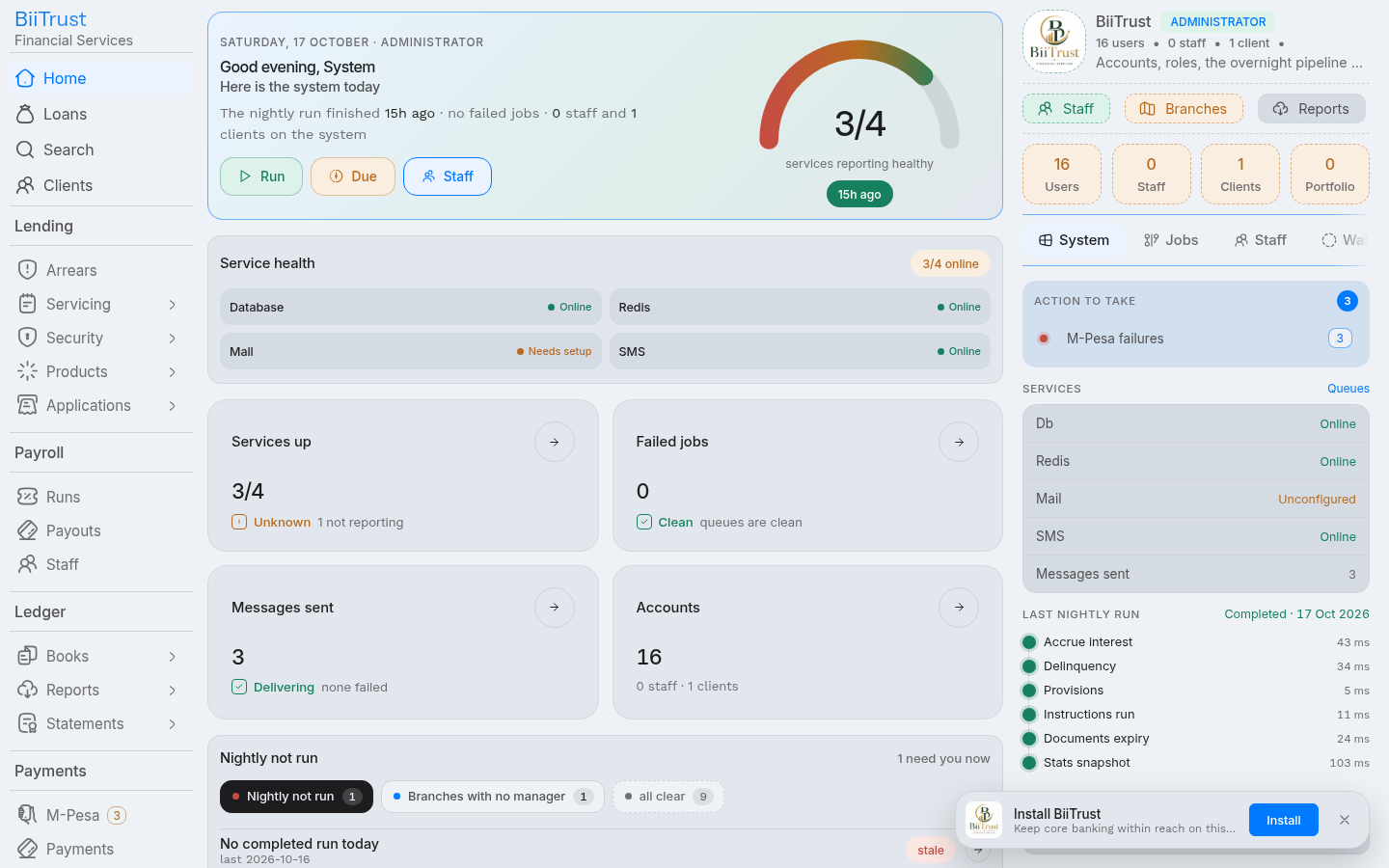 Figure 1.1: Complete borrower operational lifecycle across all 7 operational phases in BiiTrust.
Phase 1: Client Onboarding & Registration
- Intake: Loan Officer navigates to
/clients/registerand inputs:- Branch office and assigned loan officer.
- Legal names, date of birth (min 18 years), gender, and mobile phone.
- National ID number (
org_clients.hex/auth_accounts.identity). - Physical residence address and next-of-kin contacts.
- Digital photo portrait, ID front/back scans, and touchscreen signature.
- Account Creation: Submitting the form creates the client record in
prospectstatus. - Registration Fee Settlement:
- Institutional fee (e.g., KES 300) must be paid before the client can borrow.
- Settled via on-demand M-Pesa STK push, Paybill
4050329with account3907#REG-<NATIONAL_ID>, or branch counter cash. - General Ledger Entry: Dr 1103 (M-Pesa Float) / Cr 4200 (Fee Income).
- Client status advances from
prospect→active.
Phase 2: Compliance KYC Verification
- Compliance Feed: The KYC dossier appears in the compliance review queue (
/kyc/feed). - 3-Step Rail:
- Step 1 (Facts): Compliance officer verifies name, National ID, phone, and PEP screening.
- Step 2 (Documents): Inspector views each uploaded scan using the mandatory preview viewer.
- Step 3 (Decision): Approves verification, assigns approved borrowing tier (
basicup to KES 50k,standardup to KES 500k,enhancedunlimited), and sets expiration horizon.
- Live Search Indexing: System immediately triggers
app/search/live.clientto update Typesense with{ verified: true, kyc: 'verified', number: 'HQ-...' }.
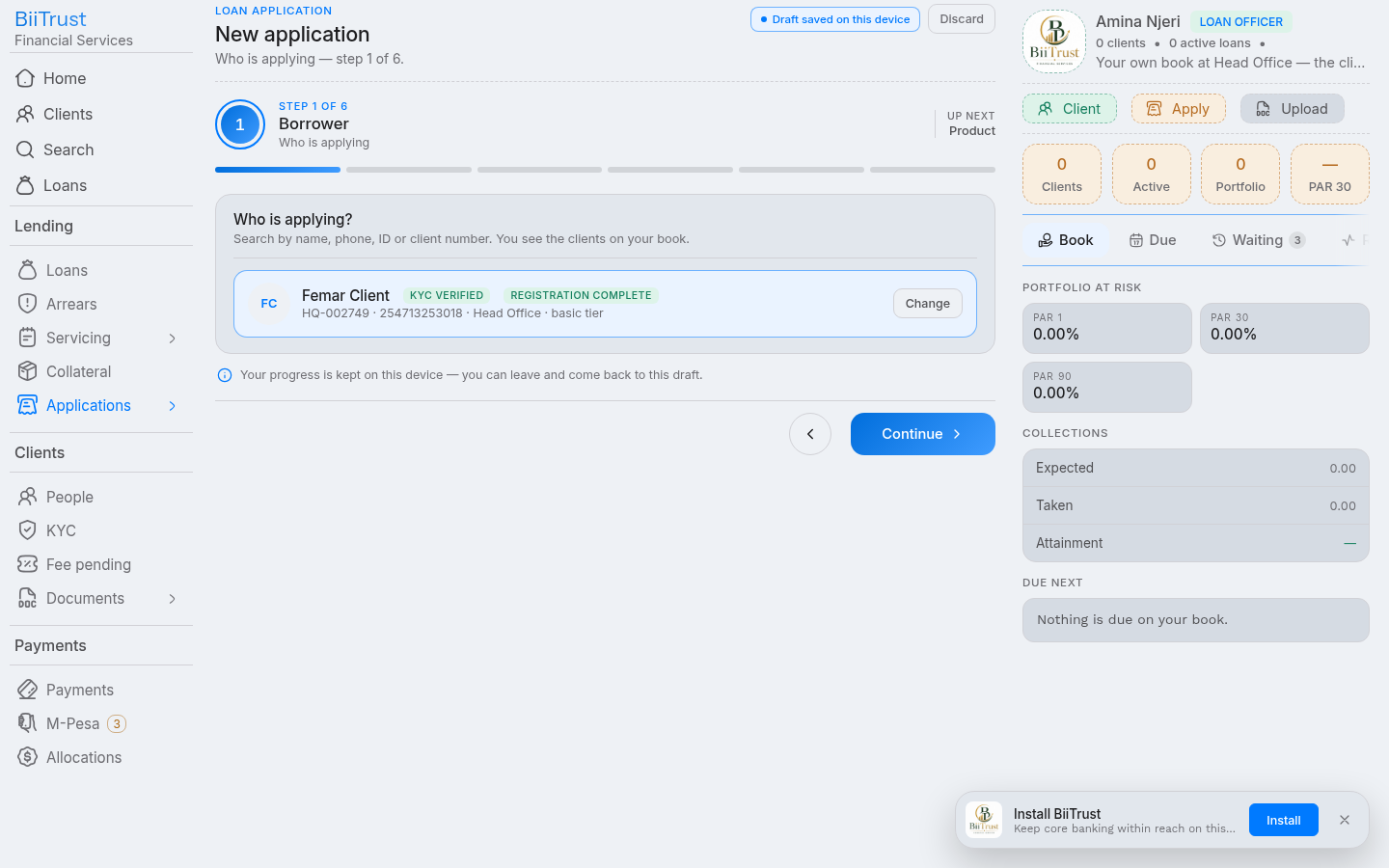 Figure 1.2: Client profile displaying both the active registration fee badge and verified KYC tier ceiling.
Phase 3: Loan Origination & Pre-Flight Eligibility Gates
- Borrower Lookup: Officer opens
/applications/newand searches by National ID or account number. - Hard Pre-Flight Gates (Step 0):
- Client registration must be
active(Registration Fee paid). - Client KYC verification must be
verifiedand unexpired. - If either check fails, the application is blocked with actionable links.
- Client registration must be
- Eligibility & Product Matching:
- Platform calls
GET /kyc/:client/eligibility?principal=&product=to confirm requested principal does not exceed tier ceiling. - Verifies collateral security against product
max_ltv_ratio. - Generates instant installment schedule preview.
- Officer attaches capacity evidence (M-Pesa 6-month statement) and submits to manager.
- Platform calls
Phase 4: Underwriting & Approval Hierarchy
- Dossier Evaluation: Branch Manager opens
/application/:hex/decide. - Four-Eyes Enforcement: Creator cannot approve; approver of level $N$ cannot approve level $N+1$.
- Decision Options:
- Approve: If within authority limit (e.g. $\le$ KES 250k), advances to
approved. If exceeding limit, escalates to COO or Managing Director. - Return: Sends back to officer desk with mandatory correction notes.
- Reject: Declines application with statutory grounds and formal explanation.
- Approve: If within authority limit (e.g. $\le$ KES 250k), advances to
Phase 5: Disbursement Pipeline & Automated Accounting
- Disbursement Authorization: Authorized manager clicks Disburse Funds on approved application.
- Schedule Generation: Amortization engine (
utils/amortize.js) generates binding repayment schedules, shifting holiday collisions forward. - Double-Entry General Ledger Post:
- Debit 1200: Gross Loan Portfolio Asset (Full Principal).
- Credit 1103: M-Pesa Float Asset / Cash (Net Payout).
- Credit 4200: Processing Fee Income (Withheld Fee).
- Mobile Money Payout: System automatically enqueues
mpesa.b2cbackground job, transferring net funds directly to borrower’s phone via Safaricom Daraja API.
Phase 6: Servicing, Repayments & Liquidation Waterfall
- Inbound Collections:
- Borrower pays via Paybill
4050329with account3907#<NATIONAL_ID>. - Webhook callback strips
3907#prefix and matches active loan facility.
- Borrower pays via Paybill
- Accounting Liquidation Waterfall:
- Priority 1: Penalties → Cr
4300(Penalty Income) - Priority 2: Fees → Cr
4200(Fee Income) - Priority 3: Interest → Cr
4100(Interest Income) - Priority 4: Principal → Cr
1200(Gross Loan Asset) - Priority 5: Surplus Overpayment → Cr
2200(Client Savings Liability)
- Priority 1: Penalties → Cr
- Suspense Protection: Misspelled references are booked to Dr 1103 / Cr 2105 (Suspense) and surfaced in
/payments/suspensefor 1-click matching.
Phase 7: Delinquency, Provisioning & Final Settlement
- Nightly Delinquency Evaluation: Scheduled worker scans active loans, computing
dpd(Days Past Due) and portfolio aging buckets (PAR 1,PAR 30,PAR 60,PAR 90). - Loan Loss Provisioning:
- Normal (0–30 DPD): 1% → Dr 5100 / Cr 1205
- Watch (31–60 DPD): 5% → Dr 5100 / Cr 1205
- Substandard (61–90 DPD): 25% → Dr 5100 / Cr 1205
- Doubtful (91–180 DPD): 50% → Dr 5100 / Cr 1205
- Loss / NPA (>180 DPD): 100% → Dr 5100 / Cr 1205
- Settlement: When all obligations reach zero:
- Loan status transitions to
settled. - Completed loan cycle increments (
loan_cycles.number + 1), raising borrowing ladder. - Credit score is recomputed (
POST /scores/:client/recompute), recording clean repayment history inkyc_scores.
- Loan status transitions to
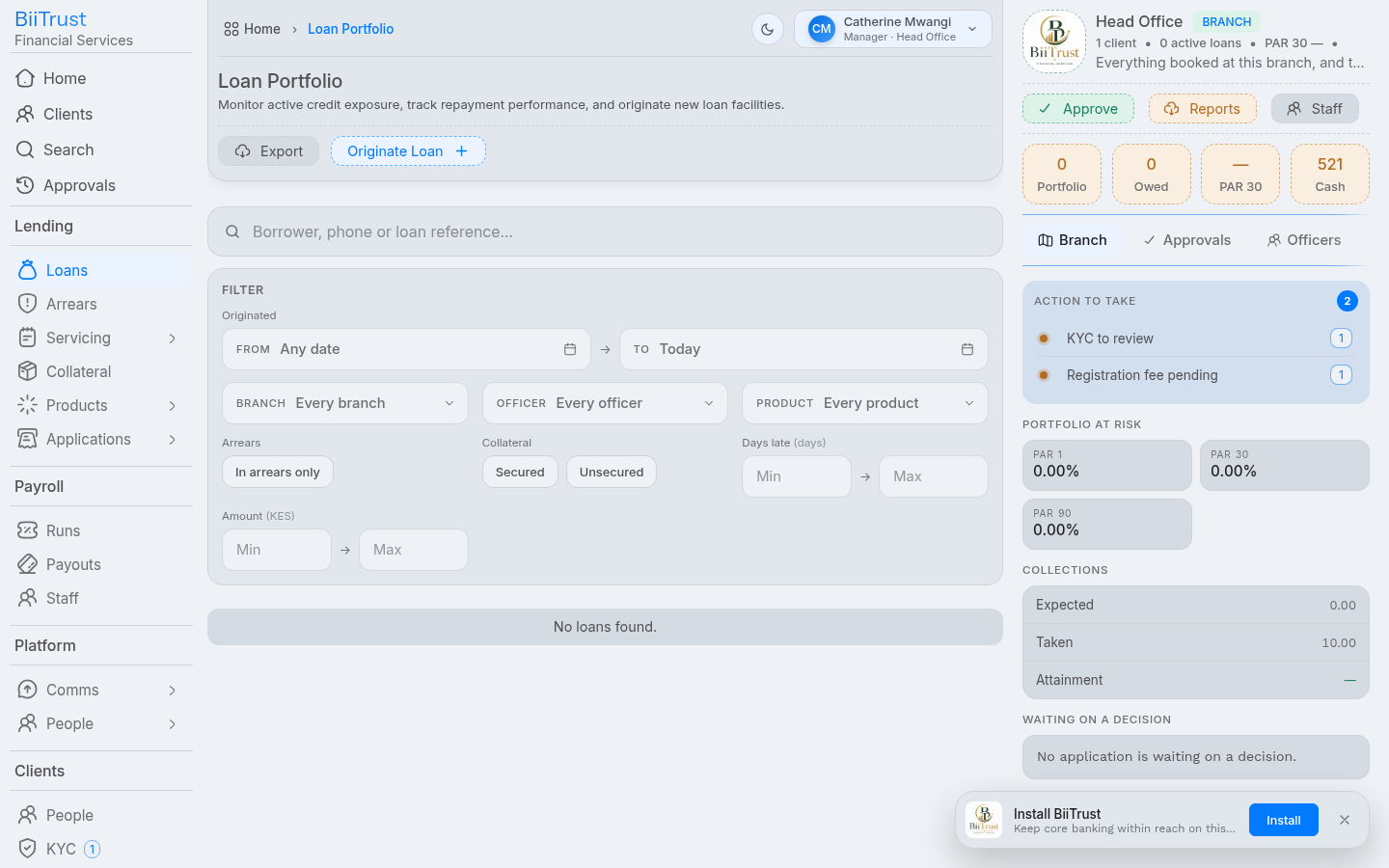 Figure 1.3: Active loan facility view displaying the amortization repayment schedule, automated liquidation waterfall, and cycle progression.
Step-by-Step: Registering a Client
The Client Registration Flow (/clients/register) onboards a new borrower through structured steps, capturing identity verification, contact information, KYC files, initial security, and the mandatory Registration Fee Payment that activates the account.
1. Client Identifier Resolution
In BiiTrust, client identification is structured across two primary references:
- National ID / Hex (
org_clients.hex): The borrower’s official citizen identity number (digits only, e.g.13253018,39136093). This matchesauth_accounts.identityand acts as the unique cryptographic anchor for credit scoring and M-Pesa C2B Paybill matching. - Client Display Number (
org_clients.number): The institutional formatted identifier with branch code (e.g.,HQ-002751,NBO-001042).
All system searches, APIs, and staff lookup tools accept either format interchangeably.
2. The Steps of Registration
Step 1: Field Office & Officer Assignment
- Select Office: Defaults to your assigned operational branch. If onboarding across branches, search for the target branch by name, code, or county.
- Assign Loan Officer: Defaults to your user profile. Branch Managers can assign the new borrower to any active loan officer in that branch.
- Click Continue.
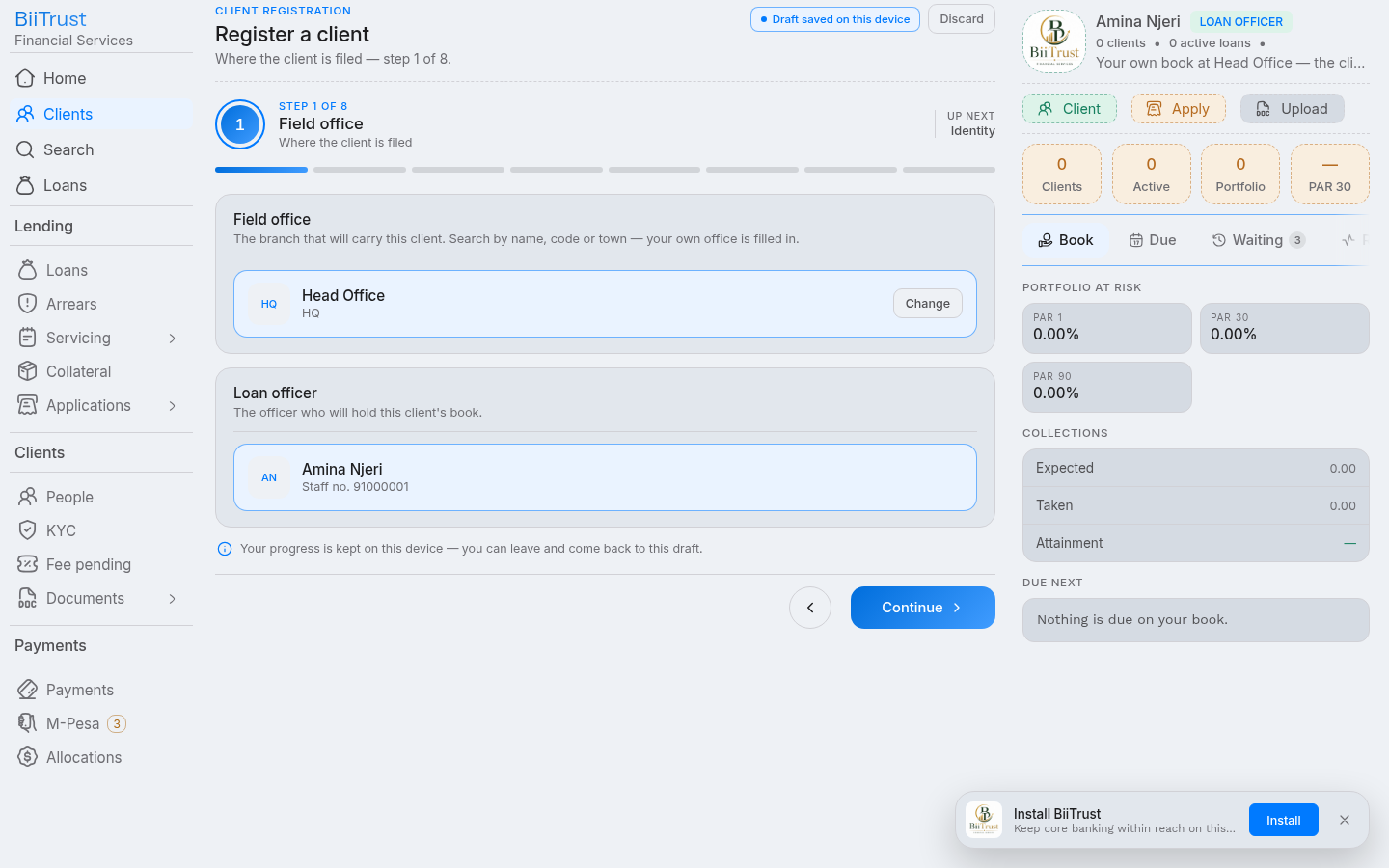 Figure 2.1: Step 1 Field Office selection and Loan Officer assignment.
Step 2: Legal Identity
- Full Legal Name: Enter the customer’s official three names exactly as printed on their government ID.
- Date of Birth & Gender: Enter date of birth. The platform calculates age and enforces regulatory age limits (minimum 18 years).
- ID Type & Number: Select
National ID,Passport,Alien Card, orMilitary ID. Enter the unique National ID number (digits only). - Primary Mobile Phone: Enter the borrower’s registered M-Pesa phone number (e.g.
0712 345 678or254712345678). - Initial KYC Tier:
Basic: Up to KES 50,000 borrowing ceiling.Standard: Up to KES 500,000 borrowing ceiling.Enhanced: Unlimited borrowing (subject to institutional limits).
- Click Continue.
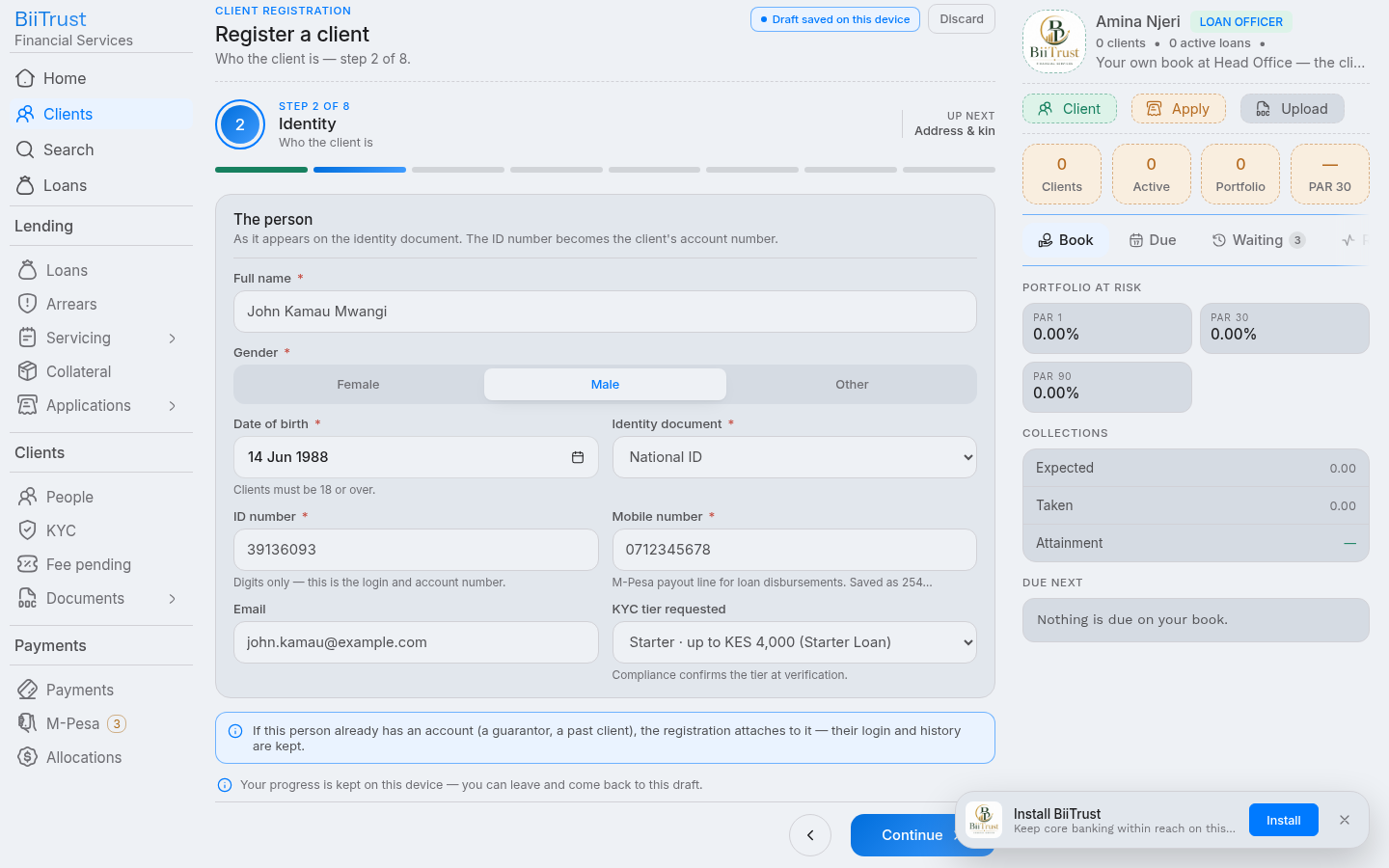 Figure 2.2: Step 2 Legal Identity input, National ID validation, and KYC Tier selector.
Step 3: Physical Address & Next-of-Kin
- Physical Residence: County, sub-county, town/ward, village/estate, and nearest physical landmark.
- Next-of-Kin Contacts:
- Click Add Kin Contact.
- Enter full legal name, relationship (
Spouse,Parent,Sibling,Child,Guardian), and active phone number. - At least one verified next-of-kin is mandatory for credit origination.
- Click Continue.
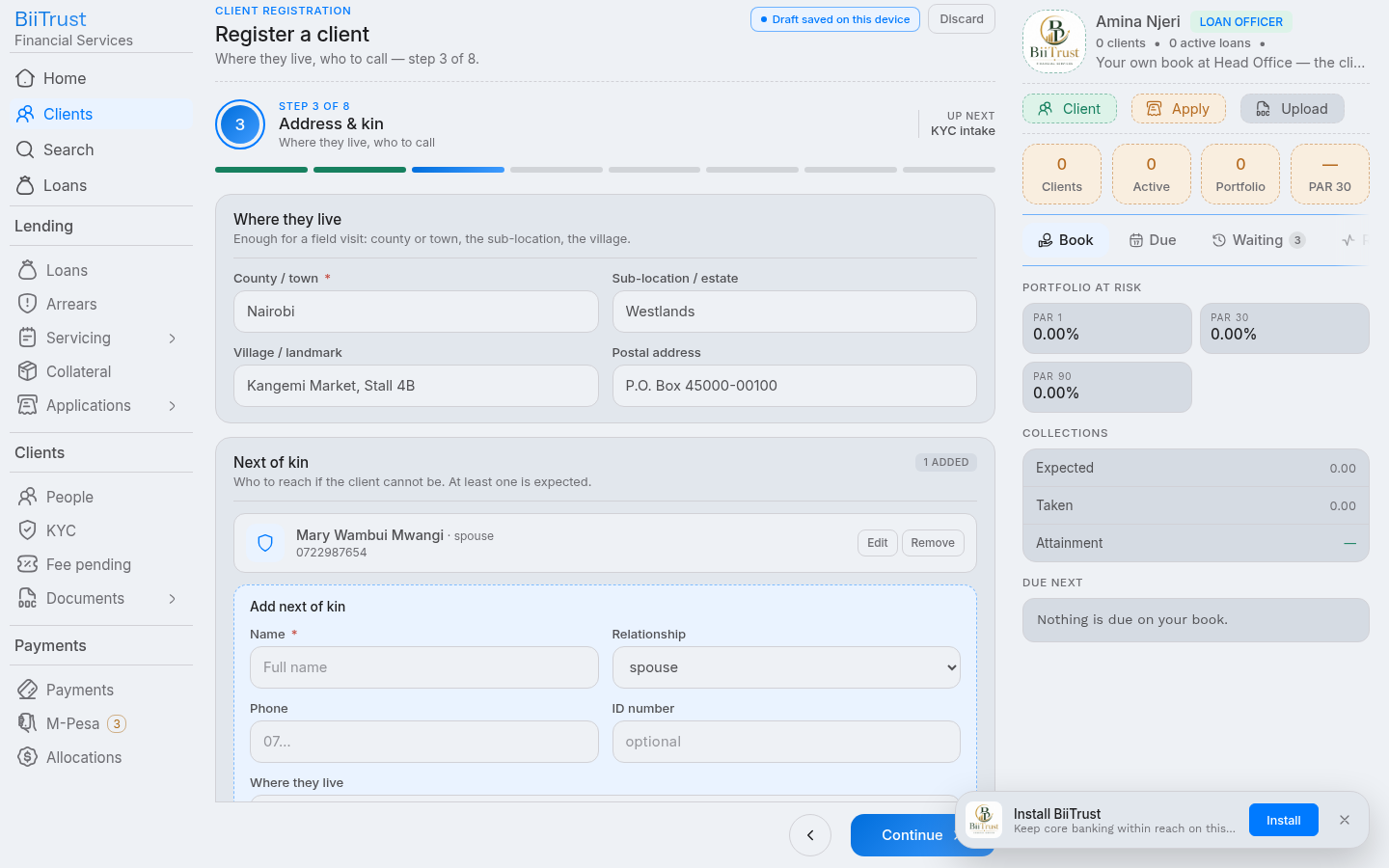 Figure 2.3: Step 3 Residence address and Next-of-Kin contact records.
Step 4: Digital KYC Evidence Capture
- Customer Portrait Photo: Tap Take Photo to capture a clear headshot or upload a JPEG/PNG portrait against a plain background.
- National ID Scans:
- Upload front side of the physical National ID card.
- Upload back side of the National ID card.
- Touchscreen Signature: Have the customer sign directly on the touchscreen pad or upload a signed physical mandate.
- Click Continue.
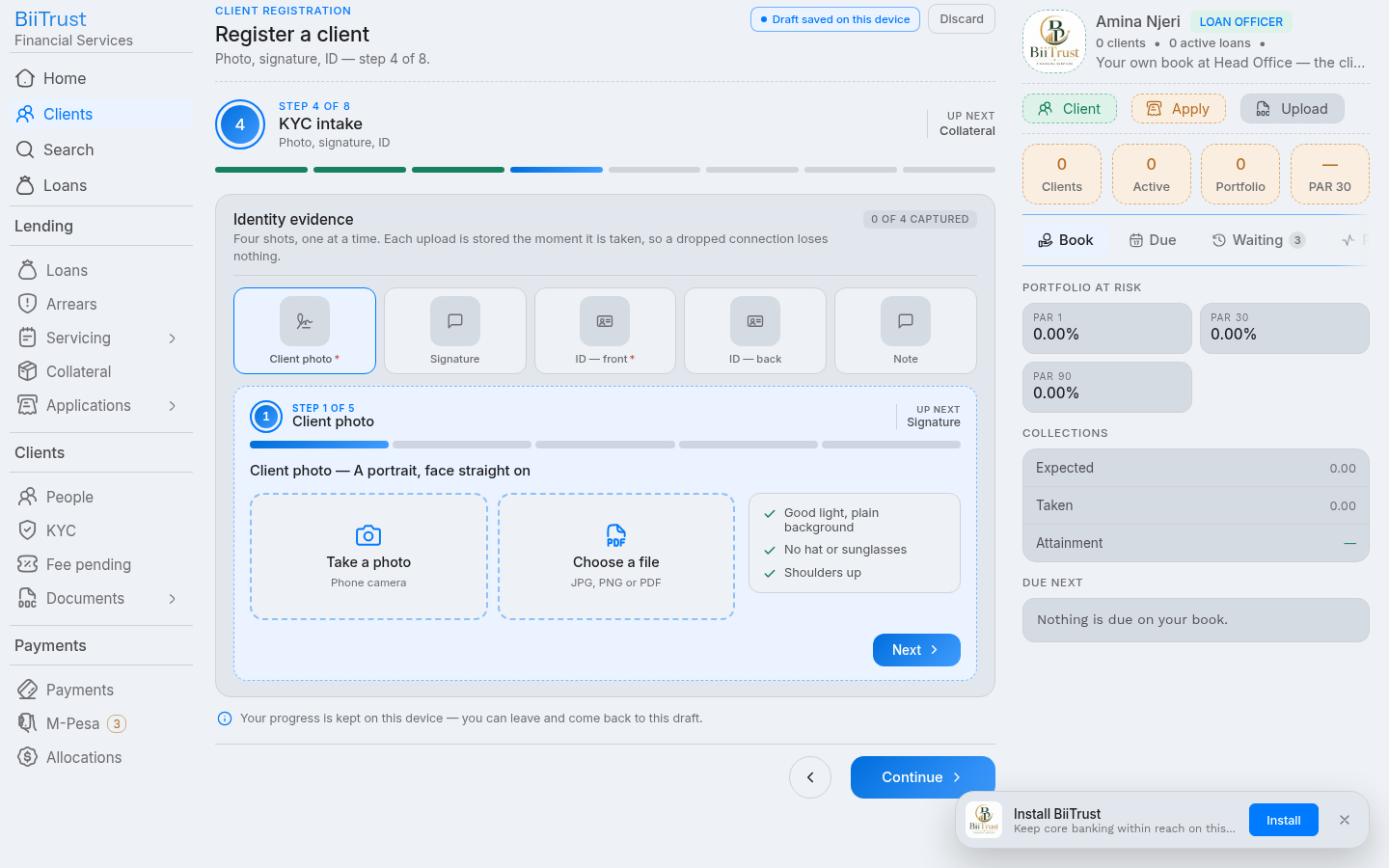 Figure 2.4: Step 4 Customer photo capture, ID scans, and digital signature.
Step 5: Collateral Assets (Optional at Onboarding)
- If onboarding an asset-financing or secured borrower:
- Click Add Pledged Asset.
- Select asset kind (
Motorcycle,Vehicle,Household Goods,Business Stock,Land Title Deed). - Enter market valuation and forced-sale valuation.
- If onboarding an unsecured micro-credit customer, click Continue to skip.
Step 6: Supporting Financial Documents
- Upload 6-month M-Pesa statement PDFs, bank statements, municipal business permits, or salary payslips.
- Files upload immediately to secure storage.
- Click Continue.
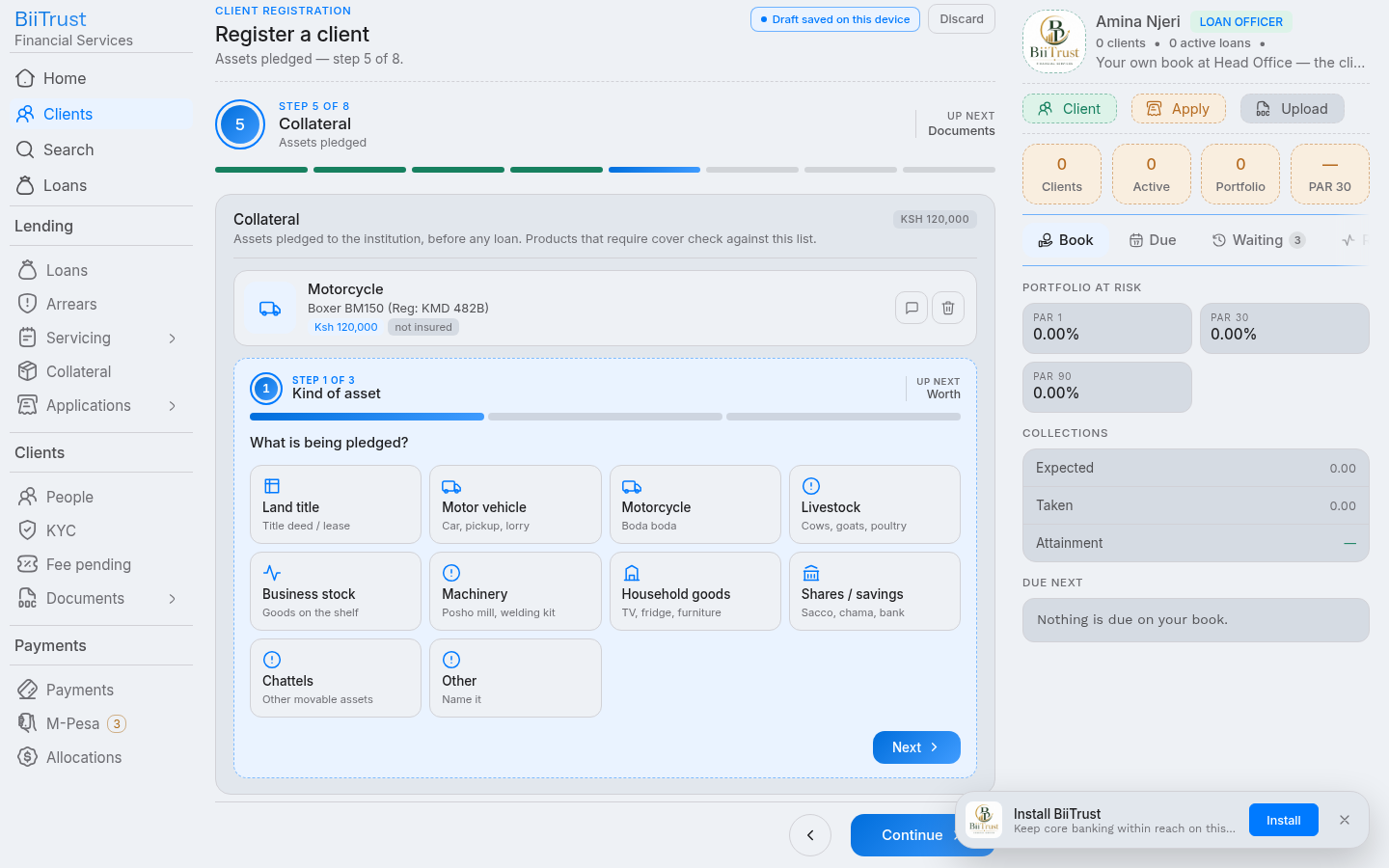 Figure 2.5: Steps 5 and 6 Pledged asset valuations and supporting cashflow documents.
Step 7: Review & Account Creation
- Dossier Audit: Inspect all entered details on the consolidated read-back summary.
- Duplicate Check: The system validates that the National ID number does not already exist in the database.
- Register: Click Register Client.
- The client account is created with
status: 'prospect'. - The KYC bundle is queued to the Compliance verification feed (
/kyc/feed).
- The client account is created with
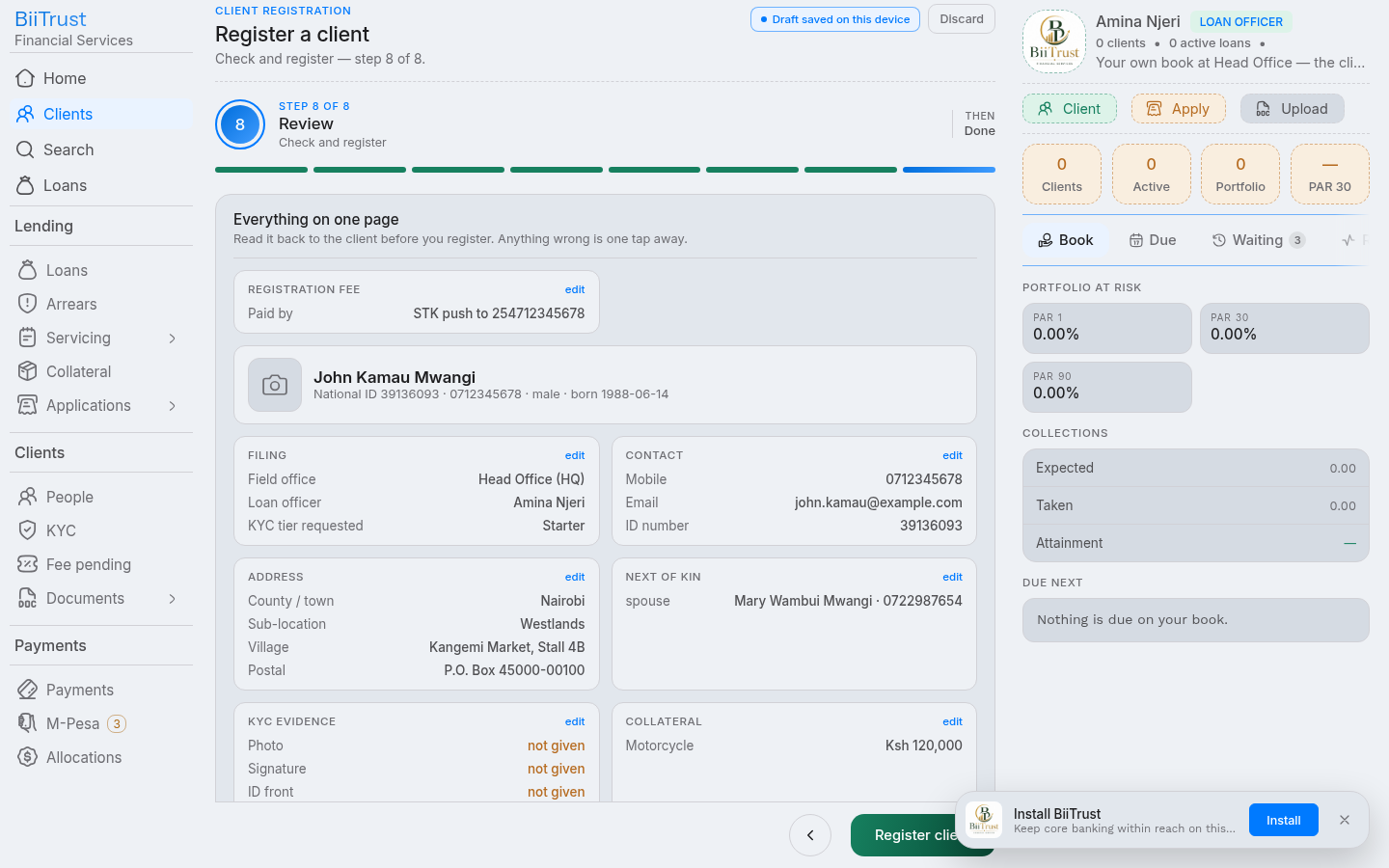 Figure 2.6: Step 7 Consolidated summary card and creation of client prospect account.
3. Mandatory Registration Fee Payment (Account Activation)
A newly registered client remains in prospect status and cannot borrow until the institutional onboarding registration fee (e.g., KES 300) is settled.
┌────────────────────────────────────────────────────────────────────────┐
│ Prospect Client (Fee Unpaid)                                          │
│   ├── Blocked from Loan Origination                                    │
│   ▼                                                                    │
│ [ Settle Registration Fee ] ──► M-Pesa STK / Paybill / Cash            │
│   ▼                                                                    │
│ Active Client (status = 'active')                                      │
│   ├── Fee Cleared · GL Posted (Dr 1103 / Cr 4200)                      │
│   └── Eligible to Apply (subject to KYC verification)                  │
└────────────────────────────────────────────────────────────────────────┘
Payment Settlement Channels:
- Instant M-Pesa STK Push Prompt:
- On the client profile or registration summary, click Pay Registration Fee.
- Confirm the client’s phone number and click Send M-Pesa Prompt.
- An STK prompt appears on the borrower’s phone requesting their M-Pesa PIN.
- Upon PIN entry, Safaricom sends an instant callback, clearing the fee.
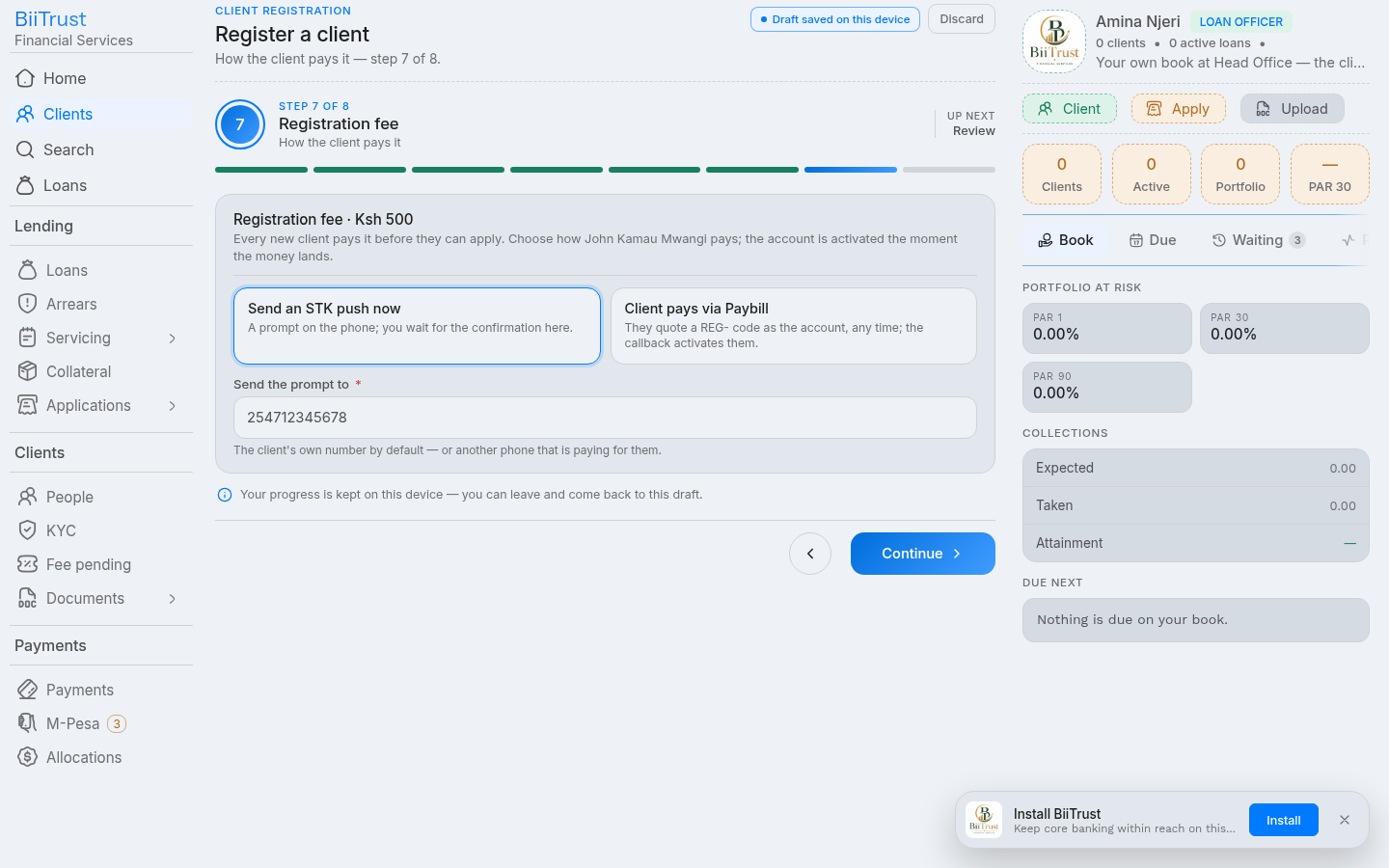 Figure 2.7: Initiating instant M-Pesa STK push prompt for KES 300 registration fee.
- Offline Lipa na M-Pesa Paybill
4050329:- Customer opens M-Pesa → Lipa na M-Pesa → Paybill.
- Business Number:
4050329. - Account Number:
3907#REG-<NATIONAL_ID>(e.g.,3907#REG-13253018). - The system automatically strips the prefix
3907#, matchesREG-13253018, credits the fee, and marks the clientactive.
- Cash / Receipt Verification:
- If the customer pays cash over the counter or enters a Paybill receipt:
- Teller enters the Safaricom receipt code under Verify Registration Fee.
- Calls
POST /payments/registration-fee/verify.
General Ledger Impact:
Every settled registration fee creates an automatic, balanced double-entry accounting journal:
- Debit:
1103(M-Pesa Collections Float / Cash Asset) - Credit:
4200(Registration & Administrative Fee Income)
Post-Activation State:
org_clients.statusflips from'prospect'→'active'.- Registration chip on the borrower profile and search cards displays
<span class="chip ok">active</span>.
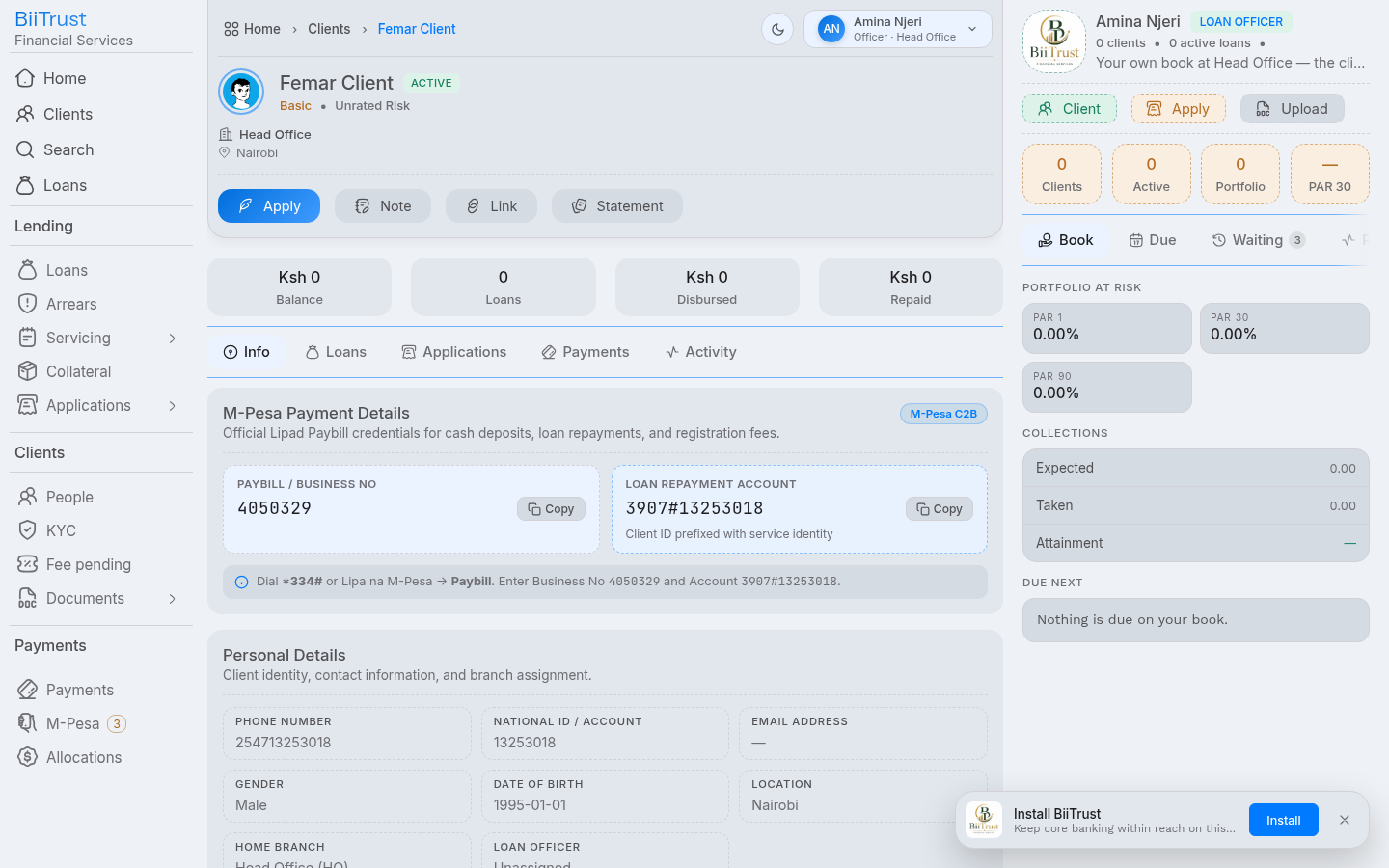 Figure 2.8: Activated borrower profile showing active registration status and fee clearance receipt.
Verifying KYC & Due Diligence
The KYC Verification Flow (/kyc/:hex/verify) is the statutory gate through which compliance officers and branch managers authenticate borrower identities, review documentation, authorize borrowing tiers, and synchronize compliance status to the real-time search engine.
1. Statutory Context & Decoupled Architecture
Under statutory Anti-Money Laundering (AML) and Counter-Terrorist Financing (CFT) guidelines, no credit facility can be disbursed to a client whose KYC file is incomplete or unverified.
Separation of Registration Fee vs KYC Verification
In BiiTrust, account activation and regulatory compliance verification are decoupled:
- Registration Fee Clearance: Marks the account
org_clients.status = 'active'. Settleable via M-Pesa or Cash. - Compliance KYC Verification: Marks the customer
kyc_verifications.status = 'verified'and sets an expiration horizon (expires). - Dual Gate for Lending: Both are mandatory. A client with an active fee but unverified KYC cannot borrow. A client with verified KYC but an unpaid registration fee cannot borrow.
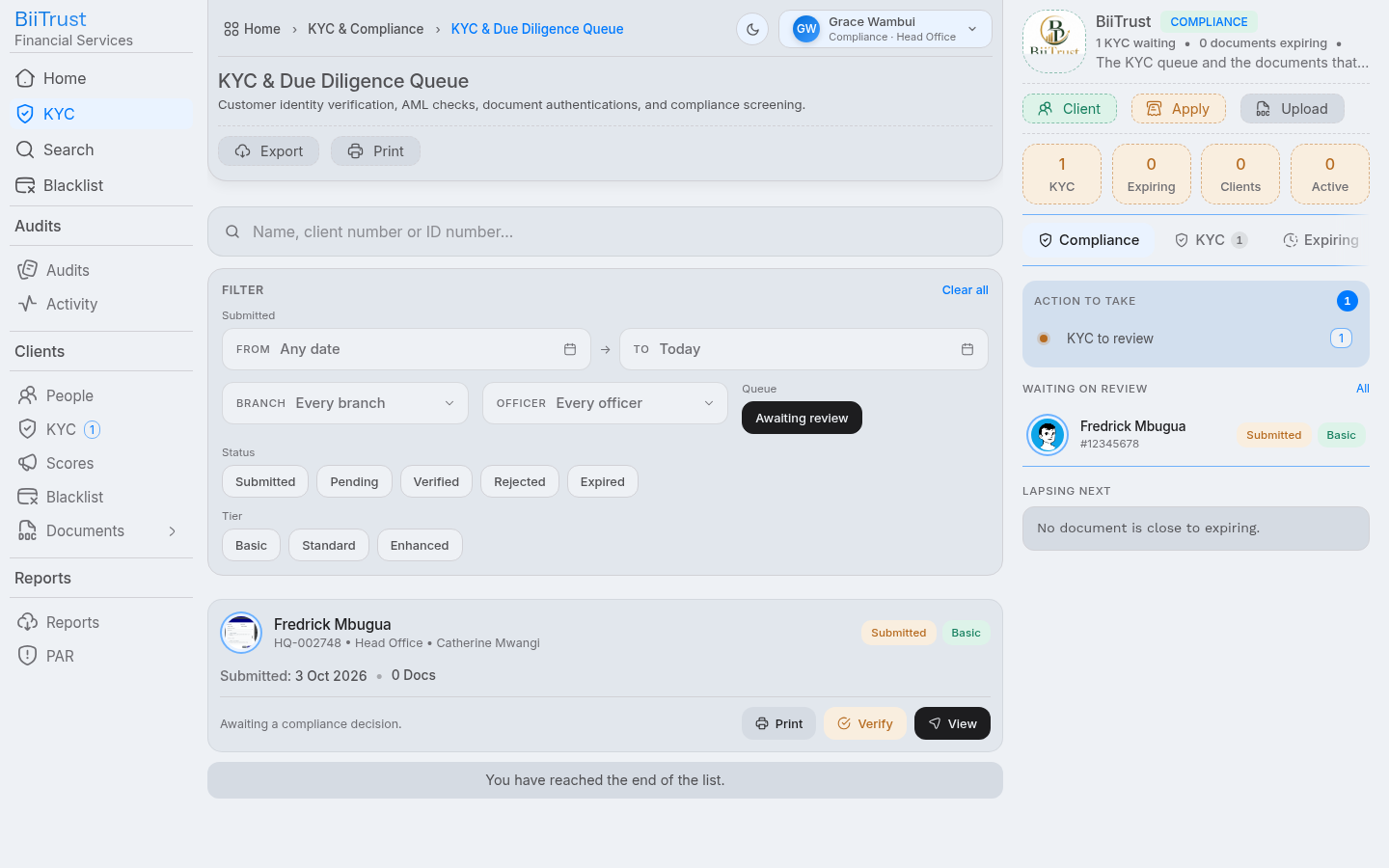 Figure 3.1: Compliance queue displaying submitted borrower dossiers awaiting KYC review.
2. The 3-Step Verification Rail
The verification flow executes across a strict 3-step rail:
[ Step 1: The Facts ] ──► [ Step 2: Documents ] ──► [ Step 3: Decision ]
Step 1: The Facts (#facts)
In this step, the reviewer checks each self-declared client fact against external government evidence:
| Fact Item | Verification Criteria | Action Buttons |
|---|---|---|
| Full Legal Name | Matches national identification card exactly. No nicknames or abbreviations. | Click Verify or Flag |
| National ID Number | Official citizen ID digits; cross-checked against registered database records. | Click Verify or Flag |
| Phone Number | Registered under borrower’s national ID; confirmed active on M-Pesa. | Click Verify or Flag |
| Physical Residence | Verified county, sub-county, ward, landmark, and field officer inspection report. | Click Verify or Flag |
| Next of Kin | Verifiable relationship, active phone contact, and physical address. | Click Verify or Flag |
| PEP & Sanctions | Confirmation that the borrower is not an unsanctioned Politically Exposed Person. | Click Verify or Flag |
[!IMPORTANT] Zero Unchecked Facts Rule: The system refuses transition to Step 2 if any single fact is left unconfirmed. Every fact must be explicitly toggled to Verified (Green) or Flagged (Red).
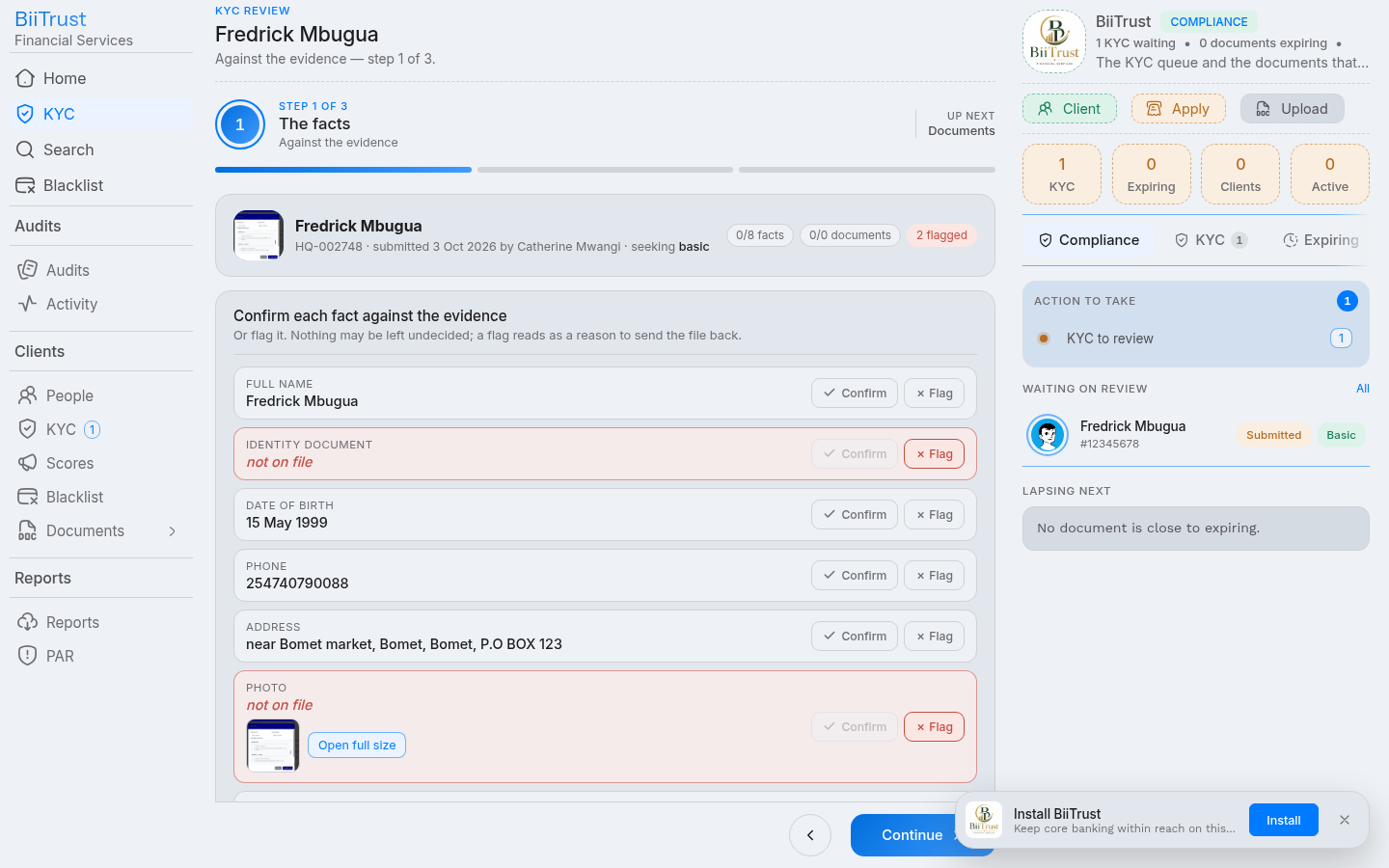 Figure 3.2: Step 1 Facts verification rail with all identity elements verified green.
Step 2: Documents (#docs)
In this step, the compliance officer inspects every uploaded file:
- Document Preview: Click on each document card (
National ID Front,National ID Back,Passport Photo,Utility Bill / Business Permit). - Inspection Checklist:
- Is the image sharp, uncropped, and legible?
- Do the dates of birth and serial numbers match the physical ID?
- Is the passport photograph recent and showing an unobstructed facial portrait?
- Mandatory Open Verification: The system tracks whether each file has been clicked and viewed. You cannot approve a document without first previewing it.
- Flagging Discrepancies: If a document is blurry or suspect, click Flag and type a specific remediation note (e.g., “National ID back scan cut off serial number”).
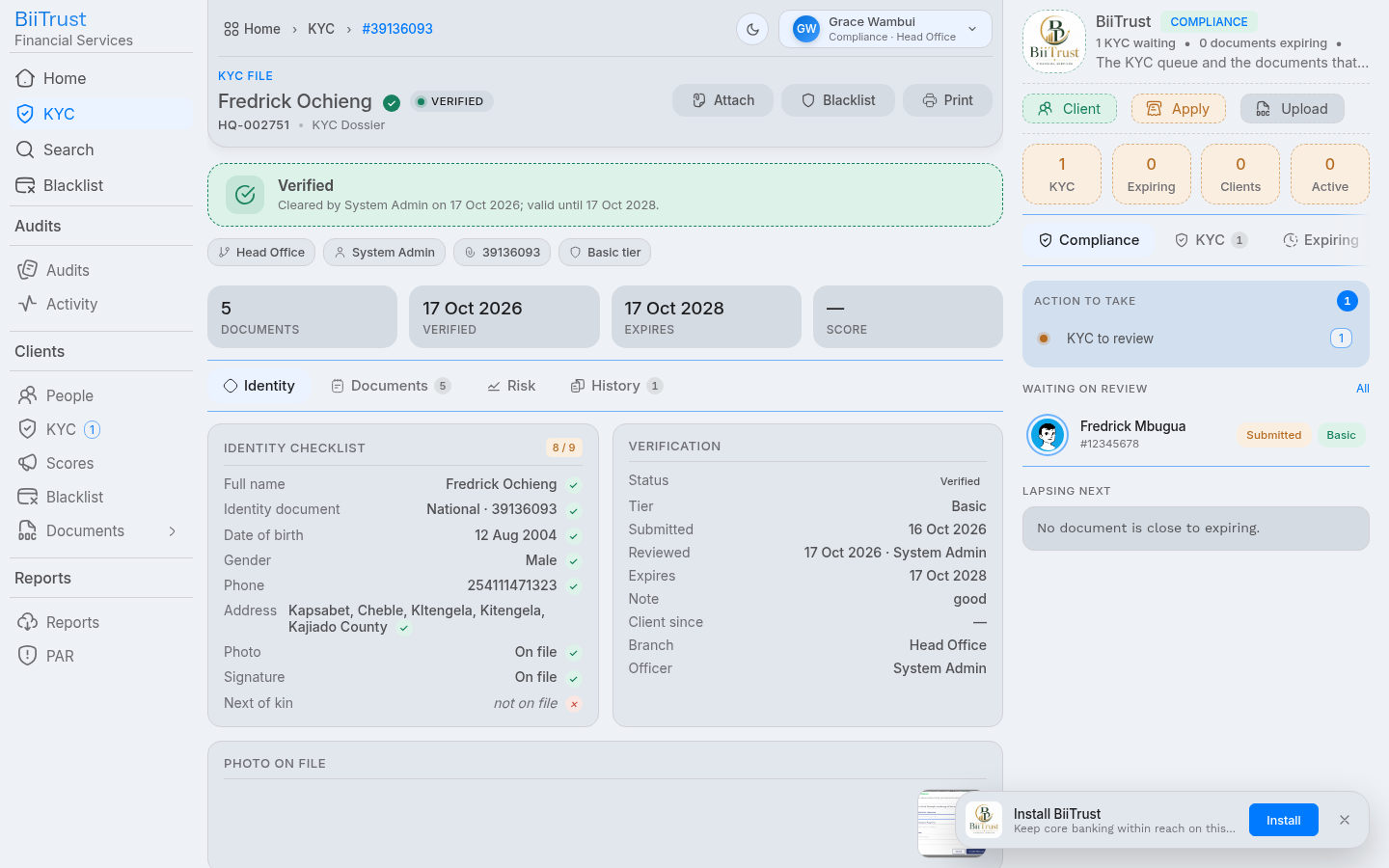 Figure 3.3: Step 2 Document preview modal inspecting high-resolution National ID card scan.
Step 3: The Decision (#decision)
Once all facts and documents are verified or flagged, the reviewer issues the binding decision:
- Select Decision:
- Approve & Verify: Confirms identity authenticity and unlocks credit borrowing.
- Reject / Remediation Required: Sends the file back to the Loan Officer with explicit correction notes.
- Assign Approved Tier:
basic: Unlocked for micro-loans up to KES 50,000.standard: Unlocked for enterprise facilities up to KES 500,000.enhanced: Full due diligence cleared; eligible for collateralized facilities above KES 500,000.
- Validity Period: Sets the KYC expiration horizon (defaults to 24 months, configurable in system settings).
- Compliance Findings Note: Type a clear audit statement summarizing the verification outcome.
- Sign Off & Confirm: Check the statutory acknowledgment box and click Sign Decision.
 Figure 3.4: Step 3 Compliance decision form assigning approved tier ceiling and digital signature.
3. Real-Time Search Synchronization (Typesense)
When a KYC decision is signed:
- The system calls the real-time search synchronizer (
app/search/live.client). - Immediately updates the client’s document in the Typesense search cluster with:
{ "verified": true, "kyc": "verified", "tier": "basic", "number": "HQ-002751" } - Instant Frontend Reflection: When loan officers search for borrowers in the Loan Origination wizard, the client card immediately displays
<span class="chip ok">verified: basic</span>and the greenEligible to applybadge without waiting for background indexing jobs.
 Figure 3.5: Borrower card reflecting instant Typesense synchronization with verified status and approved tier.
4. Pre-Flight Eligibility Gate (GET /kyc/:client/eligibility)
During credit origination, the platform queries the eligibility evaluator:
- Client Resolution: Resolves National ID (
hex) or display number (number). - Response Payload:
{ "ok": true, "data": { "state": "verified", "verified": true, "tier": "basic", "expires": "2028-10-17T12:00:00Z", "gate": { "ok": true, "tier": "basic" }, "ceiling": 50000, "principal": 30000, "collateral": { "pledged": 45000, "ratio": 1.2, "ceiling": 54000, "ok": true } } } - If the customer’s KYC has expired,
gate.okevaluates tofalsewith reason: “client KYC has expired — re-verify”. - If the requested loan amount exceeds the tier limit,
gate.okevaluates tofalsewith reason: “amount exceeds basic KYC ceiling (50000) — upgrade verification”.
Step-by-Step: Originating a Loan Application
The Loan Origination Flow (/applications/new) allows loan officers and managers to create a new credit request in six guided steps, protected by strict pre-flight compliance gates.
1. Hard Pre-Flight Eligibility Gates (Step 0)
Before an application can advance past the borrower intake step, the platform enforces two non-negotiable statutory gates:
┌────────────────────────────────────────────────────────────────────────┐
│ Pre-Flight Gate 1: Registration Fee Cleared                            │
│   ├── Client status must be 'active'                                   │
│   └── If 'prospect' or 'pending', blocked with link to settle fee      │
├────────────────────────────────────────────────────────────────────────┤
│ Pre-Flight Gate 2: Compliance KYC Verified                             │
│   ├── Verification status must be 'verified'                           │
│   ├── Expiration horizon must be in the future (expires > today)       │
│   └── If unverified/expired, blocked with link to compliance feed     │
└────────────────────────────────────────────────────────────────────────┘
If either gate is not satisfied, the application wizard hard-blocks with a contextual warning banner:
- “Client registration fee is unpaid. Registration fee must be cleared before applying for credit.”
- “Client KYC is not verified. Compliance verification is required before loan origination.”
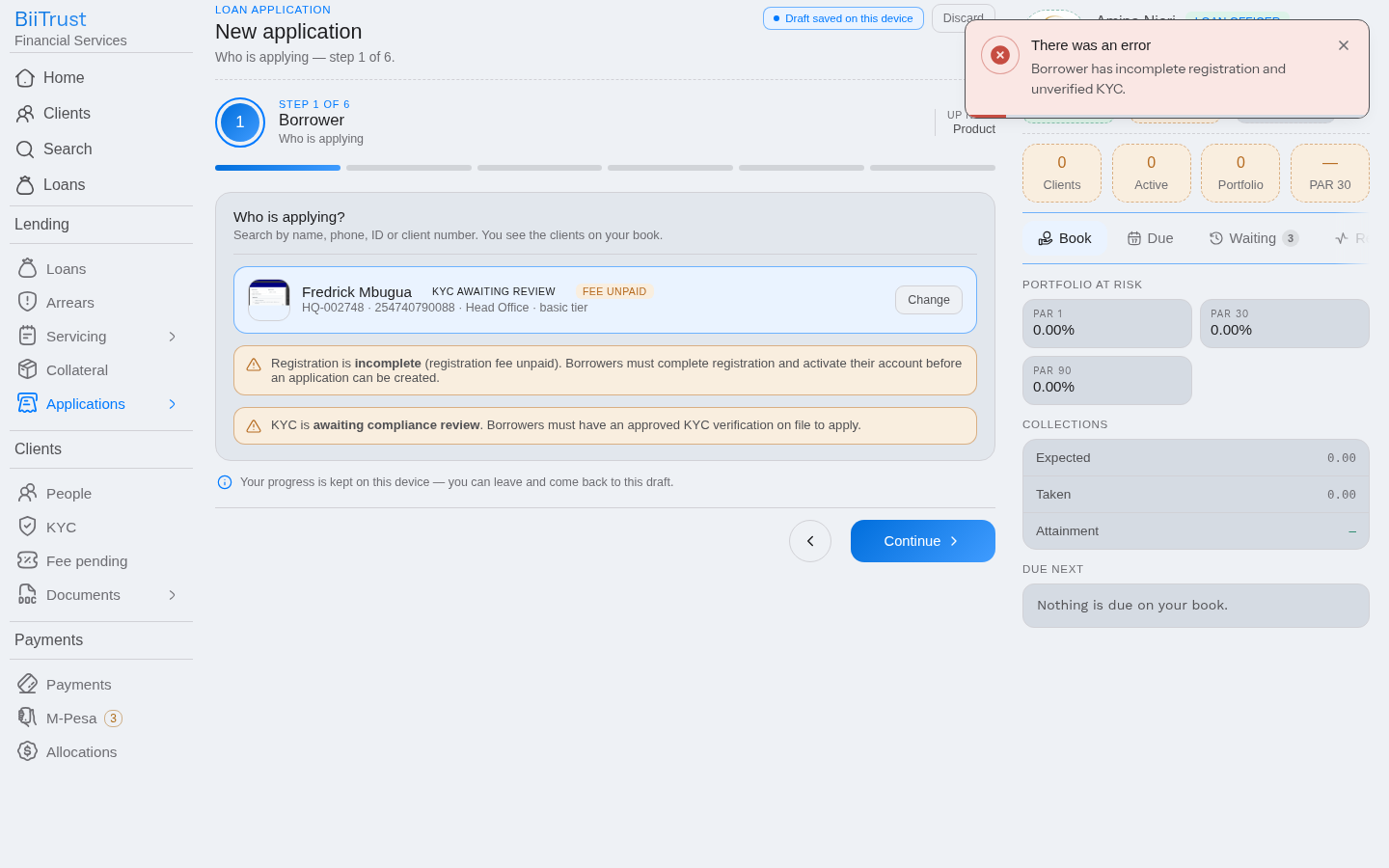 Figure 4.1: Pre-flight eligibility gate warning banner blocking progress when fee is unpaid or KYC unverified.
2. The Six Steps of Origination
Step 1: Select Borrower & Eligibility Inspection
- Borrower Lookup: Search by National ID digits (
hex, e.g.13253018,39136093), formatted client number (number, e.g.HQ-002751), phone, or name. - Borrower Search Card Anatomy:
- Registration Chip: Displays
<span class="chip ok">active</span>(green) or<span class="chip warn">fee unpaid</span>(amber). - KYC Chip: Displays
<span class="chip ok">verified: basic</span>(green) or<span class="chip warn">unverified</span>/expired(amber). - Eligibility Status: Displays
<span class="pill ok">Eligible</span>or<span class="pill warn">Ineligible</span>.
- Registration Chip: Displays
- Pre-Flight Evaluation: The system calls
GET /kyc/:client/eligibilityto verify the borrower’s tier borrowing limit and collateral standing against institutional policies. - Select the verified, active client and click Continue.
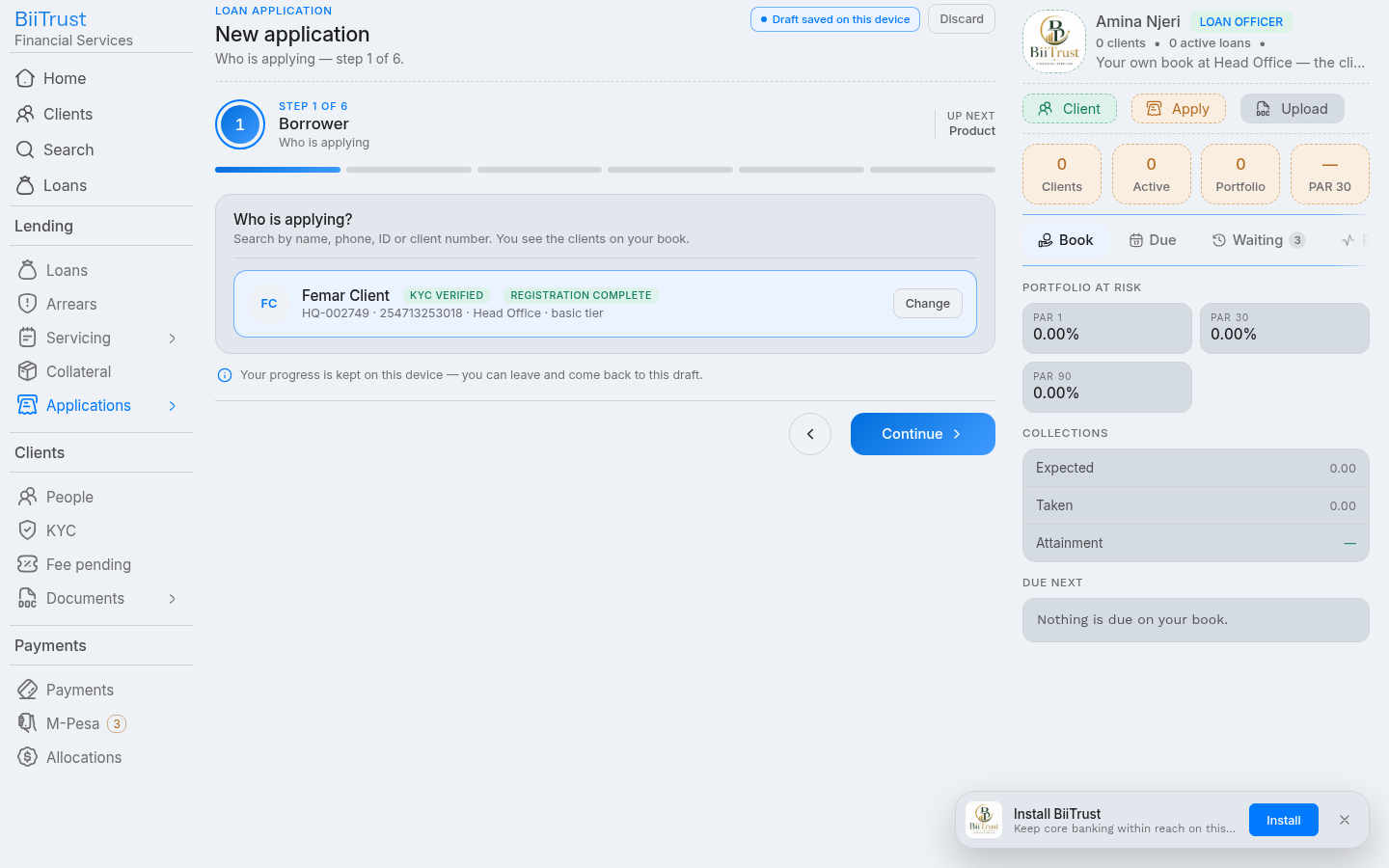 Figure 4.2: Step 1 Borrower intake search card displaying verified chips, active registration status, and eligible badge.
Step 2: Select Loan Product
- The screen displays all active credit products configured for your branch (e.g., Biashara Growth, Boda Advance, Kilimo Farm Credit, Emergency Facility).
- Each product card displays:
- Interest calculation method:
FlatorDeclining Balance. - Interest rate and repayment frequency (
Weekly,Bi-weekly,Monthly). - Minimum and maximum loan amount bounds.
- Processing fee structure (flat fee plus percentage of principal).
- Interest calculation method:
- Click on the product card to select it, then click Continue.
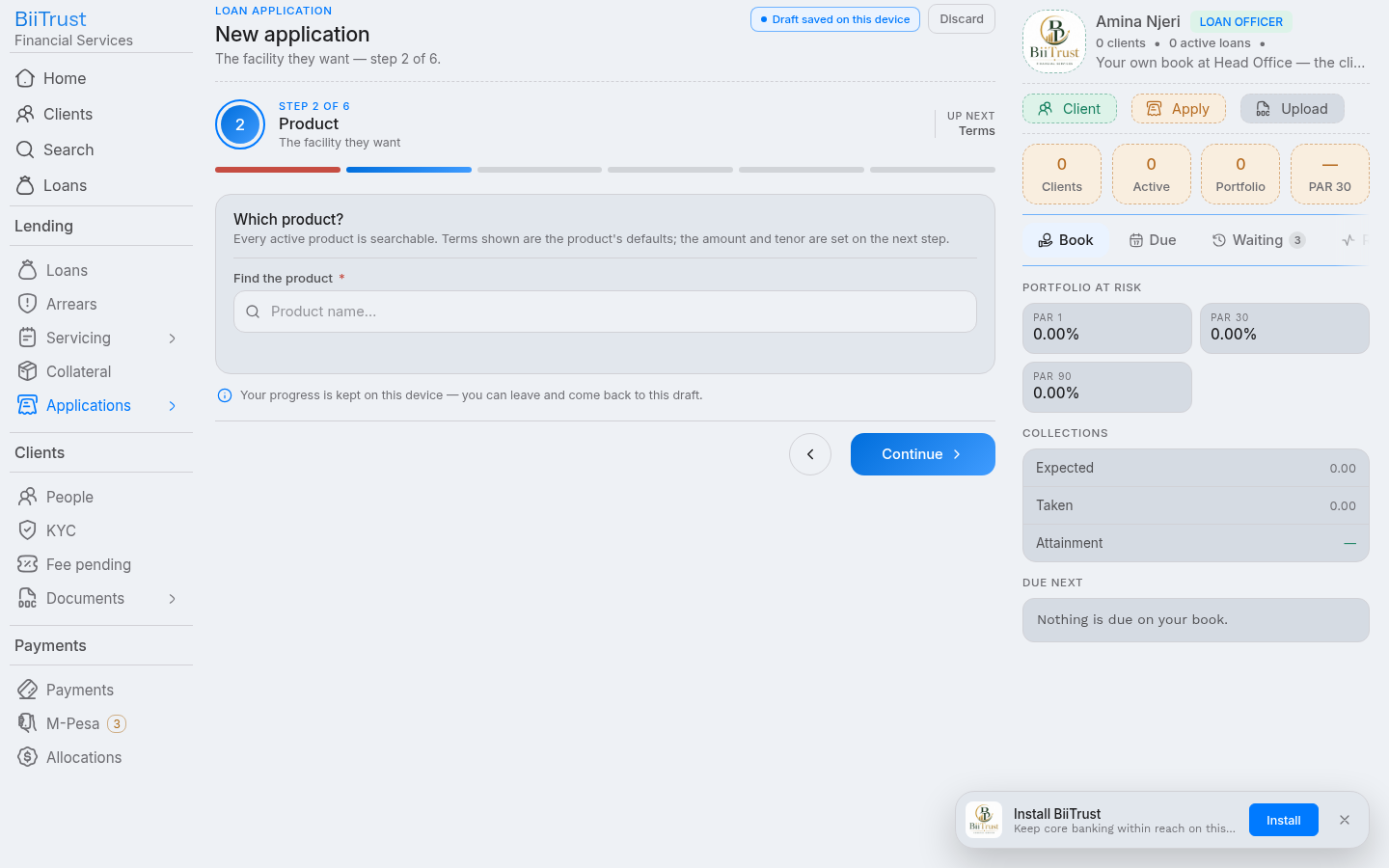 Figure 4.3: Step 2 Loan product selection matrix showing bounds, interest methods, and processing fees.
Step 3: Define Loan Terms & Instant Financial Preview
- Principal Amount: Enter the requested loan amount in the hero number field. The engine enforces the product minimum/maximum and the client’s KYC tier ceiling.
- Tenor / Duration: Enter the number of repayment installments (e.g.,
6monthly installments). - Loan Purpose: Select the economic use of funds (e.g.,
Business Stock & Inventory,Agricultural Inputs,Transport Equipment,School Fees). - Instant Financial Schedule Preview:
As you type the amount and tenor, the preview card calculates:
- Estimated Installment: Equal installment amount due per period (e.g., KES 5,833 / month).
- Total Interest: Total cost of credit over the full borrowing period.
- Processing Fees: Upfront administrative fees deducted at disbursement.
- Total Debt: Total aggregate obligation to be repaid.
- Click Continue.
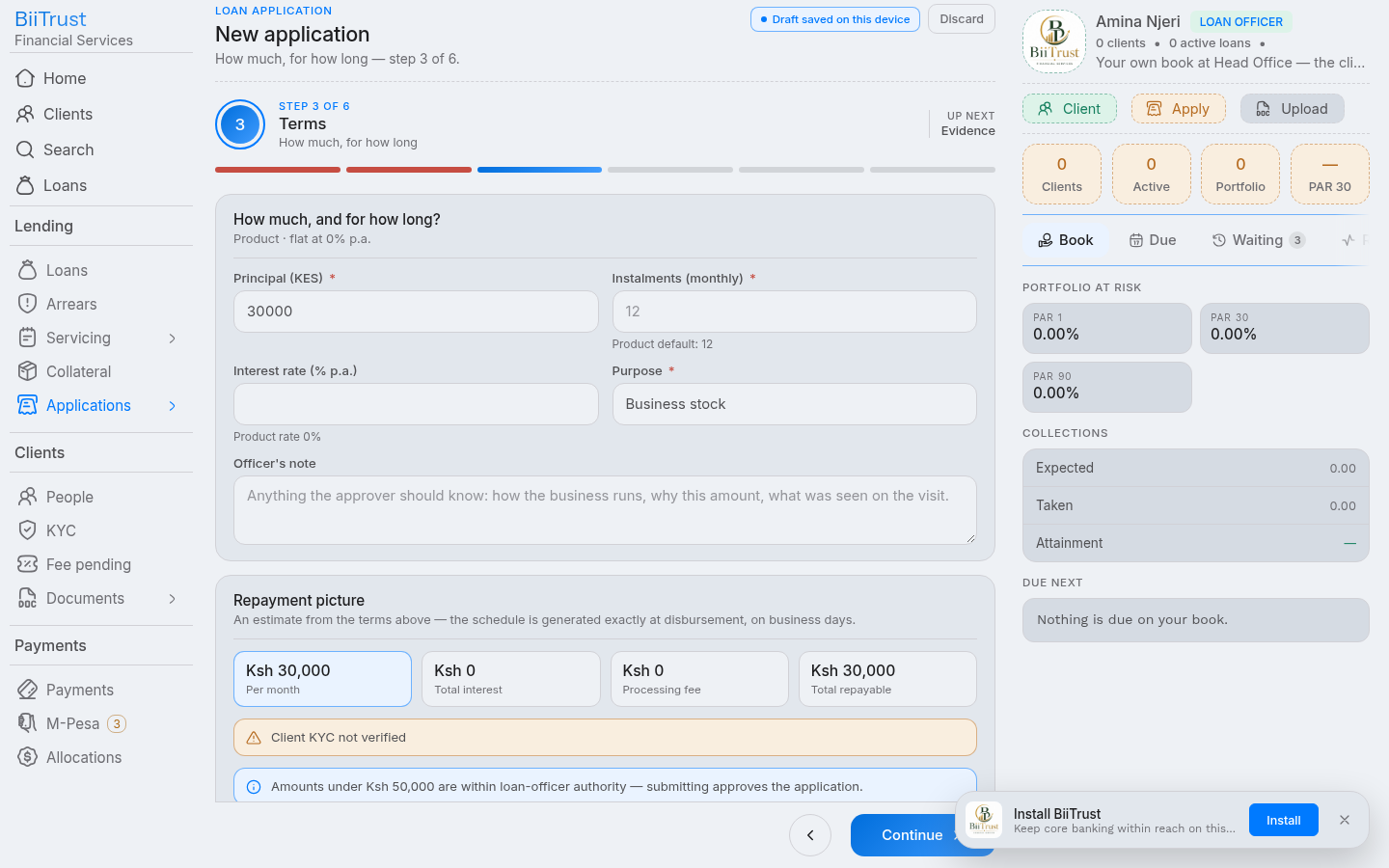 Figure 4.4: Step 3 Loan terms configuration with instant live preview of installments and debt breakdown.
Step 4: Attach Repayment Capacity Evidence
Every credit facility requires documented proof of debt-service capacity:
- Click Attach Evidence.
- Select the document type:
M-Pesa 6-Month Statement PDF,Bank Statement,Salary Payslip,Business Trading License, orSupplier Invoices. - Upload the file.
- Enter a brief note describing cashflow turnover (e.g., “M-Pesa statement shows steady monthly business turnover averaging KES 95,000”).
- Click Continue.
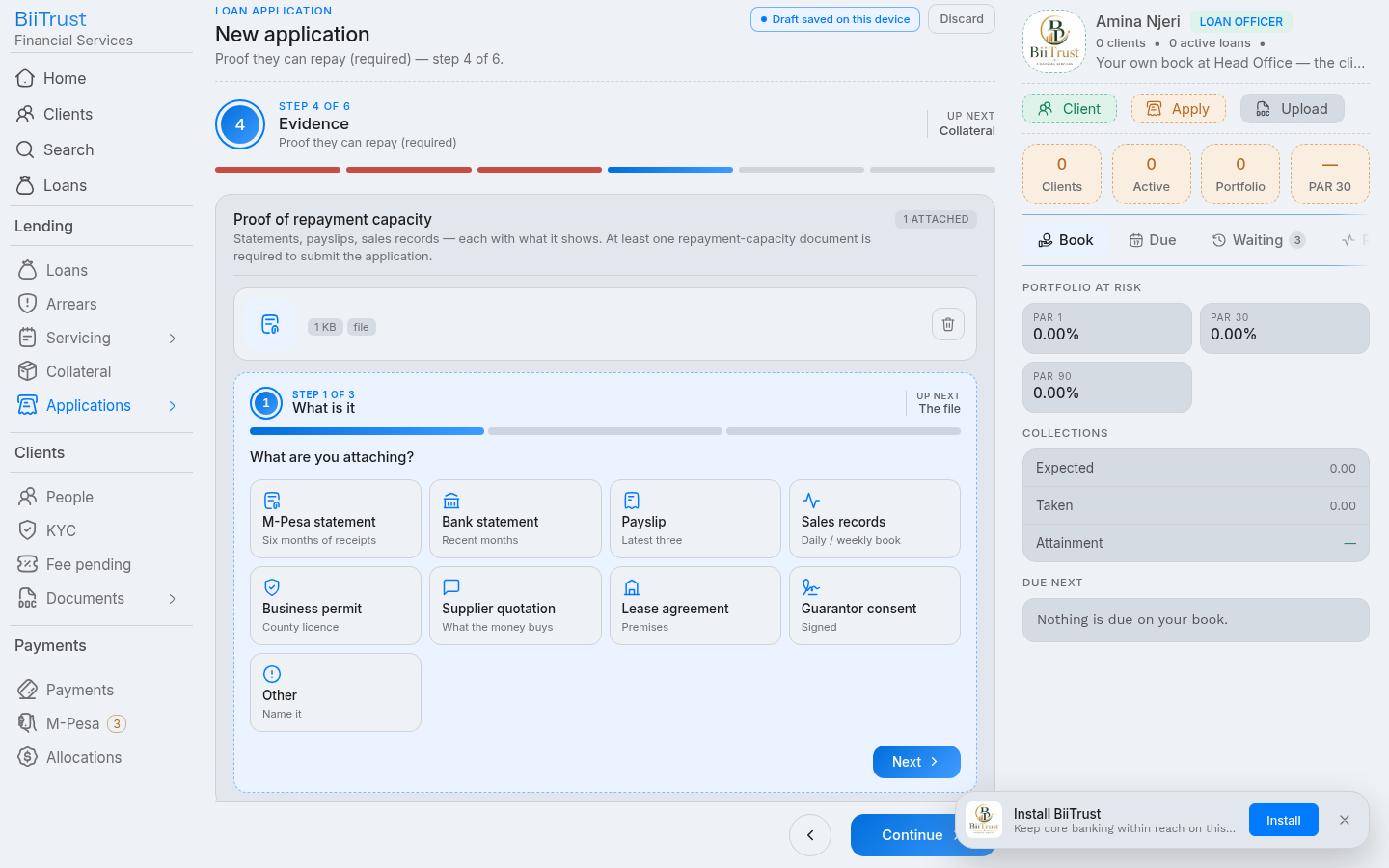 Figure 4.5: Step 4 Uploading 6-month M-Pesa cashflow statement and turnover documentation.
Step 5: Pledge Collateral Security
- Select existing assets from the borrower’s asset register or click Add New Collateral.
- Record asset details: make, serial/registration number, location, and forced-sale valuation.
- LTV Ratio Check: The system validates that total pledged collateral satisfies the product’s
max_ltv_ratiorule (e.g., 120% coverage of principal). - Click Continue.
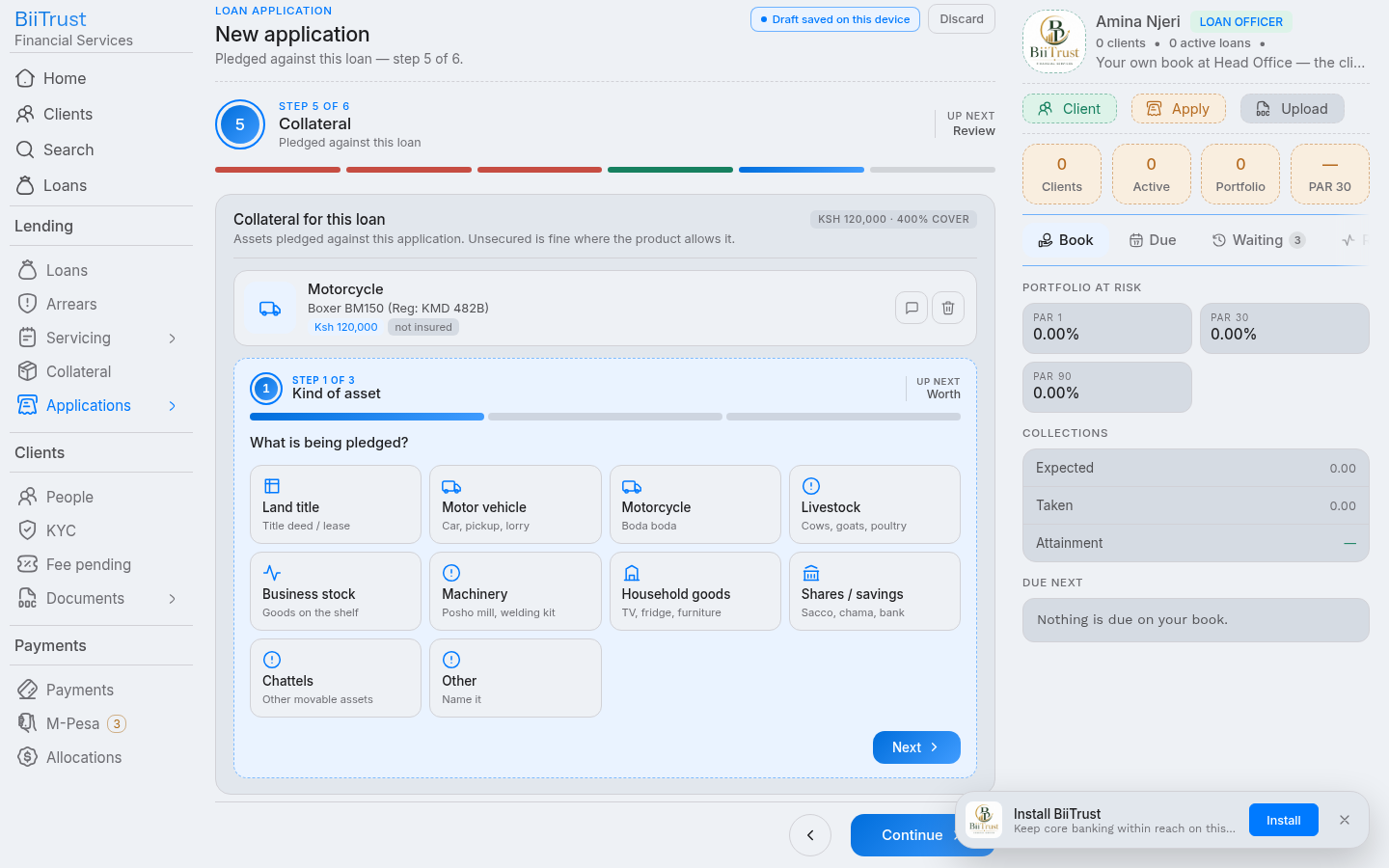 Figure 4.6: Step 5 Collateral security pledge with forced-sale valuation and LTV coverage ratio verification.
Step 6: Review, Credit Policy Checks & Submission
- Policy Check Strip: The automated engine evaluates institutional rules:
- Blacklist Screening: Asserts 0 hits in
kyc_blacklist. - Tier Ceiling: Asserts principal $\le$ KYC tier ceiling.
- Maximum Open Exposure: Validates aggregate portfolio exposure limit.
- Active Delinquency: Asserts client carries 0 overdue days on existing facilities.
- Blacklist Screening: Asserts 0 hits in
- Submission Mode:
- Submit to Manager: Attaches your Level 1 Loan Officer signature and moves the application to
reviewstatus on the Branch Manager’s desk. - Save as Draft: Keeps the dossier in draft on your desk if awaiting additional supporting documents.
- Submit to Manager: Attaches your Level 1 Loan Officer signature and moves the application to
- Click Create & Submit.
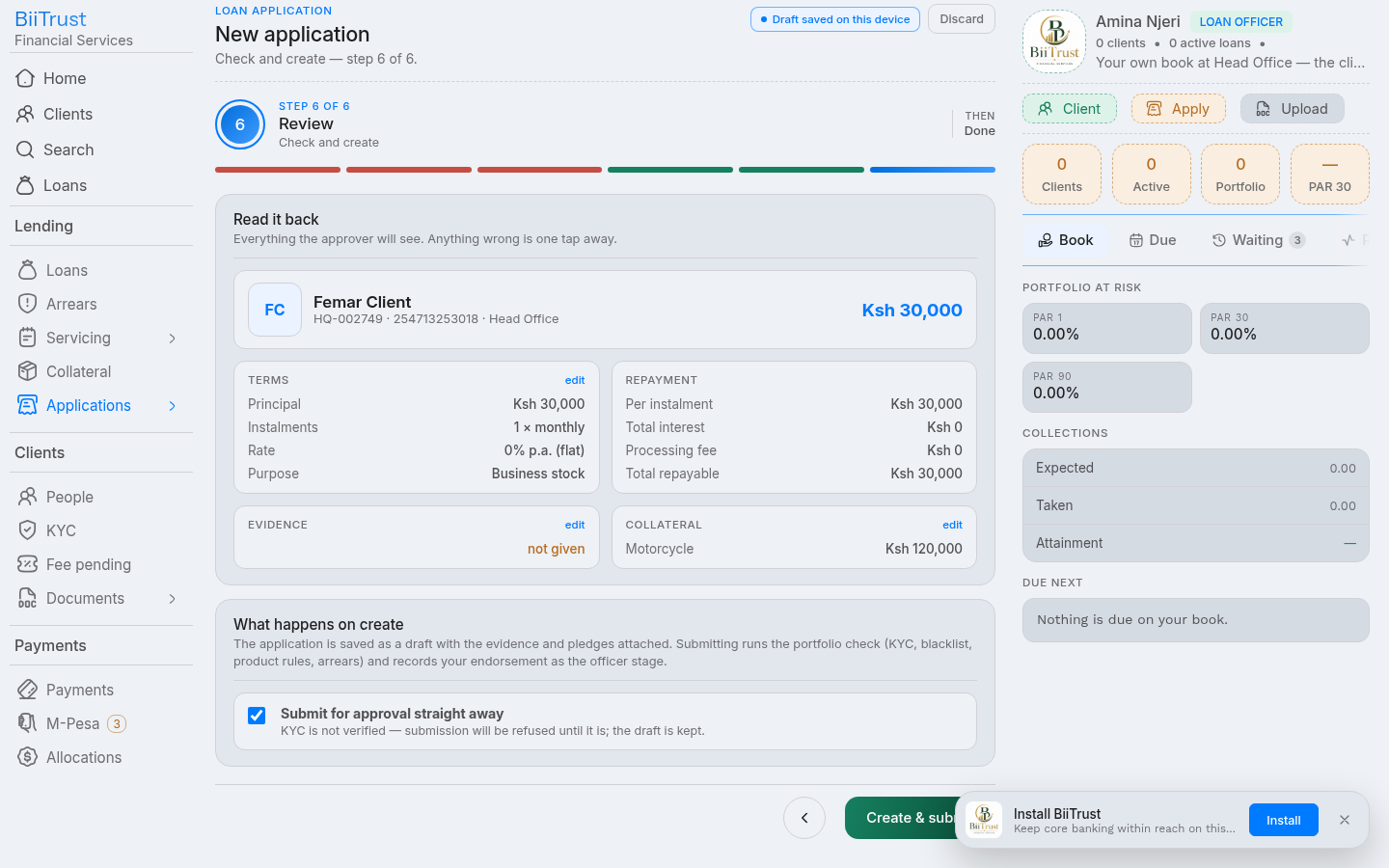 Figure 4.7: Step 6 Consolidated policy checks (all green) and final submission to branch manager queue.
Step-by-Step: Deciding an Application
The Application Decision Flow (/application/:hex/decide) is used by Branch Managers, Risk Officers, and Executive Directors in /applications/queue to evaluate, sanction, return, or reject credit dossiers.
1. Multi-Tier Underwriting Ladder & Four-Eyes Policy
Underwriting authority is segmented by sanction limits (org_authorities):
| Approval Stage | Typical Role | Delegation Limit | Required Sign-off Criteria |
|---|---|---|---|
| Level 1: Origination | Loan Officer | N/A | Captures facts, verifies capacity evidence, submits dossier. |
| Level 2: Branch Review | Branch Manager | Up to KES 250,000 | Cross-checks field verification, endorses capacity, approves or escalates. |
| Level 3: Credit Risk | Chief Operating Officer (COO) | Up to KES 1,000,000 | Evaluates portfolio concentration and collateral coverage. |
| Level 4: Credit Committee | Managing Director | Above KES 1,000,000 | Final executive sanction for high-value or exception facilities. |
The Four-Eyes Rule
- A loan officer cannot approve an application they originated.
- An approver who signed an earlier stage cannot sign a subsequent stage.
- System enforcement is immutable: any attempt to self-approve results in a
409 four_eyesrejection.
2. The Three Steps of Deciding
Step 1: The Dossier & Policy Audit
- Application Overview: Inspect borrower name, National ID, requested principal, tenor, interest method, and stated economic purpose.
- Endorsement History: Reviews earlier signatures in the chain (e.g., Loan Officer’s initial submission memo and timestamp).
- Automated Check Strip:
kyc: Validates that borrower’s KYC verification is active and within expiration horizon.blacklist: Confirms 0 matches against fraud and regulatory watchlists.exposure: Checks cumulative borrower exposure across all active facilities.dpd: Asserts 0 overdue days on open facilities.collateral: Asserts forced-sale valuation meets or exceeds required coverage ratio.
- If any mandatory check fails, the Approve option is locked.
- Click Continue.
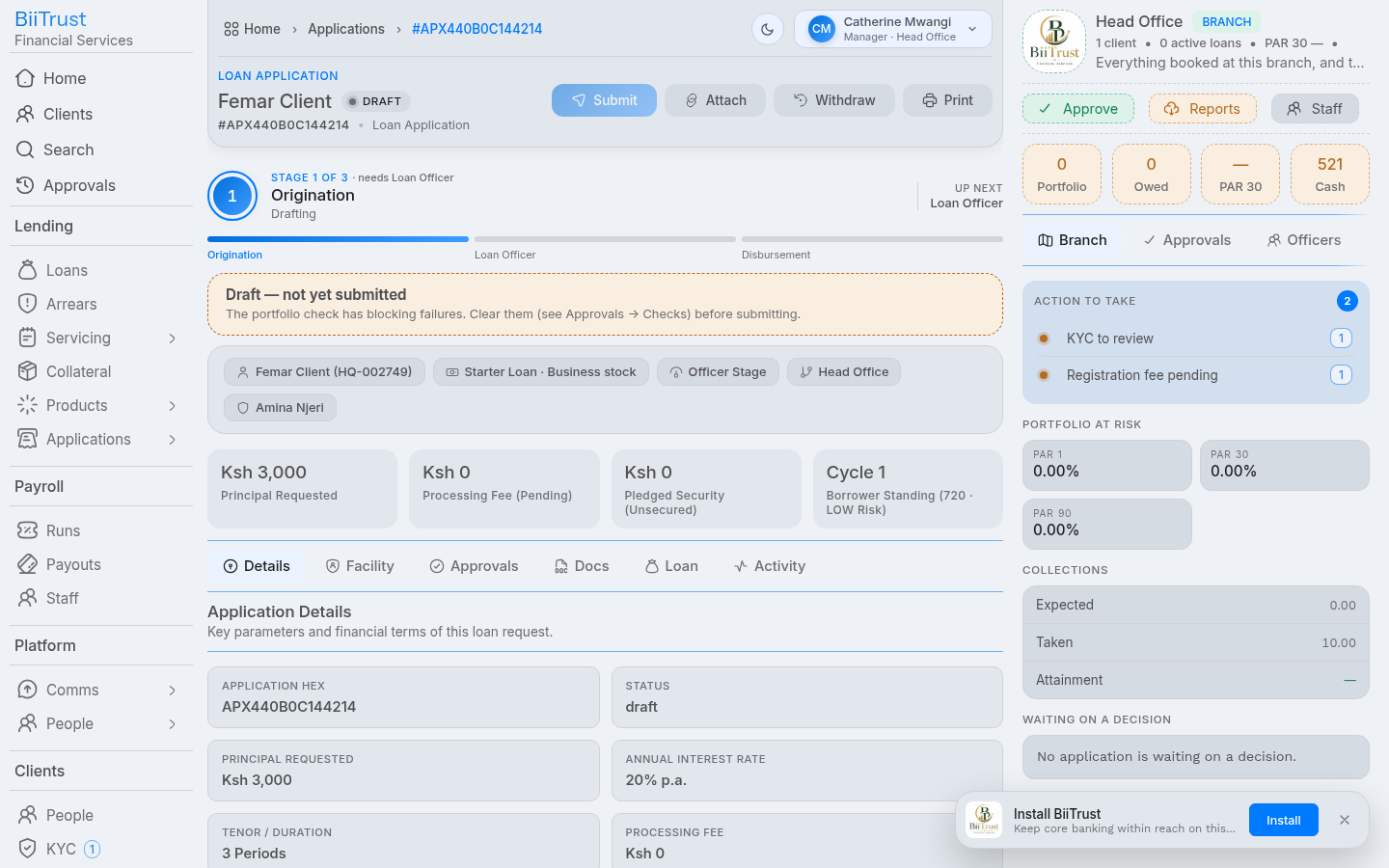 Figure 5.1: Step 1 Underwriting dossier review displaying borrower facts, officer memo, and policy check strip.
Step 2: Formulating the Underwriting Decision
Select one of three binding operational rulings:
┌─────────────────────────┬─────────────────────────┬─────────────────────────┐
│       [ APPROVE ]       │        [ RETURN ]       │        [ REJECT ]       │
│ Advances to next stage  │ Back to officer desk    │ Application declined    │
│ or to disbursement      │ with specific fixes     │ definitively            │
└─────────────────────────┴─────────────────────────┴─────────────────────────┘
1. If Approving:
- Enter optional Underwriting Covenants & Conditions (e.g., “Approved subject to original motor vehicle logbook and certified valuation deposited in branch vault prior to disbursement”).
- If the application amount is within your delegation limit, it lands on
status = 'approved'. - If the amount exceeds your delegation limit, it advances to the next stage in the hierarchy (e.g.,
stage = 'director').
2. If Returning:
- Enter a mandatory Remediation Note specifying what must be amended (e.g., “Customer bank statement is missing page 4; please obtain a certified 6-month statement and resubmit”).
- The file reverts to
status = 'draft'on the originating loan officer’s desk.
3. If Rejecting:
- Select the official Statutory Grounds for Rejection:
Insufficient cash flow / debt service capacityCollateral or security valuation deficitUnsatisfactory credit history / high external indebtednessIncomplete, expired, or unverified KYC documentationPolicy violation / regulatory non-compliance
- Enter a mandatory Explanation Note that will be recorded in the audit trail.
- Click Continue.
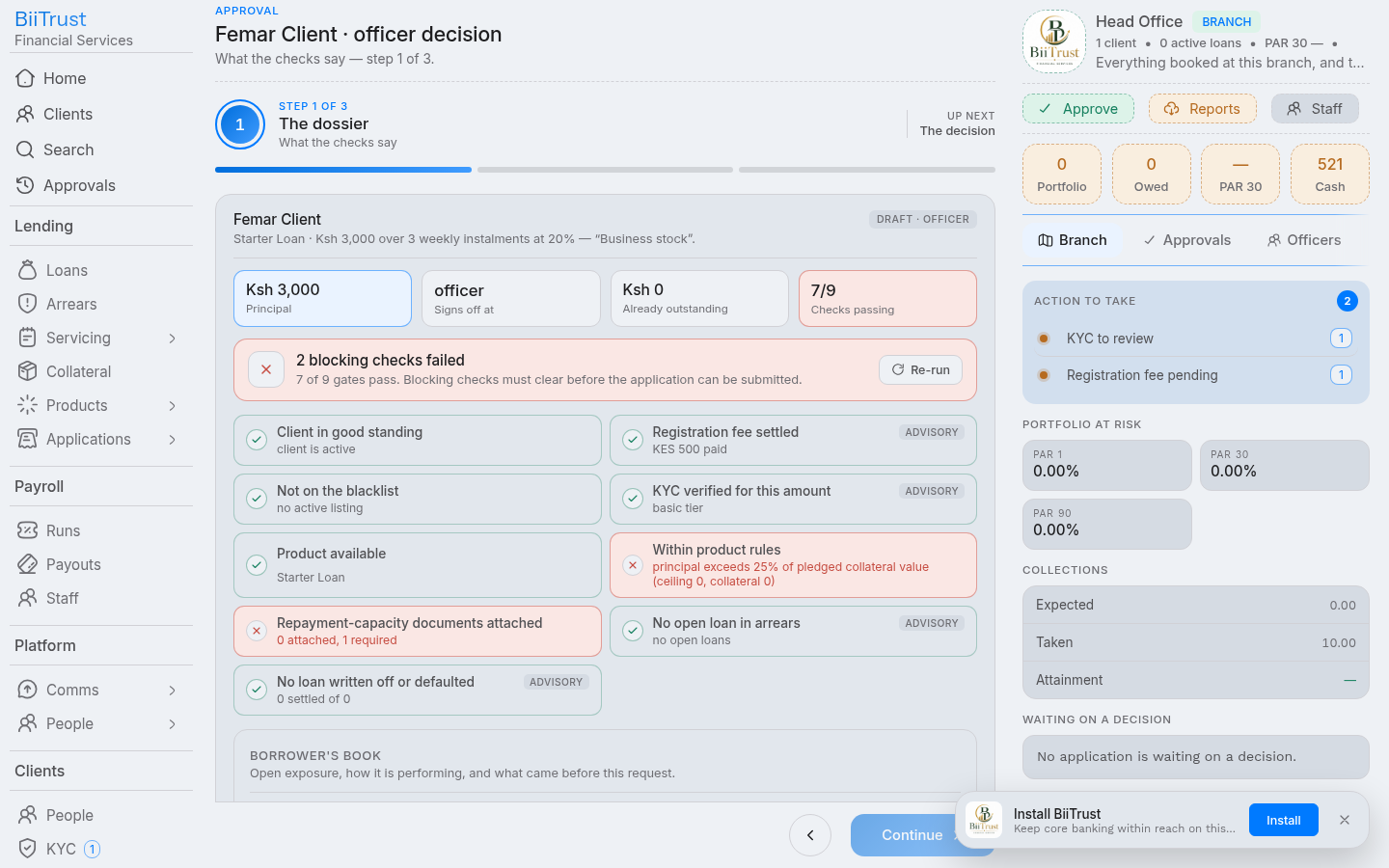 Figure 5.2: Step 2 Selecting underwriting decision (Approve/Return/Reject) and entering covenants.
Step 3: Confirm & Digital Signature
- Read-Back Summary: Consolidates the decision, recorded covenants, and the resulting state.
- Statutory Acknowledgment: Check the mandatory box:
- “I have read the dossier and credit policy checks, and I record my decision within my authorized delegation.”
- Sign Decision:
- Click the action button (Green for Approve, Blue for Return, Red for Reject).
- The digital signature logs to the audit register (
system_audits). - When the final approval stage is signed, the application immediately displays a Disburse Funds button.
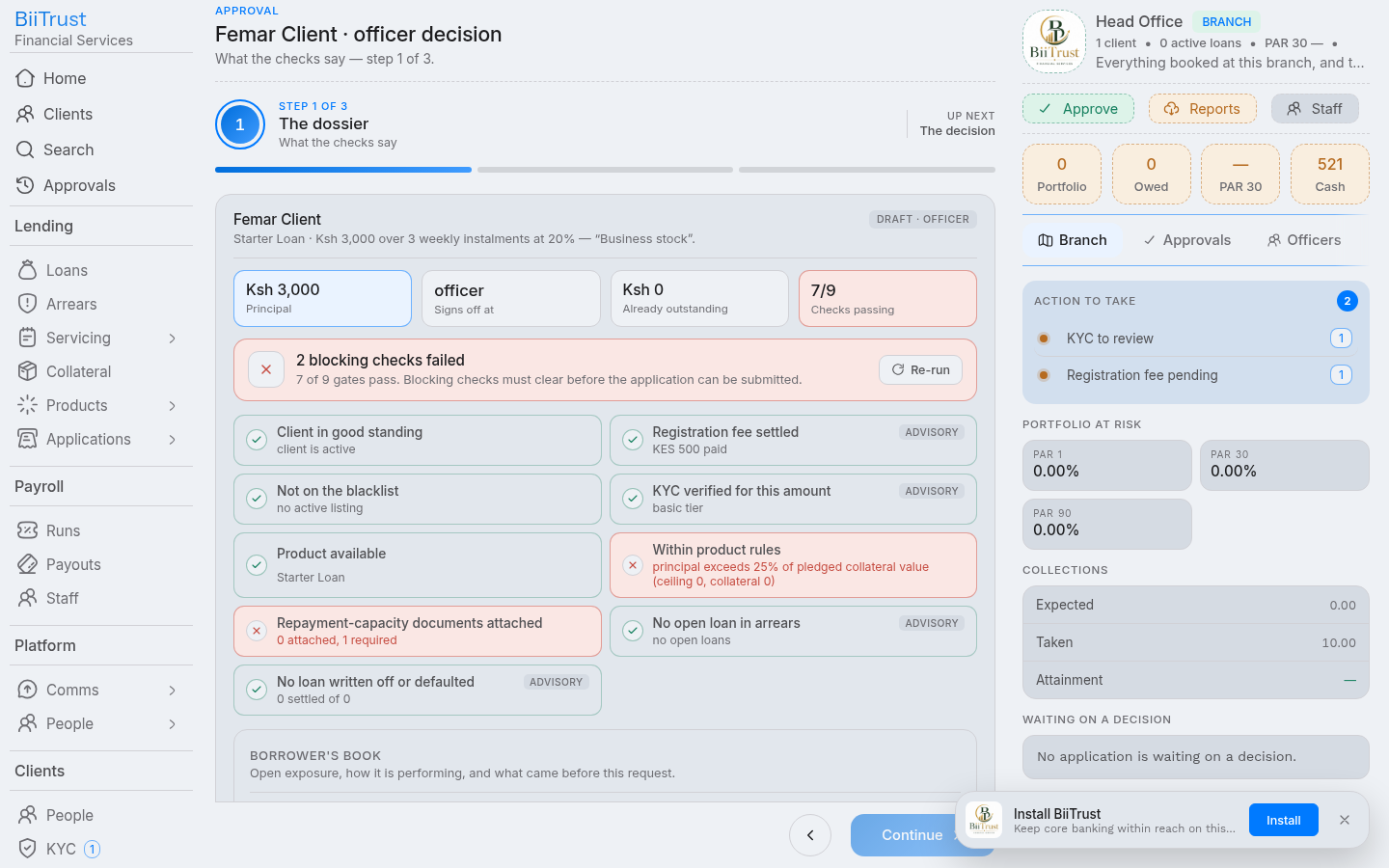 Figure 5.3: Step 3 Final digital signature signoff committing sanction and unlocking the disbursement button.
Step-by-Step: Disbursing a Loan
The Loan Disbursement Flow (/application/:hex/disburse) executes the release of credit funds to the borrower, generates the legally binding repayment schedule, books double-entry general ledger journals, and enqueues automated mobile money payouts.
1. Statutory Guards & Pre-Disbursement Checklist
Before disbursement funds can be released, the transactional engine enforces guards inside a single database transaction (data.db.tx):
- Approval Check: Application must have completed all required sanction stages (
status = 'approved'). - KYC Validity: Borrower KYC must be active and not expired (
verified = true). - Accounting Period: Current financial period must be open in the general ledger.
- Idempotency Guard: Asserts the facility has not already been disbursed.
2. The Three Steps of Disbursement
Step 1: Verification & Financial Breakdown
- Applicant & Facility Overview: Confirms borrower legal names, National ID, client number, and approved product.
- Financial Breakdown:
- Approved Principal: Total facility size (e.g., KES 50,000).
- Upfront Processing Fee: Flat fee and percentage deduction (e.g., KES 1,500).
- Net Cash Payout: Actual money transferred to borrower (e.g., KES 48,500).
- Click Continue.
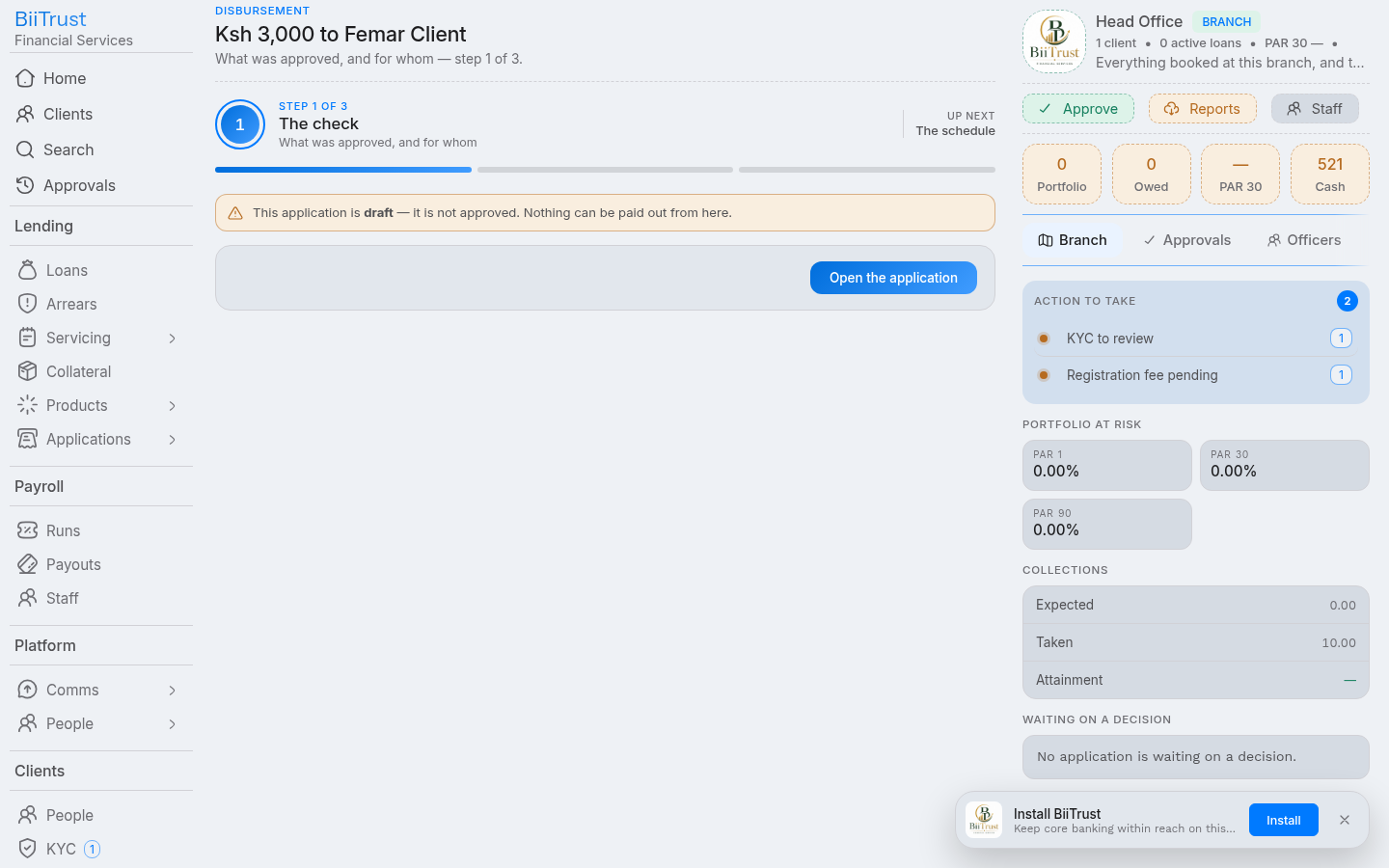 Figure 6.1: Step 1 Financial breakdown showing gross principal, withheld processing fees, and net borrower payout.
Step 2: Repayment Schedule & Funding Source
- Value Date: Defaults to current date. Can be customized if recording an approved back-dated release.
- Funding Source / Capital Pool: Select the balance sheet fund (e.g., Core Revolving Credit Fund, Women Enterprise Fund, Donor SME Pool).
- Repayment Schedule Generation:
- The amortization engine (
utils/amortize.js) calculates installment legs based on the product method (flatordeclining_balance). - Installment due dates are calculated from the release date.
- Due dates that collide with Sundays or national holidays (configured in
calendar.holidays) are shifted forward to the next banking day.
- The amortization engine (
- Click Continue.
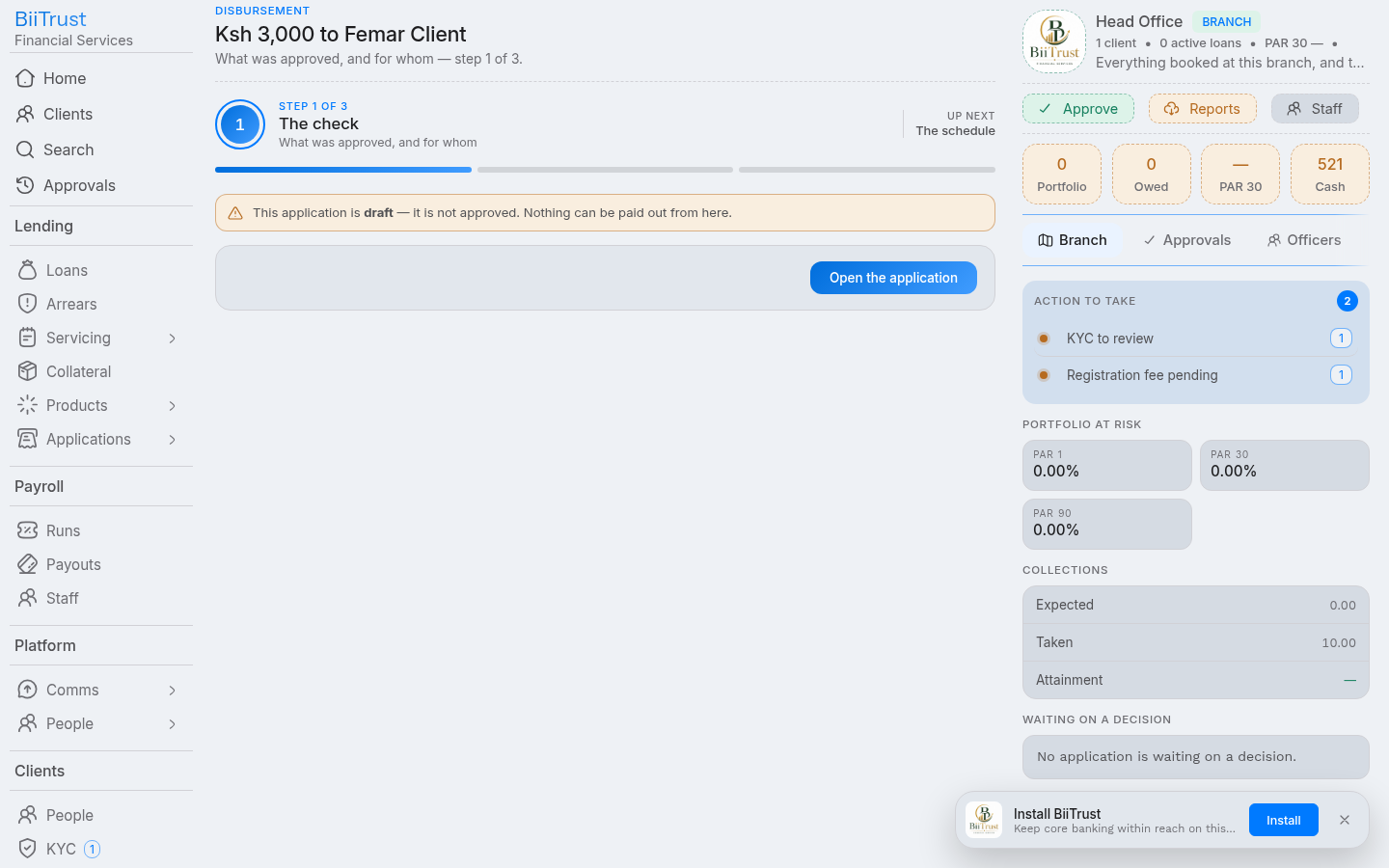 Figure 6.2: Step 2 Amortization repayment schedule generated with calendar holiday date adjustments.
Step 3: Release Channel & Execution
- Select Disbursement Channel:
- M-Pesa B2C (Automated): Instant transfer directly to the borrower’s registered mobile number via Safaricom’s Business-to-Customer API.
- Bank EFT / Wire Transfer: Queued for batch bank payment clearance.
- Counter Cash Voucher: Printed cash voucher for branch walk-in payout.
- Statutory Authorization Acknowledgment: Check the mandatory signoff box:
- “I confirm that all collateral perfection covenants and underwriting conditions have been satisfied, and I authorize immediate funds release.”
- Click Release Funds:
The system executes an atomic transaction committing all the following operations together:
- Creates live loan account (
loan_loansrow with identifierLOX...). - Inserts all amortization installments into
loan_schedules. - Updates application status to
disbursed(stage = 'disbursed'). - Records the immutable audit event (
system_audits). - Posts balanced double-entry GL journals.
- Creates live loan account (
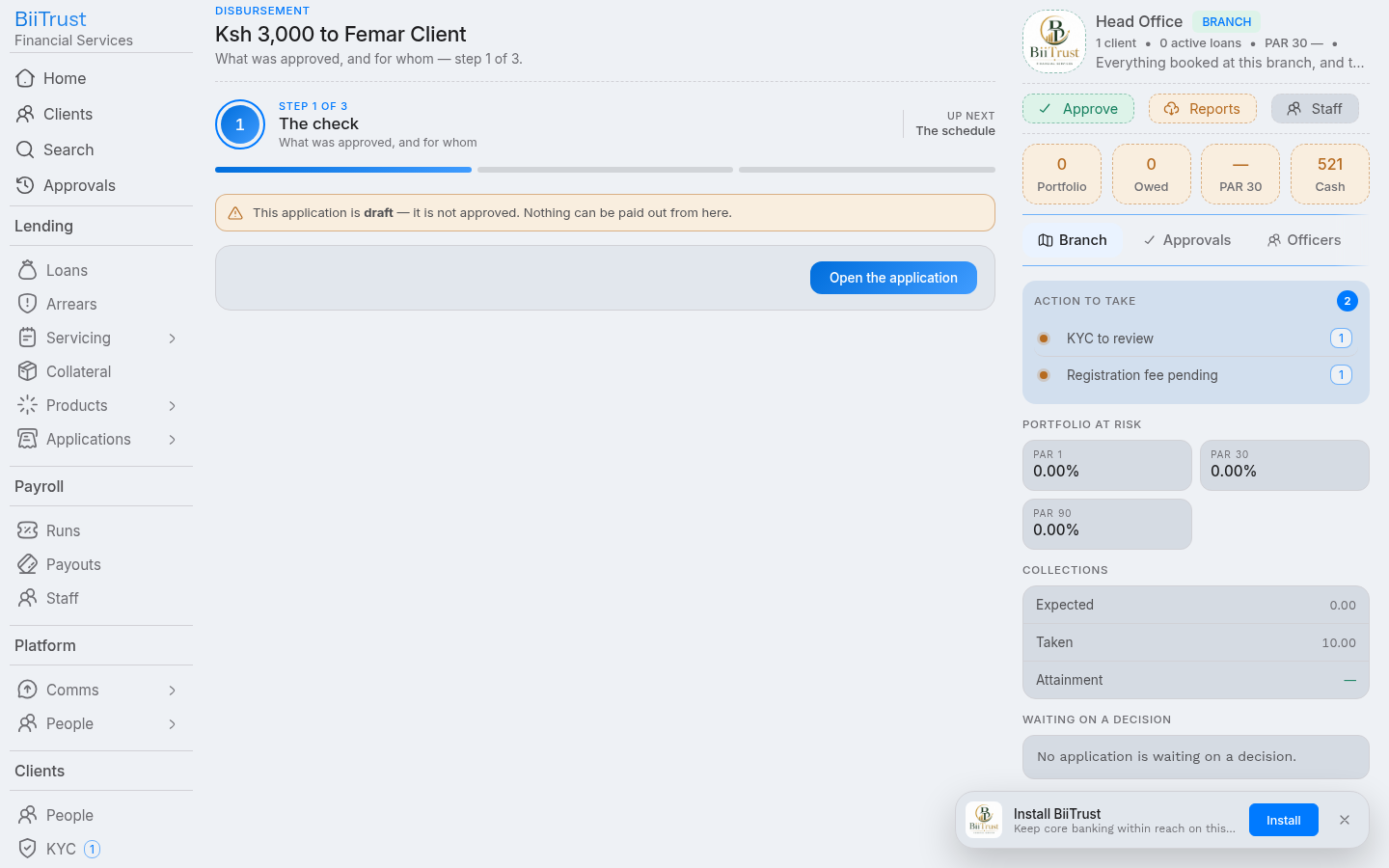 Figure 6.3: Step 3 Completion screen confirming automated M-Pesa B2C payout transfer and posted general ledger journal.
3. General Ledger Accounting Impact
Disbursement generates an automated, balanced accounting journal:
┌────────────────────────────────────────────────────────────────────────┐
│ DISBURSEMENT GENERAL LEDGER JOURNAL (Status: 'posted')                 │
├───────────────────────────────┬─────────────┬─────────────┬────────────┤
│ Account                       │ Code        │ Debit (KES) │ Credit(KES)│
├───────────────────────────────┼─────────────┼─────────────┼────────────┤
│ Gross Loan Portfolio Asset    │ 1200        │ 50,000.00   │            │
│ M-Pesa Collections Float /Cash│ 1103        │             │ 48,500.00  │
│ Loan Processing Fee Income    │ 4200        │             │  1,500.00  │
├───────────────────────────────┴─────────────┼─────────────┼────────────┤
│ TOTALS                                      │ 50,000.00   │ 50,000.00  │
└─────────────────────────────────────────────┴─────────────┴────────────┘
4. Post-Commitment Payout Pipeline
After the database transaction commits:
- M-Pesa Queue: The job
mpesa.b2cis dispatched to the background worker (queues.mpesa.add). - Safaricom B2C Confirmation:
- On payout success,
finance_mpesastate flips to'success'. - Borrower receives instant Safaricom M-Pesa confirmation SMS.
- If Daraja reports a failure (e.g. incorrect mobile number or phone blocked), the loan remains active with an alert raised for operational retry.
- On payout success,
- SMS Alert: System queues an automated SMS notification welcoming the borrower and summarizing the first installment due date.
Step-by-Step: Taking a Repayment & Servicing
The Repayment Flow (/loan/:hex/repay or /payments/new) records incoming payments across multiple channels, executes the strict accounting liquidation waterfall, manages Paybill prefix stripping, and safeguards unmatched receipts in suspense.
1. Servicing Channels & Inbound Collections
BiiTrust processes repayments through four primary operational rails:
Rail 1: Offline Lipa na M-Pesa Paybill 4050329
Borrowers can repay independently from their own phones 24/7 without staff intervention:
- Paybill Business Number:
4050329(BiiTrust Lipad Paybill). - Account Number Reference:
- Loan Repayment:
3907#<NATIONAL_ID>(e.g.3907#13253018) or3907#<LOAN_HEX>(e.g.3907#LOX7A8B9C0D). - Registration Fee:
3907#REG-<NATIONAL_ID>(e.g.3907#REG-13253018).
- Loan Repayment:
- Automatic Prefix Normalization: When Safaricom delivers the callback via the Lipad webhook (
/api/v1/mpesa/callbacks/lipad), the system automatically strips the prefix3907#via regex (/^[A-Z0-9]+[#\s:]+/i), extracting the clean National ID (13253018) or Loan identifier.
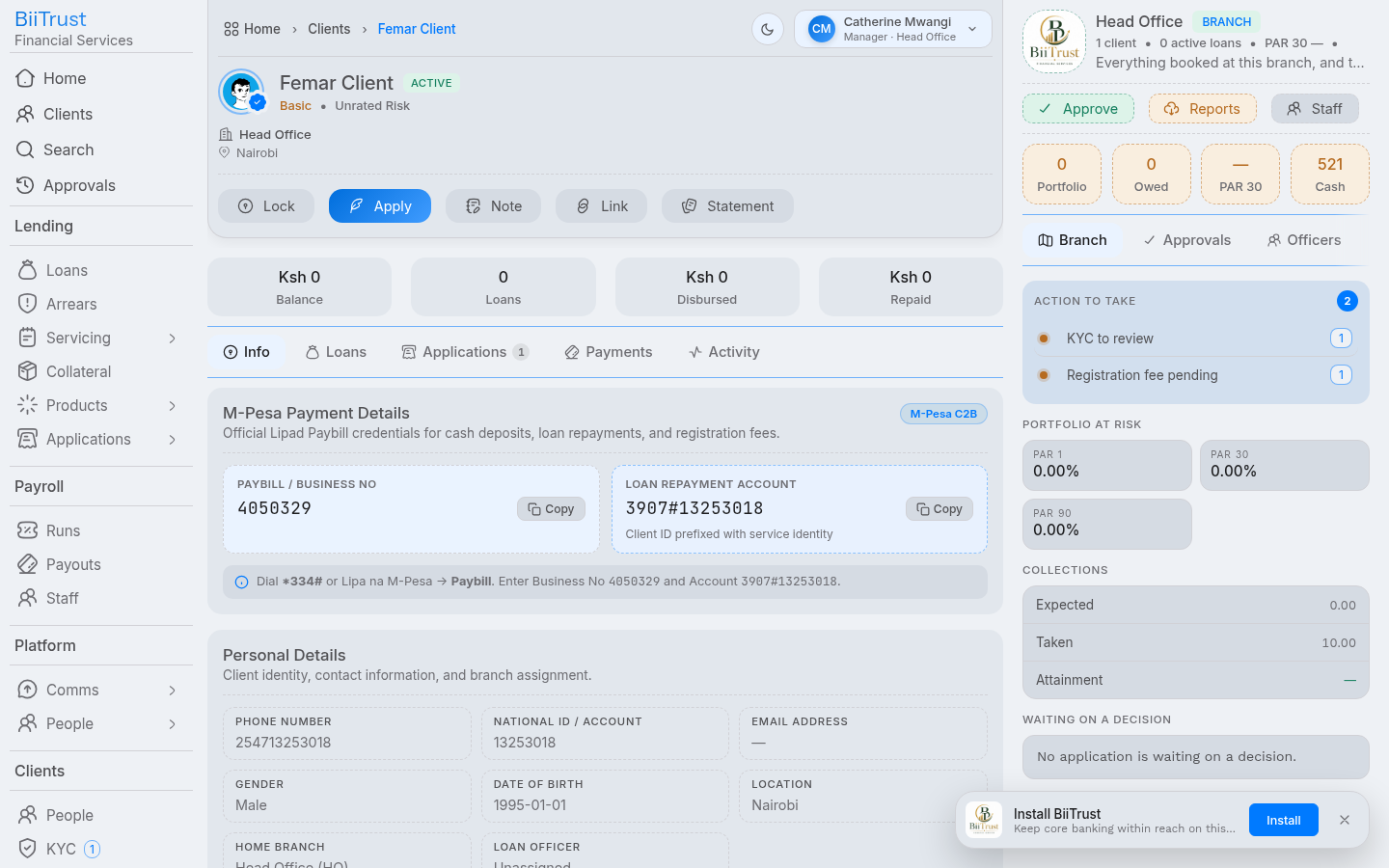 Figure 7.1: Lipa na M-Pesa Paybill input screen showing Business Number 4050329 and account
3907#<ID>.
Rail 2: Real-Time M-Pesa STK Push
Loan officers and cashiers can initiate an on-demand prompt directly to the borrower’s phone:
- Enter repayment amount and click Push STK Prompt.
- A pop-up prompt appears instantly on the borrower’s mobile phone requesting their M-Pesa PIN.
- Upon PIN entry, the funds clear and allocate to the loan in seconds.
Rail 3: Frontline Counter Cash Receipt
- Walk-in borrower deposits cash at the branch counter.
- Teller selects Cash, enters amount, and clicks Record Repayment.
Rail 4: Bank Deposit Slip / EFT Wire
- Borrower presents a bank deposit slip or wire confirmation.
- Teller selects Bank Transfer, enters reference, and records receipt.
2. The Accounting Liquidation Waterfall
Repayment funds are strictly applied in the following legal priority order:
┌────────────────────────────────────────────────────────────────────────┐
│ REPAYMENT WATERFALL LIQUIDATION HIERARCHY                              │
├────┬─────────────────────────┬──────────────┬──────────────────────────┤
│Priority │ Obligation Leg        │ GL Account   │ Description              │
├────┼─────────────────────────┼──────────────┼──────────────────────────┤
│ 1  │ Overdue Penalties       │ 4300 Income  │ Overdue late-payment fines│
│ 2  │ Administrative Fees     │ 4200 Income  │ Accrued servicing fees   │
│ 3  │ Accrued Interest        │ 4100 Income  │ Interest on capital      │
│ 4  │ Principal Installments  │ 1200 Asset   │ Gross loan balance       │
│ 5  │ Surplus Overpayment     │ 2200 Liab.   │ Client savings balance   │
└────┴─────────────────────────┴──────────────┴──────────────────────────┘
Oldest installments are liquidated first. If an installment is partially paid, its status transitions to partial; when fully satisfied, its status transitions to paid.
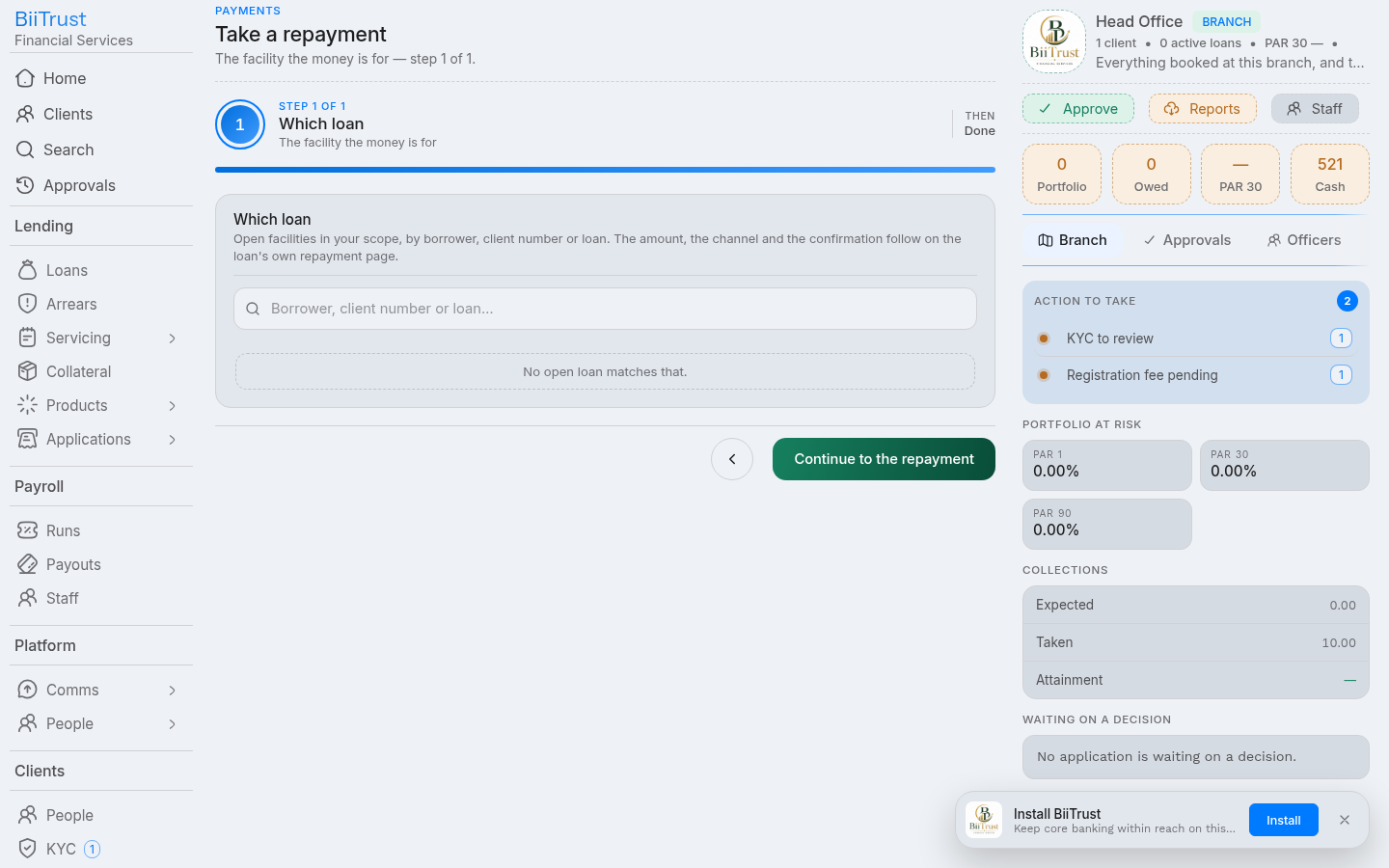 Figure 7.2: Live waterfall division card showing incoming funds distributing across penalties, interest, and principal.
3. Suspense Account Safety Net (/payments/suspense)
If a customer makes a typo in their account reference (e.g., quotes 3907#MISTAKE or an unmapped ID number):
- Funds Are Never Lost: BiiTrust accepts the payment callback and immediately posts a balancing journal:
- Debit:
1103(M-Pesa Collections Float) - Credit:
2105(M-Pesa Suspense Account)
- Debit:
- Suspense Reconciliation Hub:
- The payment surfaces instantly in
/payments/suspense. - Cashiers search by phone number or payer name.
- Clicking Reconcile allows 1-click allocation to the correct loan, transferring funds from
2105to the loan waterfall.
- The payment surfaces instantly in
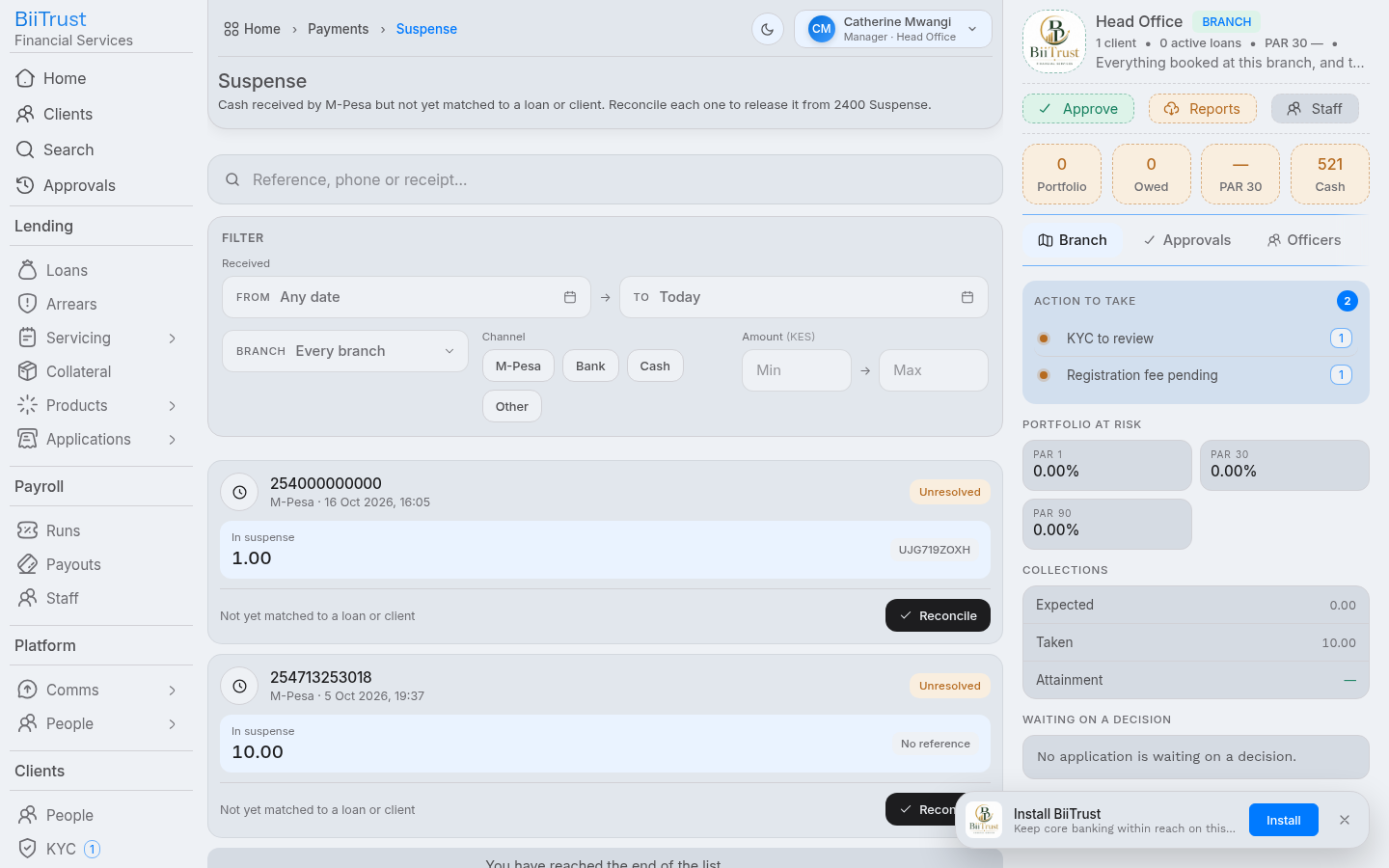 Figure 7.3: Suspense Ledger Hub displaying unmatched payments with search tools and 1-click allocation actions.
4. Final Settlement & Score Recomputation
When the final installment reaches KES 0.00:
- Status Transition: Loan status updates from
active→settled. - Cycle Increment: The client’s completed loan cycle increments (
loan_cycles.number + 1), automatically unlocking higher borrowing limits for future applications. - Credit Score Recomputation: The system triggers automated risk recomputation (
POST /scores/:client/recompute), updating the borrower’s credit score inkyc_scoresto reward timely repayment history.
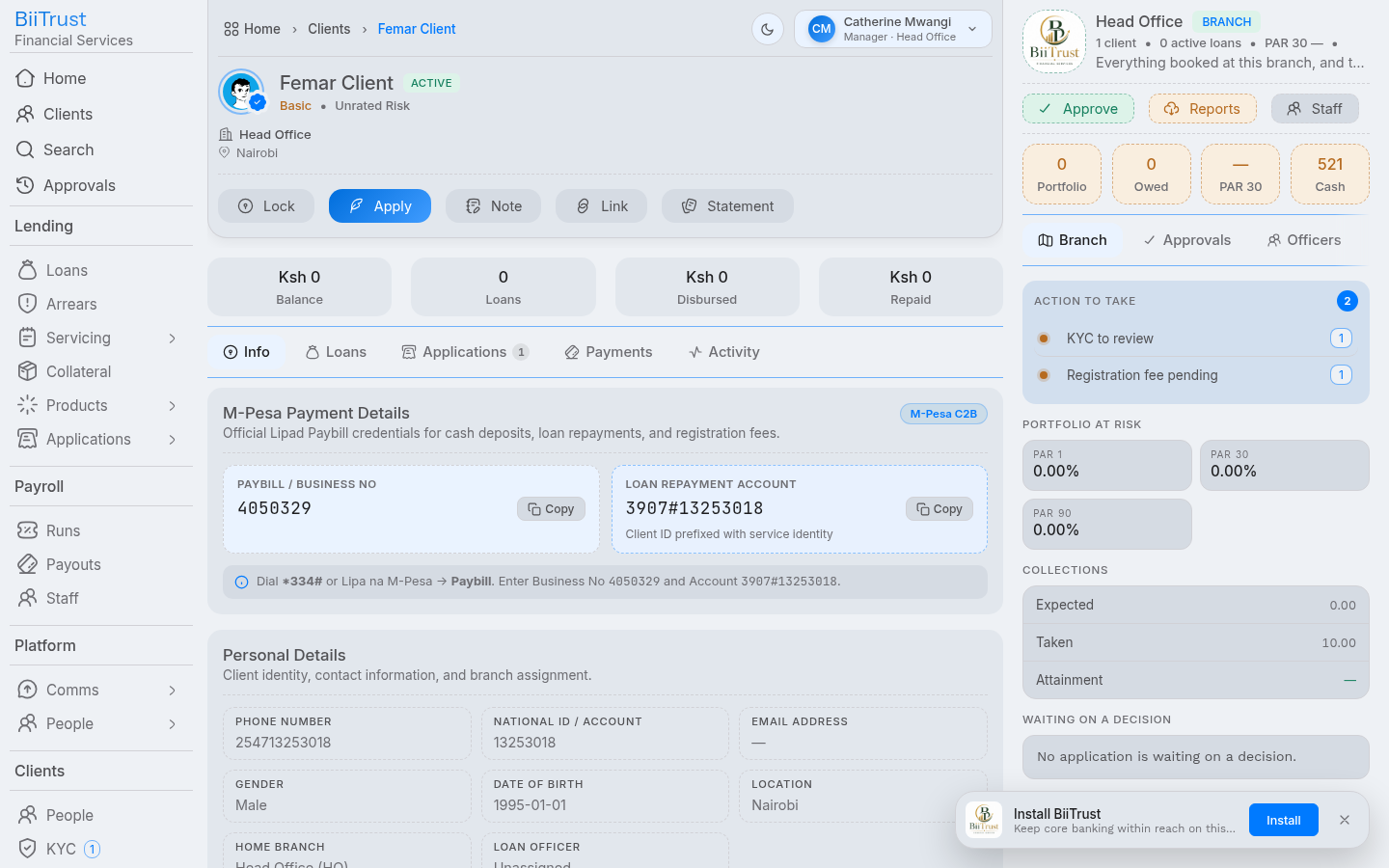 Figure 7.4: Settled credit facility showing cleared obligations, incremented cycle number, and upgraded credit score.
Step-by-Step: Opening a Collection Sheet
The Collection Sheet Create Flow (/sheets/new or <sheet-create-page>) opens a new daily collection round for an officer’s borrower portfolio or branch center. It stages scheduled loan installments, pre-populates due amounts, and prepares the operational register for field cash recovery and cashier counter reconciliation.
1. Prerequisites & Access Controls
- Permitted Roles: Loan Officers (
officer), Branch Managers (manager), Tellers (teller), and Administrators (admin). - Automatic Portfolio Scoping:
- Loan Officers: The branch station and officer portfolio automatically pre-populate and lock to your logged-in credentials.
- Branch Managers & Tellers: The branch is pre-selected to your branch station; you can select any active loan officer within your branch to prepare their collection round.
- Platform Administrators: Can select any branch station and officer across the institution.
- Empty Sheet Safeguard: The system automatically verifies that active loans with collectible dues exist for the selected station and officer. You cannot open a collection sheet if there are zero collectible loans in the portfolio.
2. Operational Dispatch Models in Banking
Depending on institutional policy, collection sheets support two standard operational workflows:
┌─────────────────────────────────────────────────────────────────────────────┐
│ MODEL A: BRANCH MANAGER MORNING DISPATCH (Strict Dual Control)              │
│                                                                             │
│ 1. Manager opens `/sheets/new` at 8:00 AM for each route officer.          │
│ 2. Manager reviews scheduled dues, adjusts targets, and opens the sheet.    │
│ 3. Manager prints the official Field Collection Voucher with dual stamps.    │
│ 4. Officer receives printed voucher, conducts field visits, and collects.   │
└─────────────────────────────────────────────────────────────────────────────┘

┌─────────────────────────────────────────────────────────────────────────────┐
│ MODEL B: FIELD OFFICER SELF-SERVICE (Decentralized Autonomy)                │
│                                                                             │
│ 1. Officer logs in on mobile/tablet in the field and opens `/sheets/new`.   │
│ 2. System automatically loads officer's scheduled due installments.         │
│ 3. Officer selects route borrowers, confirms targets, and opens the sheet.  │
│ 4. Officer collects cash, updates actuals, and brings cash to branch.       │
└─────────────────────────────────────────────────────────────────────────────┘
3. The 3-Stage Creation Flow
┌──────────────────┐         ┌──────────────────┐         ┌──────────────────┐
│     Stage 1      │  ────►  │     Stage 2      │  ────►  │     Stage 3      │
│    The Round     │         │ Due Installments │         │  Confirm & Open  │
│(Station, Officer)│         │(Select Borrowers)│         │ (Pre-Staged Post)│
└──────────────────┘         └──────────────────┘         └──────────────────┘
Stage 1: The Round (Station, Officer, Day)
- Station / Branch:
- For branch staff (
officer,teller,manager), your assigned station is pre-selected and locked. - For platform administrators, pick the target branch station from the dropdown.
- For branch staff (
- Officer:
- For loan officers, automatically locked to your assigned staff account.
- For managers, select which loan officer’s portfolio the round belongs to.
- Round Day:
- Defaults to the current date (
YYYY-MM-DD). Can be scheduled for a future field meeting.
- Defaults to the current date (
- Portfolio Status Indicator:
- Shows active loan count and dues available for collection. If zero collectible loans are found, an error banner blocks advancement to prevent opening empty rounds.
- Click Continue ›.
Stage 2: Due Installments (Borrower Selection & Target Setting)
The system automatically queries /api/v1/sheets/fresh and renders all active facilities with pending dues:
- Borrower Information Card:
- Identity: Full Name, KYC verification badge (
✓), National ID number, Phone number, and Client Account number. - Facility Details: Loan account reference (
#LOX...), Product name, and Installment sequence (e.g.Inst #3 of 12). - Due Date & Arrears: Scheduled maturity/installment due date, plus DPD overdue tag (e.g.
14d late) if delinquent.
- Identity: Full Name, KYC verification badge (
- Financials & Target Input:
- Owed Balance: Total outstanding balance remaining on the facility.
- Expected Amount: Scheduled installment amount due on this round.
- Target Input (
KES): Pre-filled automatically to the expected installment amount. The officer or manager can adjust the target if a partial or custom payment was agreed upon.
- Batch Selection Controls:
- Individual Checkbox: Select or deselect individual borrowers to include on this specific round.
- Select All / Deselect All: Toggle the entire portfolio roster in one click.
- Summary Bar: Real-time counter showing
X of Y selected · KES Z target.
- Click Continue ›.
Stage 3: Confirm & Open
- Summary Particulars:
- Station name, scheduled date, and assigned officer name (e.g. Head Office · 18 Sep 2026 · Amina Njeri’s round).
- Collection Target Tile: Total aggregate KES targeted across all selected lines.
- Borrowers Selected Tile: Total count of facilities staged.
- Status Badge:
draft (ready for field collection).
- Commit Action:
- Click Open the sheet (
POST /sheetswith pre-stagedlines). - The platform creates the collection sheet record with all selected borrower lines, targets, and expected amounts atomically saved to the database.
- Click Open the sheet (
- Completion Screen:
- Displays confirmation: “Sheet CSX… is ready with its collection lines staged.”
- Tap View sheet to enter the Collection Sheet Console (
<sheet-page>), or tap All sheets to return to the registry feed.
4. In-Sheet Dues Synchronization (“Sync Dues”)
If a draft sheet was opened earlier or if new installments became due while the sheet was in draft:
- Open the collection sheet in
<sheet-page>. - Click the Sync Dues button (available in both the toolbar and the empty sheet banner).
- Auto-Persist Sync:
- The platform queries
/api/v1/sheets/freshfor any un-staged loans belonging to that officer. - It stages the missing facilities with their expected installment amounts.
- It automatically saves and persists the updated lines directly to PostgreSQL via
PATCH /sheets/:hexand refreshes the console. - No manual “Save” click is needed; borrower identities, installments, and targets immediately appear.
- The platform queries
5. Why Field Officers See “Awaiting Counter Post”
In compliance with prudential microfinance regulations and dual-control governance:
- Field Loan Officers are authorized to create sheets, stage borrowers, and record field collections (
can('create'),can('stage')). - Field Loan Officers cannot post sheets to the General Ledger. If officers could post their own collections, they could record fictitious cash or conceal shortages.
- On the sheet console, the action bar displays: $$\boxed{\text{Awaiting counter post}}$$
- To complete the round, the officer brings physical cash and the signed collection sheet to the Branch Teller Counter. The Teller verifies the currency denominations against the sheet total and posts the batch atomically to the General Ledger.
6. Official Printable PDF Dossier
Clicking Print or Export $\to$ PDF generates an institutional-grade, certified A4 collection sheet containing:
- Stationery Header: Official institution branding, division identity, document control reference, and sheet number.
- KPI Ribbon: Staged Collection Total, Expected Demand, Collection Rate %, and Register Status (
Draft/Posted). - Deployment Particulars: Branch station, officer contact, operations manager, and round date.
- Borrower Installment Register:
- Borrower Full Name, KYC rosette, National ID, Phone, and Account Code.
- Loan Account Reference, Product Name, and Installment Progression (
Inst #X of Y, Due Date). - Expected Installment (KES), including overdue arrears breakdown if delinquent.
- Staged Target / Collected Cash (KES) and payment allocation breakdown (Principal, Interest, Fees, Penalties).
- Outstanding Loan Balance (KES) and DPD Delinquency status.
- Borrower Signature line for physical sign-off in the field.
- Vault Denomination Reconciliation: Currency breakdown table for KES 1000, 500, 200, 100, 50 notes and coins.
- Tripartite Authorization Block: Official signature and timestamp blocks for Role 01 (Credit Officer), Role 02 (Receiving Cashier), and Role 03 (Branch Operations Manager).
Step-by-Step: Posting a Collection Sheet (Counter Post)
The Collection Sheet Post Flow (/sheet/:hex/post or <sheet-post-page hex>) is the critical counter verification and atomic ledger commit gate. It ensures that physical cash handed over by a field loan officer is verified note-by-note before being posted to the General Ledger.
1. Segregation of Duties (SOD) Gate
- Permitted Roles: Branch Tellers (
teller), Branch Managers (manager), and Administrators (admin). - Refused Roles: Loan Officers (
officer). - Refusal Reason: Field officers stage borrower collections in the field, but cannot post directly to the ledger. This eliminates fictitious collection entries, ghost loans, and cash skimming. Cash must be counted and accepted across the branch counter.
2. The Three Steps of Counter Posting
┌──────────────┐         ┌──────────────┐         ┌──────────────┐
│    Step 1    │  ────►  │    Step 2    │  ────►  │    Step 3    │
│  The Sheet   │         │   The Cash   │         │   Confirm    │
│(Staged Lines)│         │(Denominations│         │(Atomic Post) │
└──────────────┘         └──────────────┘         └──────────────┘
Step 1: The Sheet (What Was Staged in the Field)
- Dossier Header:
- Displays scheduled borrower line count, total staged cash amount (e.g.
14 lines · KES 48,500), officer name, branch station, and meeting date.
- Displays scheduled borrower line count, total staged cash amount (e.g.
- Itemized Line Breakdown:
- Inspects each borrower’s row: borrower name, loan account reference, product name, delinquency status (DPD), and staged amount.
- Validation Pre-Flight:
- The engine verifies that every line has an amount $> 0$ and that the sheet has not already been posted.
- Click Continue ›.
Step 2: The Cash (Counted Note by Note)
- Denomination Counter Grid:
The teller physically counts cash in front of the officer and inputs counts into the responsive currency grid:
- KES 1,000: Enter count (e.g.
40$\to$ KES 40,000). - KES 500: Enter count (e.g.
14$\to$ KES 7,000). - KES 200: Enter count (e.g.
5$\to$ KES 1,000). - KES 100: Enter count (e.g.
4$\to$ KES 400). - KES 50: Enter count (e.g.
2$\to$ KES 100). - Coins: Enter total coin sum (e.g.
0).
- KES 1,000: Enter count (e.g.
- Real-Time Difference Tile:
- Counted: Total physical cash calculated from denominations.
- On the Sheet: Expected collection sum staged by officer.
- Variance Tile:
- Displays green Agrees if variance $= 0.00$.
- Displays amber/red Over or Short if discrepancy exists.
- Mandatory Difference Note:
- If $| \text{difference} | \ge 1.00$, the teller must input an explanatory note (minimum 4 characters) detailing the root cause (e.g. “Borrower John note damaged, officer to replace tomorrow”).
- Click Continue ›.
Step 3: Confirm & Atomic Execution
- Summary & Read-Back:
- Summary reads: “Post KES 48,500 across 14 loans. The count agrees.”
- Explains ledger transition: Sheet moves
draft → posted, and journals are generated one per line.
- Mandatory Attestation Checkbox:
- Teller must tick: ☑ “The cash is in the till and the lines are as collected.”
- Atomic Execution (
POST /sheets/:hex/post):- Within an atomic database transaction (
prisma.$transaction):- Debits Branch Cash Drawer GL
1101. - Credits Principal (
1201), Interest (4100), Fees (4200), and Penalties (4300) per loan waterfall. - Advances borrower schedules and recalculates DPD.
- Enqueues automated SMS payment receipts to all paying borrowers.
- Changes sheet status to
posted.
- Debits Branch Cash Drawer GL
- Within an atomic database transaction (
- Click The Sheet to view the completed ledger summary or All sheets to return to the feed.
Step-by-Step: Reschedules & Waivers
When borrowers encounter unexpected economic hardship or technical payment errors, BiiTrust provides two specialized recovery tools: Loan Rescheduling (modifying terms) and Charge Waivers (forgiving accrued penalties or fees).
1. Rescheduling a Loan (/loan/:hex/reschedule)
Rescheduling restructures a delinquent loan to establish a realistic, achievable repayment plan without writing off the debt:
When to Reschedule:
- Borrower experienced a verifiable event (e.g., medical emergency, crop failure, market fire).
- Borrower demonstrates good faith and willingness to repay under revised terms.
- Collateral and guarantor support remain intact.
The Rescheduling Steps:
- Step 1 — Baseline Review:
- Inspect the current unpaid principal and accrued charges.
- Any accumulated penalties must either be settled upfront or formally waived prior to rescheduling.
- Step 2 — Revised Loan Terms:
- Extended Duration: Add additional months or weeks to reduce the periodic installment burden.
- Repayment Moratorium (Grace Period): Grant a 1-to-3 month grace window on principal repayments to allow the borrower’s business cashflow to recover.
- Revised Amortization Method: Switch between flat and declining balance if appropriate.
- Step 3 — Re-amortize & Confirm:
- The system regenerates a new repayment schedule for the remaining principal balance.
- Requires Branch Manager authorization.
- The loan status changes to
restructured, resetting the DPD counter to zero.
2. Waiving Charges (/loan/:hex/waive)
Authorized Branch Managers and Directors can forgive accrued late penalties, service fees, or interest:
[!WARNING] Principal Cannot Be Waived Here: Forgiving principal is a formal loss event handled exclusively through the Write-Off Flow (
/loan/:hex/writeoff).
The Three Steps of a Waiver:
Step 1: What is Owed
- Displays the loan’s open installments.
- Select whether you are waiving charges on a single installment (e.g., installment #3) or across every open installment.
- Click Continue.
Step 2: What to Waive
- Select the Charge:
Late Penalty: Forgiving penalty fees accrued during grace days.Fees: Forgiving administration or inspection fees.Interest: Forgiving interest accrued during a hardship period.
- Waiver Amount:
The Whole Charge: Forgives 100% of the accrued amount.Part of It: Enter a specific KES figure to forgive partial charges.
- Mandatory Justification Note:
- Record the exact business reason for internal audit (e.g., “Customer attempted M-Pesa payment during telecom outage on 3 Sep; waiving late penalty accrued through no fault of borrower”).
- Click Continue.
Step 3: Confirm & Sign
- Review the before-and-after balances.
- Check the mandatory acknowledgement box: “This forgiveness is within my authorized delegation and the reason above is accurate.”
- Click Waive. The forgiven charge is immediately cleared from the borrower’s ledger, reversing the corresponding income accrual in the general ledger.
Pledging Collateral & Asset Security
The Collateral Pledge Flow (/collateral/new or /loans/:hex/pledge) registers physical, legal, or financial assets to secure a loan facility or borrower account.
1. Operational Overview & Access
- Required Privilege:
collateral: create(Loan Officers and Branch Managers). - Two Pledging Modes:
- Direct Loan Cover (
mode="loan"): Collateral is bound to a specific active or pending credit facility (LOX...). Counts directly toward that loan’s required Loan-to-Value (LTV) coverage. - Client Blanket Security (
mode="client"): Asset is registered against the borrower profile (CLX...) before an application is made, remaining available in reserve for future credit lines.
- Direct Loan Cover (
2. The 3-Step Pledging Rail
[ Step 1: Behind Whom ] ──► [ Step 2: The Asset ] ──► [ Step 3: Confirm ]
Step 1: Behind Whom (#who)
Select the target liability:
- Choose Pledging Target:
- Toggle Against a Loan (recommended for origination).
- Toggle Against the Client Alone (for onboarding pre-pledged assets).
- Search the Target:
- Use the live scoped search input (
data-act="who.search"). - Type borrower name, phone, ID, or loan hex (
LOX...). - Click the matching entity card from the results list.
- Use the live scoped search input (
- Review Current Exposure:
- The system displays the borrower’s total active debt, number of existing open loans, and currently pledged security value.
Step 2: The Asset Details (#asset)
Capture the physical, legal, and valuation parameters of the asset:
| Form Field | Data Type | Validation & Guidelines |
|---|---|---|
| Asset Kind | Selection Tiles | Choose from: Vehicle (Logbook), Land (Title Deed), Chattel (Machinery / Electronics), Deposit (Cash Lien). |
| Description | Text | Detailed make, model, registration number, color, or parcel number (e.g., “Toyota HiAce KDA 451B, White, 2017”). |
| Open Market Value (OMV) | Currency (KES) | The appraised fair market value established by an authorized valuation report. |
| Registration / Title Ref | Text (Mono) | Logbook number, Title Deed number, or chattel serial tag. |
| Comprehensive Insurance Expiry | Date (YYYY-MM-DD) | Mandatory for motor vehicles and commercial equipment. |
Step 3: Confirm & Pledge (#confirm)
Review the legal commitments before stamping the database:
- Valuation & Haircut Readout:
- Displays gross appraised Open Market Value (OMV).
- Applies the system haircut according to asset class ($35%$ for vehicles, $50%$ for chattels).
- Displays Net Forced Sale Value (FSV) and calculated Loan-to-Value (LTV) percentage.
- LTV Compliance Check:
- If $\text{LTV} \le 75%$, the badge displays
<span class="pill ok">Fully Covered</span>. - If $\text{LTV} > 75%$, a warning banner alerts that collateral security is deficient.
- If $\text{LTV} \le 75%$, the badge displays
- Commit: Click Pledge Asset.
3. Post-Pledge Operations & Custody
- Vault Custody: Physical documents (original logbooks, duplicate keys, land title deeds) must be transferred to the branch dual-custody fireproof safe.
- Lien Perfection: The legal team files chattel registration with the Business Registration Service (BRS) or registers an official joint logbook caveat on the NTSA TIMS portal.
- Status Lifecycle: Asset transitions to
pledged. Once the loan is fully repaid, the manager initiates the Collateral Release action (/collateral/:hex/release).
Writing Off a Loan & Force Settlement
The Loan Write-Off Flow (/loans/:hex/writeoff) removes uncollectible credit exposure from the institutional balance sheet while safeguarding regulatory compliance and auditing integrity.
1. Statutory Context & Authorization
- Required Privilege:
loans: writeoff(strictly reserved for the Executive Director and the Accountant). - Two Operational Modes:
- Full Write-Off (
mode="writeoff"): The entire outstanding exposure (principal, interest, fees, penalties) is removed from active receivables, absorbed first by the impairment reserve already held and secondly by write-off expense. - Force Settle & Waive (
mode="close"): A small remaining residual balance (e.g., KES 50–500 due to rounding, minor penalty discrepancy, or goodwill settlement) within the institutional waiver ceiling (loans.waiver_max) is waived to achieve clean loan closure.
- Full Write-Off (
2. The 3-Step Write-Off Rail
[ Step 1: The Exposure ] ──► [ Step 2: The Reason ] ──► [ Step 3: Confirm ]
Step 1: The Exposure (#loan)
Examine the exact financial position of the facility:
| Exposure Tile | Value Displayed | Financial Significance |
|---|---|---|
| Principal Balance | KES Outstanding | The core capital asset being removed from the books. |
| Accrued Interest | KES Overdue | Contractual interest that will be reversed out of receivables. |
| Fees & Penalties | KES Accumulated | Late charges that will be canceled upon write-off. |
| Impairment Provision | KES Held in Reserve | The specific provision already recognized in GL account 12900. |
| Net P&L Hit | KES Additional Cost | Remaining unprovisioned exposure that will hit this period’s P&L expense. |
- Select the Exit Path:
- Choose Write-off the exposure (for dead or non-performing loans).
- Choose Force-settle the loan (enabled only if the total remaining debt is below the maximum waiver ceiling).
Step 2: The Reason (#reason)
Regulatory bodies and external auditors require an explicit, unalterable justification for every write-off:
- Documented Reason Categories:
- Borrower Deceased (Attach death certificate / chief’s letter).
- Permanent Business Insolvency / Closure (Attach auctioneer final return).
- Untraceable Borrower / Skip (Attach skip tracing and field investigation report).
- Legal Settlement / Dispute Compromise (Attach court consent or arbitration agreement).
- Audit Narrative: Type a clear narrative explaining the recovery efforts exhausted, legal notices served, and why further recovery is commercially unviable.
Step 3: Confirm & Sign Off (#confirm)
Review the exact accounting entries generated by the transaction:
Double-Entry Journal:
  Dr 12900 Allowance for Loan Impairment   (Absorbs existing provision)
  Dr 52000 Loan Write-Off Expense          (Absorbs unprovisioned remainder)
      Cr 12100 Gross Loan Portfolio Asset  (Reduces loan book to zero)
      Cr 12200 Interest Receivable         (Reverses uncollected accrual)
- Statutory Acknowledgment: Check the confirmation box: “I confirm that all commercial and field recovery remedies have been exhausted, and authorize the permanent write-off of this asset.”
- Execute Write-Off: Click Sign and Write Off.
3. Post-Write-Off Protocol & Ongoing Recovery
[!CAUTION] Legal Liability Remains Intact: Writing off a loan is an internal balance sheet accounting procedure. It does not discharge the borrower’s debt or release guarantors.
- CRB Adverse Status: The credit bureau record is updated to
Written Off / Defaulted. - Secondary Recovery Book: The loan transfers to the institutional recovery queue (
/loans?status=written_off). - Accounting for Future Recoveries: Any future cash received on this facility is recognized directly as
43000 Bad Debt Recoveries Revenue, directly boosting institutional net income.
Reversing a Payment & Unwinding Allocations
The Payment Reversal Flow (/payments/:hex/reverse) is the formal procedure to unwind a mistaken, duplicated, or misallocated repayment, restoring the borrower’s installment balances and posting an exact mirror accounting entry to the General Ledger.
1. Operational Rules & Permissions
- Required Privilege:
payments: reverse(strictly limited to Branch Managers and Executive Directors). - Invariance Rule: Only a payment in
allocatedstatus may be reversed. Payments that are already pending, reversed, or unallocated cannot undergo this flow. - Cash Handback Notice: The system reverses the software balances and accounting ledger; any physical cash handed back across the counter must be managed by the cashier through a verified cash-out voucher.
2. The 3-Step Reversal Rail
[ Step 1: The Payment ] ──► [ Step 2: Why ] ──► [ Step 3: Confirm ]
Step 1: The Payment Record (#payment)
- Locate the Payment:
- Navigate to Payments (
/payments) $\to$ Click on the target transaction. - Or open from the loan ledger (
/loans/:hex) under the Payments tab $\to$ Click Reverse.
- Navigate to Payments (
- Review Allocation Legs:
- Displays the gross amount (e.g.,
KES 15,000), channel (cash,bank,mpesa), payment reference, date received, and recording teller. - Shows the exact breakdown of how the funds were distributed across installment legs:
- Penalty leg: KES 500
- Fee leg: KES 250
- Interest leg: KES 3,250
- Principal leg: KES 11,000
- Displays the gross amount (e.g.,
Step 2: Reason for Reversal (#why)
Financial auditors require an unalterable narrative before any accounting entry can be unseated:
- Mandatory Justification: The
Reasontextarea requires a clear explanation of at least 8 characters. - Common Valid Reasons:
- “Posted to wrong borrower account (intended for CLX882910 instead of CLX119283).”
- “Duplicate entry: Teller entered cash receipt twice for the same transaction.”
- “Safaricom customer recall: Borrower initiated M-Pesa reversal with Safaricom.”
- “Erroneous overpayment amount keyed across counter.”
Step 3: Confirm & Mirror Journal (#confirm)
Review the three-fold impact of the reversal:
Reversal Financial Effect:
  1. Payment State:     allocated ──────► reversed
  2. Loan Ledger:       Balances fully restored on each affected installment
  3. General Ledger:    Mirror journal generated reversing revenue & cash debits
Mirror Journal Entries:
  Dr 40100 Loan Interest Revenue   (De-recognizes unearned interest)
  Dr 12100 Gross Loan Portfolio    (Restores outstanding principal debt)
      Cr 10100 Branch Cash Till    (Removes cash from cashier balance)
- Statutory Acknowledgment: Check the mandatory box: “This payment was wrong and the borrower’s balances are to read as before it.”
- Execute Reversal: Click Reverse the Payment.
3. Post-Reversal State
- Payment Flagged: The payment displays an
<span class="opt bad">reversed</span>status badge across all lists. - Installment Schedule Refreshed: The borrower’s loan repayment schedule immediately recalculates:
- The principal debt increases back to its pre-payment balance.
- Due dates and DPD counters update to reflect the reinstated arrears.
- Audit Footprint: The action records the manager’s identity, timestamp, and explanation in
sys.audits.
Reassigning Loan Portfolios & Officer Books
The Loan Reassignment Flow (/loans/reassign or /loans/:hex/reassign) manages the orderly transfer of borrower facilities and credit books between loan officers or across operational branches.
1. Operational Context & Security Scope
When a Loan Officer goes on leave, transfers to another duty station, or leaves the institution, their active borrower book must be formally reassigned to ensure continuity in field collections and monitoring.
- Required Privilege:
loans: reassign- Branch Manager: Authorized to reassign loans within their own branch among active branch officers.
- Executive Director / Admin: Authorized to reassign loans across different branches nationwide.
- Single or Batch Transfer: A manager can transfer a single loan from its details page or select an entire portfolio book (e.g., 50 loans) in one transaction sharing a unified
batchID.
2. The 3-Step Reassignment Rail
[ Step 1: The Loans ] ──► [ Step 2: Where To ] ──► [ Step 3: Confirm ]
Step 1: Selecting the Loans (#loans)
- Search & Select Facilities:
- Use the live search bar (
data-act="loan.search") to filter by borrower name, phone, loan hex, or current officer name. - Click the plus icon
+on loans to add them to the transfer tray.
- Use the live search bar (
- Selected Basket Review:
- The top tray tallies the selected basket:
- Count: Number of facilities queued (e.g.,
14 loans). - Exposure: Aggregate outstanding principal balance (e.g.,
KES 1,420,000).
- Count: Number of facilities queued (e.g.,
- Click the
×button on any item to remove it from the basket.
- The top tray tallies the selected basket:
Step 2: Target Officer & Branch (#target)
Choose the receiving portfolio owner:
- Target Officer Selection:
- The dropdown lists verified staff holding the
officerrole within the authorized branch scope. - Review the recipient officer’s current book load (active client count and total portfolio size) to prevent overloading.
- The dropdown lists verified staff holding the
- Branch Transfer (Director Only):
- If the facility is moving geographically, select the new receiving branch (
BRX...). - The system automatically filters available officers to those stationed at the destination branch.
- If the facility is moving geographically, select the new receiving branch (
Step 3: Confirm & Audit Reason (#confirm)
Review the visual handover diagram:
Handover Summary:
  [ Current Holder ]                  [ Target Officer ]
  Officer: Peter Ochieng    ──────►   Officer: Mercy Wanjiku
  Branch:  Nairobi West               Branch:  Nairobi West
  Transferred: 14 Loans               Total Balance: KES 1,420,000
- Mandatory Audit Justification:
- Document the reason for portfolio migration (e.g., “Staff resignation: Reassigning Peter Ochieng’s portfolio to Mercy Wanjiku during 30-day handover period.”).
- Execute Transfer: Click Reassign Loans.
3. Immediate System Effects
- Scoped Search Migration: Because Typesense search keys are isolated by
officer:=<identity>, the transferred clients and loans instantly vanish from the old officer’s search feed and immediately appear in the new officer’s mobile dashboard and collection sheets. - Batch Reversal Safety: All loans moved together share an immutable
batchidentifier. If the transfer was made in error, a manager can open/reassignments/:hex/reverseto rewind the entire batch back to the original officer with a single click.
Configuring Loan Products & Credit Rules
The Loan Product Configuration Flow (/products/new or /products/:hex/edit) establishes the financial rules, interest calculation models, fee structures, and underwriting constraints for credit facilities offered by BiiTrust.
1. Governance & Permissions
- Required Privilege:
products: create/products: edit(strictly reserved for System Administrators and Executive Directors). - Rule-Driven Engine: Rather than hardcoding business rules into software code, product rules are stored as structured JSON parameters. The origination rail evaluates these constraints in real time when loan officers submit applications.
- Persistence: Work-in-progress product configurations automatically save to device local storage (
bii.product.create) so edits are never lost if the browser tab is accidentally closed.
2. The 5-Step Product Configuration Rail
[ 1. Basics ] ──► [ 2. Interest ] ──► [ 3. Charges ] ──► [ 4. Limits & Rules ] ──► [ 5. Review ]
Step 1: Basics (#basics)
Define the core loan identity and lifecycle rhythm:
| Field | Configuration Options | Impact on Amortization |
|---|---|---|
| Product Name | Text (e.g., “SME Biashara Boost”) | Displayed on customer agreements and search feeds. |
| Calculation Method | flat vs declining_balance | Determines whether interest is fixed across duration or computed on remaining balance. |
| Repayment Interval | daily, weekly, monthly, once | Cycle frequency between installment due dates. |
| Default Duration | Integer (e.g., 12 installments) | The standard contractual tenor for this product. |
| Branch Scope | All Branches vs Specific Branch (BRX...) | Confines product availability to local regional schemes or nationwide. |
Step 2: Interest Model (#interest)
Configure pricing and margin spreads:
- Rate Kind:
fixed: All borrowers receive the exact same contractual annual interest rate.floating: Linked to Central Bank benchmark rates or inflation indexes.matrix: Tiered rate based on borrower credit score or collateral haircut.
- Annual Nominal Rate (%): The headline annual interest percentage (e.g.,
18.0%p.a.). - Spread Minimum / Maximum: Allowable rate variance that a Branch Manager may adjust during underwriting.
Step 3: Charges & Late Penalties (#charges)
Establish revenue fees and delinquency deterrents:
- Upfront Flat Fee (KES): Fixed administrative charge (e.g.,
KES 1,500) deducted at disbursement. - Percentage Appraisal Fee (%): Variable origination fee (e.g.,
2.5%of disbursed principal). - Penalty Method:
per_installment: Daily penalty computed strictly on the unpaid overdue installment amount.balance: Daily penalty computed across the entire overdue loan principal balance.
- Penalty Annual Rate (%): Late payment surcharge rate (e.g.,
12.0%p.a.). - Grace Period (Days): Buffer window (typically
3days) after the installment due date before penalty accrual begins.
Step 4: Limits & Underwriting Constraints (#limits)
Protect portfolio quality by enforcing programmatic boundaries:
- Minimum Facility Amount: Lowest allowable loan size (e.g.,
KES 10,000). - Maximum Facility Ceiling: Highest allowable loan size (e.g.,
KES 500,000). - Max Concurrent Facilities: Default
1(prevents a borrower from taking multiple simultaneous loans under this product). - Rule Gates (Toggle Cards):
- Require KYC Tier: Enforce
standardorenhancedminimum tier. - Require Collateral: Blocks submission if pledged collateral FSV is $< 100%$ of principal.
- Require Guarantors: Enforce minimum 1 or 2 verified guarantors.
- Mandatory Credit Bureau Check: Requires clean CRB clearance certificate.
- Require KYC Tier: Enforce
Step 5: Live Amortization Review (#review)
Before activating the product, the screen renders an interactive simulation on a sample KES 100,000 loan:
- Periodic Installment Amount: Displays exact KES per week or month.
- Total Interest Yield: Highlights gross interest revenue generated.
- Effective Annual Rate (EIR): True financial yield calculation.
- Sample Amortization Table: Full installment-by-installment projection.
- Publish Product: Click Activate Product to deploy into the live origination catalog.
Hiring Staff & Role Permissions
The Staff Onboarding Flow (/people/hire) registers new employees, assigns duty branches, establishes job titles and targets, and issues cryptographic system roles.
1. Governance & Security Model
- Required Privilege:
staff: create(System Administrators and Executive Directors). - Three-Tier Account Provisioning:
- Core Identity: The employee’s personal account (National ID, mobile phone, email).
- Staff Profile (
STF...): The employment record linking the person to a physical branch (BRX...), official title, and performance target. - Role Grants: The specific operational permissions that govern menu visibility, gated actions, and Typesense cryptographic search key generation.
2. The 4-Step Hiring Rail
[ 1. The Person ] ──► [ 2. The Post ] ──► [ 3. Access & Roles ] ──► [ 4. Review & Credentials ]
Step 1: The Person (#person)
Capture the employee’s personal identification details:
| Field | Validation & Requirements | Purpose |
|---|---|---|
| Full Legal Name | As printed on national identity card. | Displayed across audit trails, client cards, and receipts. |
| National ID Number | 7–8 digit citizen ID; unique across system. | Primary login username and government verification anchor. |
| Mobile Phone | Valid Kenyan MSISDN (2547... or 07...). | Receives two-factor authentication (2FA) OTP codes. |
| Email Address | Institutional corporate email. | Receives system alerts, approval notices, and reports. |
| Gender | Female / Male / Other | Statutory reporting for regulatory returns. |
Step 2: The Post (#post)
Establish the employee’s operational base:
- Branch Assignment:
- Use the live search bar to select the assigned branch office (
BRX...). - Branch-scoped roles (
officer,manager,teller) will have their visibility confined to this office.
- Use the live search bar to select the assigned branch office (
- Job Title:
- Select from standard designations:
Loan Officer,Senior Loan Officer,Branch Manager,Teller,Accountant,Compliance Officer,Director,Administrator.
- Select from standard designations:
- Monthly Disbursement Target (KES):
- Sets the officer’s performance baseline (e.g.,
KES 2,500,000per month) used to power the dashboard progress gauge.
- Sets the officer’s performance baseline (e.g.,
- Employment Date: The official contract commencement date.
Step 3: Access & Role Grants (#access)
Select the operational privileges assigned to the employee:
| Role Option | Security Scope | Operational Permissions |
|---|---|---|
Loan Officer (officer) | Own Book & Branch | Client onboarding, loan origination, collection sheets. Confined to own borrowers. |
Branch Manager (manager) | Whole Branch | Loan approvals $< \text{KES } 500k$, reschedules, reassignments, staff monitoring. |
Teller (teller) | Branch Counter | Cash receipts, M-Pesa entry, STK push initiation, cash drawer balancing. |
Executive Director (director) | Org-wide | High-value loan approvals, write-offs, institutional reports. |
Accountant (accountant) | General Ledger | Chart of accounts, journal vouchers, bank reconciliations, fiscal closures. |
Compliance Officer (compliance) | Org-wide Risk | KYC document verification, sanction checks, AML monitoring, CRB reporting. |
Auditor (auditor) | Read-Only Org-wide | Universal read-only audit log inspection; cannot alter data or approve. |
Administrator (admin) | Organization-wide | Full configuration, product management, user provisioning, database reindexing. |
Step 4: Review & Credentials (#review)
- Verify Handover Checklist:
- Displays combined summary: Identity, Branch, Title, Assigned Roles.
- Temporary Password Generation:
- The platform generates a secure, randomized temporary password (e.g.,
Wk8NmY2z@45). - Click the Copy Password button to securely share with the employee.
- Security Rule: The employee is forced to set a private new password upon their initial sign-in.
- The platform generates a secure, randomized temporary password (e.g.,
- Complete Onboarding: Click Hire Staff Member.
Opening a Branch & Office Structure
The Branch Creation Flow (/people/branch/new or /branches/:hex/edit) establishes new regional offices, sets reporting structures, and appoints branch leadership.
1. Governance & Prerequisites
- Required Privilege:
branches: create(strictly limited to System Administrators and Executive Directors). - Physical Hierarchy: Every branch belongs to an organizational tree (Head Office $\to$ Regional Hub $\to$ Field Branch / Satellite Office).
- Instant Searchability: New branches immediately index into the live Typesense directory upon creation, allowing staff hiring and client registrations to select the branch with zero delay.
2. The 3-Step Branch Opening Rail
[ Step 1: The Office ] ──► [ Step 2: Structure & Manager ] ──► [ Step 3: Review & Open ]
Step 1: The Office (#office)
Establish the physical and legal details of the branch:
| Field | Format / Validation | Purpose |
|---|---|---|
| Branch Code | 3–6 Uppercase Alphanumeric (e.g., NBI01, KSM02) | Short operational code embedded in loan numbers and receipt vouchers. |
| Branch Name | Text (e.g., “Nairobi West Branch”) | Official name displayed on client agreements, stamps, and dashboard headers. |
| Physical Location | Town, street, building, floor (e.g., “Westlands Commercial Centre, 2nd Floor”) | Verification address for regulatory filings and customer correspondence. |
| Official Phone | Landline or mobile contact | Customer service line printed on borrower receipts and notices. |
| Opening Date | Date (YYYY-MM-DD) | Contractual inception date of the office. |
| Operating Status | active / pending / closed | Controls whether the branch can disburse funds or onboard clients. |
Step 2: Structure & Leadership (#structure)
Configure the branch hierarchy and management:
- Reporting Structure (Parent Office):
- Search the branch directory for the supervising office (e.g., “Head Office” or “Central Region Hub”).
- Allows executive consolidation of general ledger accounts and portfolio reporting.
- Appoint Branch Manager:
- Live search across verified employees (
STF...). - The appointed individual must hold the
managerrole. - The system automatically links the manager’s security scope to this branch’s
BRX...identifier.
- Live search across verified employees (
Step 3: Review & Open (#review)
- Validation Summary: Review code, location, reporting office, and designated manager.
- Commit: Click Open Branch Office.
3. Post-Creation System Configuration
Once opened, the administrator must configure the branch’s operational limits:
- Cash Drawer Ceiling: Maximum physical currency the branch teller vault may hold overnight.
- Disbursement Fund Account: Linking the branch to its designated local bank account or M-Pesa B2C float sub-account in the General Ledger.
- Staff Assignment: Onboarding loan officers and cashiers via
/people/hire.
Global Search & Typesense Integration
Search in BiiTrust is not just a secondary lookup tool—it is the primary fast-action console across the entire platform. Designed around a sub-second search engine, it helps you locate any borrower, loan, receipt, or screen in fewer than three keystrokes.
1. Opening Global Search
You can summon the search console instantly from anywhere in the platform:
- Desktop Shortcut: Press
/orCtrl + K(orCmd + Kon macOS) on any page (when not typing inside a form field). - Mobile Floating Dock: Tap the prominent Search stadium pill situated directly in the center of the mobile dock.
- Top Bar: Click the search lens icon in the main navigation.
2. Typesense Search Engine & Architecture
Under the hood, search queries are executed directly against Typesense, a high-performance in-memory search cluster:
- Instant Latency: Typical search query latency is under 15 milliseconds.
- Phonetic & Typo Tolerance: Searches forgive up to 2 character typos or transposed letters (e.g., typing “Mwanyiki” still matches “Mwangi”, typing “Peter Oteno” matches “Peter Otieno”).
- Prefix Matching: Matches as you type; typing “wan” instantly returns “Wanjiku”, “Wanjiru”, and “Wanyama”.
Scoped Search Keys & Security
To prevent unauthorized data access across branches while maintaining blazing search speeds:
- HMAC-SHA256 Scoped Key: When a user logs in, the backend issues an ephemeral Typesense Scoped Search Key tied to their session.
- Branch Isolation:
- For Loan Officers and Tellers, the key embeds an immutable search filter:
filter_by: branch_id:BRX-001. - The user’s browser connects directly to Typesense, but the search engine physically restricts results to their assigned branch.
- Branch Managers are scoped to their branch network; Directors and Compliance Officers receive institution-wide search keys.
- For Loan Officers and Tellers, the key embeds an immutable search filter:
- Zero Token Leakage: The master Typesense search API key never leaves the secure backend server.
3. Search Query Syntax & Entity Prefixes
While natural language typing works out of the box, power users can use explicit query prefixes to jump directly to specific records:
| Query Prefix | Target Entity | Example Query | What Happens |
|---|---|---|---|
client: or c: | Borrower Profiles | client: 28910482 | Directly searches borrower national IDs and client numbers. |
loan: or l: | Active Loans | loan: 004821 | Searches specific loan account numbers (LOX-004821). |
app: or a: | Loan Applications | app: 001284 | Directly locates credit committee dossiers in /applications. |
pay: or p: | Payment Receipts | pay: SJL89X2KLM | Matches M-Pesa 10-character transaction codes or cashier receipt numbers. |
@staff | Staff Directory | @kevin | Finds loan officer profiles, branch assignments, and contact details. |
4. The Five States of Search
The search console dynamically adapts as you interact with it:
1. The Empty State (Zero-State)
Before you type a single character, the search screen presents:
- Recent Searches: Your last 8 searches stored privately on your device. Click any item to repeat the query instantly.
- Role Shortcuts (“Go To”): Direct links to the screens and reports your specific role reaches for most frequently.
2. The Typing State (Instant Autocomplete)
As you begin typing, the engine triggers an instant 150ms lookup:
- Screens First: Matches application screens, settings, and reports locally on your device with zero network lag.
- Record Suggestions: Shows borrower names, phone numbers, and loan IDs that match your characters.
3. The Searched State (Multi-Collection Overview)
After pressing Enter (or pausing for 450ms), the system organizes results into clear collection cards:
- Clients: Top 5 matching borrower profiles.
- Loans: Top 5 matching credit facilities.
- Payments: Top 5 matching transaction receipts.
- Applications: Top 5 matching loan dossiers.
- Each group includes a Show all N in [Collection] link to expand that specific category.
4. The Single Collection State (Deep Drilldown)
Clicking any category chip narrows the screen to that collection alone:
- Displays 20 records per page.
- Provides deep filtering attributes (e.g., filtering loans by overdue status).
- Click Load More to paginate through large search lists.
5. The Nothing Found State
If no records match your query:
- Suggests spelling corrections or alternate identifiers.
- Keeps any application screens that still match your words.
- Provides a one-click Search Everything button to clear restrictive category filters.
Filter Chips & Collections
When searching or browsing in BiiTrust, Filter Chips let you narrow wide result sets into precise operational categories with a single click.
1. Available Collection Chips
Directly beneath the search bar, filter chips display the scopes authorized for your role:
[ All ] [ Screens ] [ Clients ] [ Loans ] [ Payments ] [ Applications ]
| Chip | What It Searches | Key Identifiers |
|---|---|---|
| All | Simultaneously searches every entity authorized for your role. | Names, phone numbers, codes |
| Screens | The complete system menu, dashboards, operational tools, and reports. | Screen names, keywords, actions |
| Clients | Registered borrowers, prospective applicants, and next-of-kin contacts. | Full name, national ID, phone, client # (CLX...) |
| Loans | Open and historical credit facilities, installment schedules, and debt status. | Loan # (LOX...), borrower name, product name |
| Payments | Financial transactions, cashier receipts, and M-Pesa clearing records. | Receipt # (RCX...), M-Pesa reference (SJL89X2KLM) |
| Applications | Loan origination dossiers, approval committee files, and draft requests. | Application # (APX...), applicant name |
2. Shareable Search URLs
BiiTrust synchronizes your search query and active filter chip directly with the browser’s address bar using URL parameters:
https://biitrust.local/search?q=wanjiru&in=loans
Why This Matters for Operations:
- Bookmark Frequent Queries: If you regularly monitor overdue loans in a specific town or group, bookmark the search URL in your browser for instant daily access.
- Share Direct Links: When discussing a suspicious payment or returned loan file with a colleague, copy the browser URL and paste it in chat. When your colleague clicks it, their console opens to the exact same filtered result set.
- Flawless Browser Navigation: Clicking the browser’s Back or Forward button preserves your search history and active chips without resetting your query.
3. Mobile Chip Scrolling
On mobile screens under 640px, filter chips automatically organize into a smooth horizontal touch carousel:
- Swipe left or right across the chips using your thumb.
- Tapping any chip immediately filters the list below.
- Active chips glow with the primary accent background and border ring.
Fast Navigation & Shortcuts
BiiTrust is built for high-speed, friction-free operation. Whether you prefer desktop keyboard shortcuts or one-thumb mobile gestures, you can navigate between borrower accounts, loan schedules, and cashier desks in seconds.
1. Desktop Keyboard Shortcuts
Power users and counter tellers can operate BiiTrust entirely from the keyboard without reaching for a mouse:
| Keystroke | Action | Where It Works |
|---|---|---|
/ | Open Global Search console | Any page (when not typing in an input field) |
Ctrl + K (or Cmd + K) | Open Global Search console | Anywhere across the application |
↑ / ↓ (Arrow Keys) | Move highlight up or down through search result cards | Inside search results list |
Enter | Open the highlighted card, screen, or borrower profile | Inside search results list |
Esc | Clear search text or close the search overlay | Inside search console |
Tab | Move forward to the next form field | Inside any multi-step flow |
Shift + Tab | Move backward to the previous form field | Inside any multi-step flow |
2. Mobile Dock Navigation (≤ 700px)
On mobile handsets, the floating bottom dock provides five primary access points tailored to your role:
┌────────────────────────────────────────────────────────┐
│   ( ⌂ )       ( 👥 )     [ 🔍 Search ]     ( 📄 )   ( ⋯ ) │
│   Home       Clients     (Center Pill)     Loans    More │
└────────────────────────────────────────────────────────┘
Role-Specific Dock Configurations:
- Loan Officer: Home · Clients · Search · Loans · More
- Branch Teller: Home · Clients · Search · Payments · More
- Branch Manager: Home · Approvals · Search · Loans · More
- Executive Director: Home · Portfolio · Search · Approvals · More
- Accountant: Home · Journals · Search · Trial Balance · More
- Compliance Officer: Home · KYC · Search · Queue · More
- System Administrator: Home · Clients · Search · Loans · More
3. The More Screen (/more)
If a feature does not have a dedicated slot on your mobile dock, tap More (the 5th slot):
- Opens a clean, organized directory of every screen accessible to your role.
- Organized into clear functional cards:
- Clients: Borrower directory, registration, guarantor link tool.
- Lending: Loans, arrears, collection sheets, collateral register.
- Payments: Counter cashier desk, M-Pesa clearing feed, reversals.
- Ledger: Journals, Chart of Accounts, financial statements.
- Reports: Operational reports, portfolio risk, cash position.
- Settings & Audits: Product configuration, audit logs, sign out.
- Each row displays an active badge if work is waiting (e.g., “Approvals: 5 waiting”).
- Tap any row to open the tool immediately.